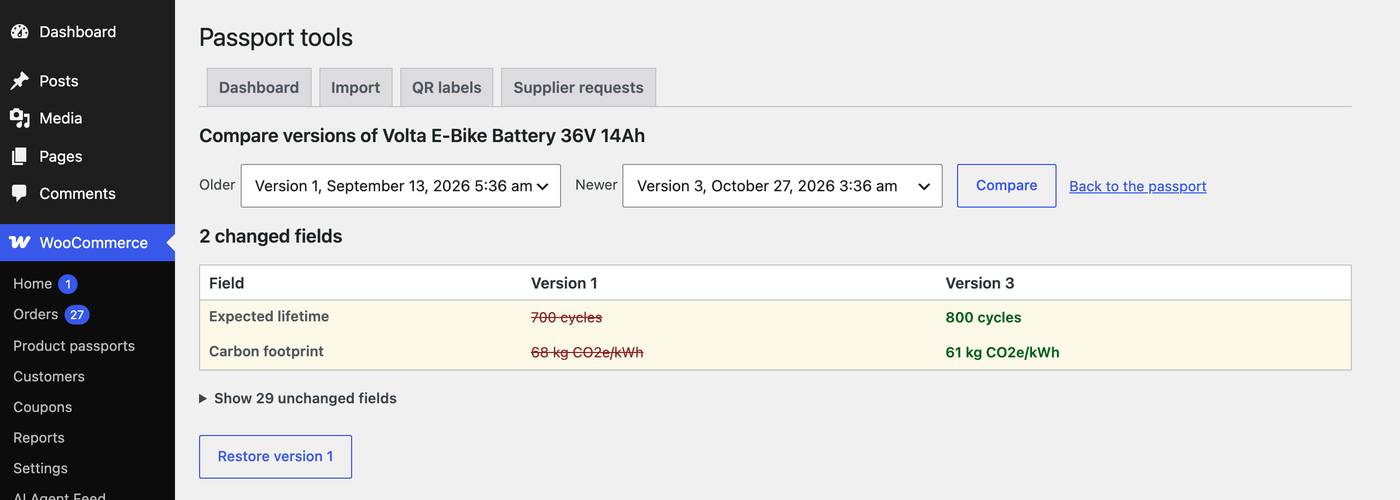
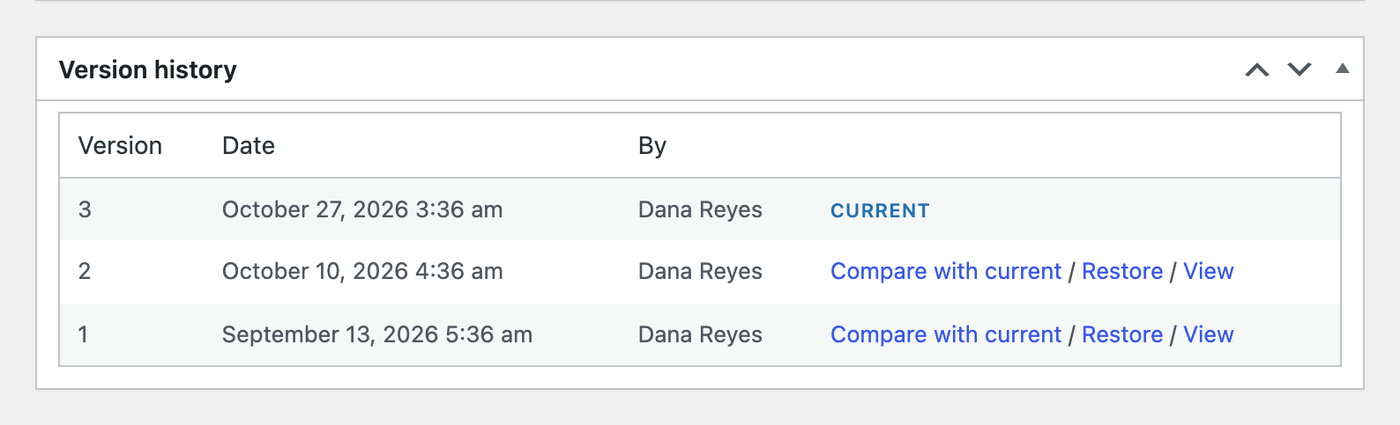
Every change to a published passport is stored as a dated version, with the user who made it. Nothing is lost when data changes, and you can show buyers what their product’s passport said when they bought it.
- Compare any two versions: the changed fields show first with the old and new value, the unchanged ones are folded away.
- Restore an earlier version. The restore itself becomes the newest version, so the history stays complete.
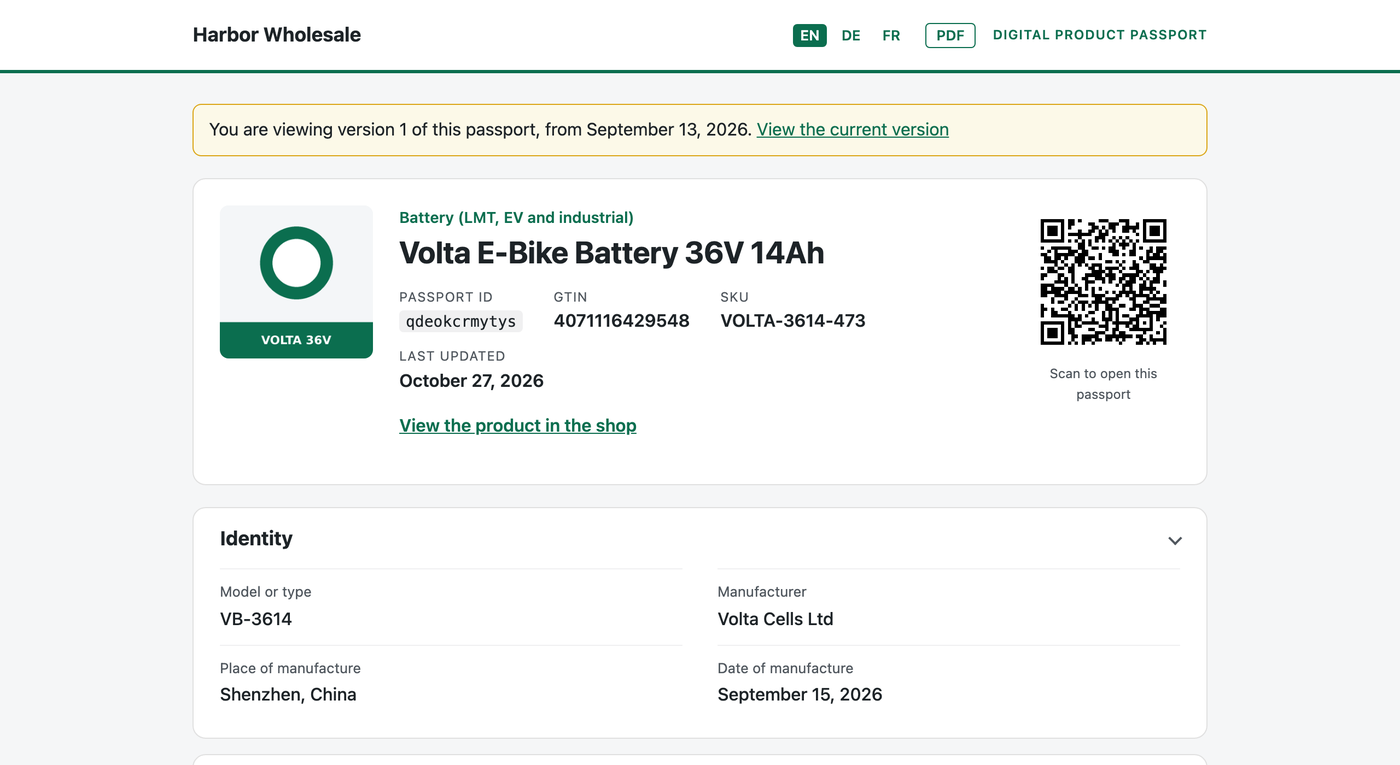
- Public archive: the passport page lists earlier versions, and
?version=2shows an older one with a notice and a link to the current version. Turn it off under Settings, Passports, Pro.