
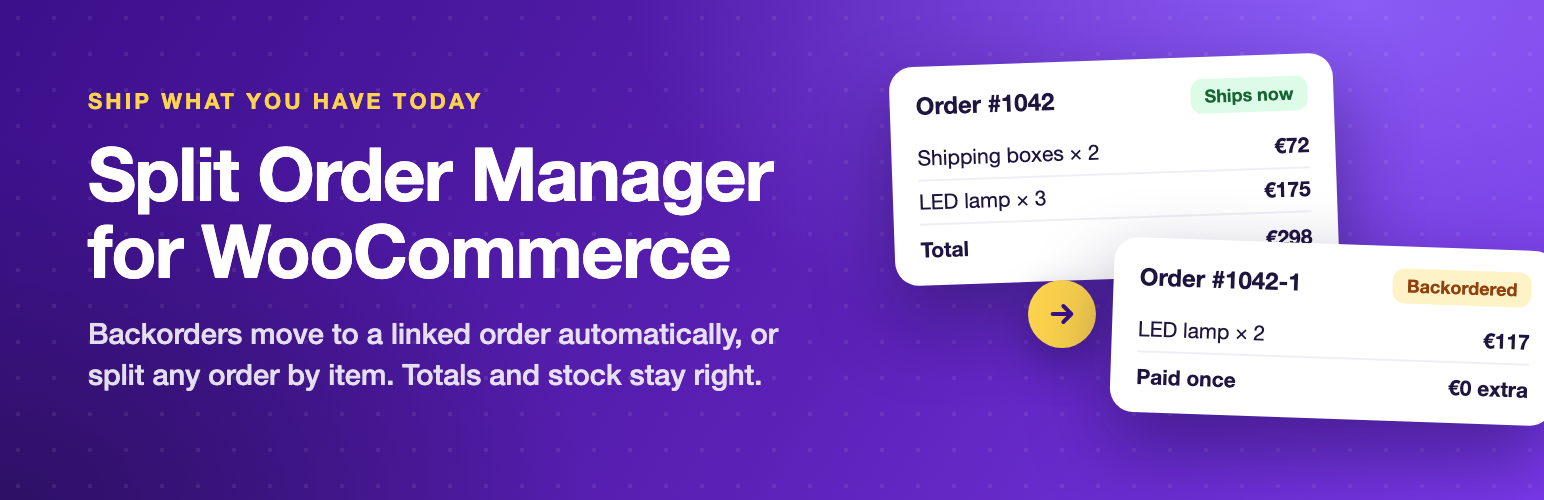
A customer orders three items and one is on backorder. WooCommerce keeps it as one order, so you either hold the whole parcel or ship part of it and track the rest by hand. Split Order Manager for WooCommerce splits the order instead, and keeps every number right.

Split Order Manager
Ship what you have today: split orders by item or quantity, or move backorders to a linked order automatically. Totals and stock stay correct.
Screenshots
See it in action
Features
Free and Pro
Free In the free plugin
Split backorders automatically
- Right after a paid order comes in, units on backorder move to a linked order so the rest can ship now.
- A line of 5 with 3 in stock becomes 3 now and 2 later, or the whole line waits if you prefer.
- Backorder orders can get their own Backordered status so you can filter them.
- Leave single product orders alone with a minimum number of lines.
- Works with the classic checkout and the Checkout block.
Split any order by hand
- A Split order button on the order screen opens a dialog. Choose how many units of each item move to a new order and see both totals before you confirm.
- One click selects the backordered units.
- Choose the status of the new order and whether the customer gets an email.
- Undo: move everything back to the original order with one click, as long as it has not shipped.
Every number stays right
- Line totals, taxes and coupon discounts move with their units, so the original and its split orders always add up to what the customer paid. Nothing is counted twice in reports.
- Stock is reduced once. Split orders carry the stock reduction of the units they hold, so nothing is reduced twice or restored by mistake.
- Shipping is never charged twice: it stays on the original order, or is copied to split orders at zero cost for label printing. Fees stay on the original order.
- Split orders are marked paid through the original order and carry its payment method and transaction reference. A note shows staff which order to refund.
Clear for staff and customers
- A Split orders box on every related order lists the original and its split orders with status, total and a link.
- A Split column on the orders list marks split orders.
- Order notes record who split what, when, and which items moved.
- Customers see the orders of the same purchase on the order page in My Account and on the thank you page.
- One Order split notice email tells the customer what ships now and what follows. Split orders do not send the New order and order received emails again.
Built the WooCommerce way
- Compatible with High Performance Order Storage (HPOS) and the Cart and Checkout blocks.
- The email and the linked orders box can be overridden from your theme.
- No external calls, no tracking, no account needed.
Pro Everything in free, plus
Features
- Split rules: route order lines by shipping class, category, tag, product or SKU, attribute, vendor (product author, for marketplaces), product field (for stock location plugins) or backorder state. Rules run top to bottom right after payment, and from Bulk actions on the orders list.
- Supplier and warehouse emails: each rule can email its own order, with only its items and the shipping address, to a supplier, dropshipper or warehouse. Prices can be hidden.
- Shipping packages at checkout: one shipping package per rule, so customers see and pay the right shipping before they order. Each split order then takes its own shipping line.
- Shipping per split order: or share the shipping charged at checkout between the orders by item value.
- Merge orders: combine unshipped orders of the same customer and address into one to save postage. The emptied orders keep their payment and shipping records.
- Bulk split: apply the rules or split backorders on many orders at once.
- Automatic backorder release: when stock comes back for every item of a Backordered order, it moves to Processing and the customer gets a “back in stock and on its way” email.
- Edit after split: move items between the open orders of the same purchase from the Split order dialog.
- Child order numbers: show split orders as 1234-1 and 1234-2 everywhere.
- Split dashboard: every split purchase with what has shipped and what is still waiting, with filters and CSV export.
- Email wording: your own opening text for the Order split notice, with placeholders.
Pricing
Start free, upgrade when you need more
Prices in USD. Pro renews yearly and can be cancelled from your account. Pro needs the free plugin installed.
Questions
Frequently asked
Does the customer pay twice?
No. The customer pays once for the whole purchase. Split orders are marked as paid through the original order.
When does the automatic split happen?
Right after the order is paid, in the background. The payment and the normal order emails cover the whole purchase, then the backordered units move to a linked order and the customer gets the Order split notice.
What about unpaid orders, such as bank transfer?
They are split automatically once they move to Processing. You can always split them by hand.
How are refunds handled?
Refund on the original order, which holds the payment. Split orders show a note that says so. Orders that already have refunds cannot be split.
Can I undo a split?
Yes, with Move back in the Split orders box, as long as the split order has not been completed, cancelled or refunded.
What happens to coupons?
Each coupon's discount is shared between the orders in proportion to the items that moved, so totals stay exact.
Changelog
What changed
Version 1.0.0Latest
- NewFirst release.
Tell us about your site
A plugin question, a broken page or a new project. One message gets you to the right developer.