

Plugins

B2B Order Approval

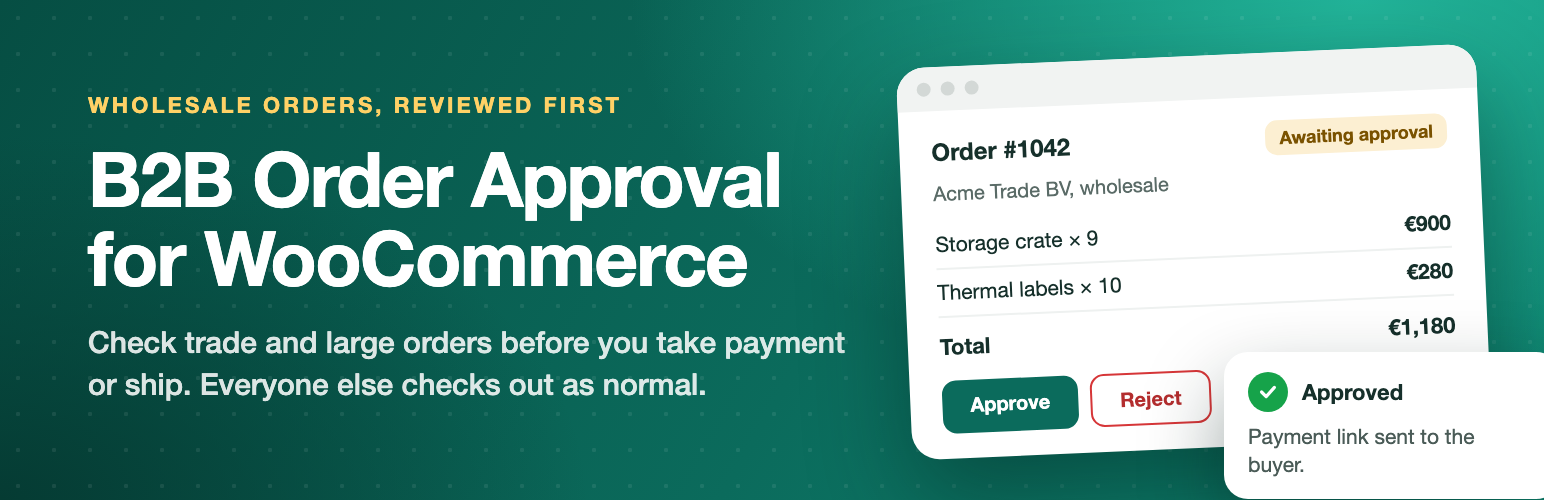
Review wholesale and company orders before you take payment or ship. Chosen roles, payment methods or large orders go through approval.

  • Version 1.0.0
  • WordPress 6.2+
  • WooCommerce 8.0+
  • PHP 7.4+
  • HPOS compatible

Screenshots

See it in action

Wholesale and B2B stores often cannot accept an order the moment it is placed. Prices need a check, stock needs confirming, credit terms need a sign off, or a large order needs a second look. WooCommerce has no approval step, so the order is paid and marked processing straight away, and you end up refunding, cancelling and chasing customers by email.

B2B Order Approval for WooCommerce adds that step. The right buyers go through approval and everyone else checks out as normal, which suits mixed retail and trade stores.

Features

Free and Pro

Free In the free plugin

Two workflows

  • Approve then pay: approval buyers see a “Send order for approval” option instead of the payment methods. No payment is taken. Once you approve, they get an email with a payment link and pay with any payment method you offer.
  • Pay then approve: payment is taken as normal and the order waits in Awaiting approval instead of moving to processing. Works with card gateways, bank transfer, cheque and cash on delivery.

Choose who needs approval

  • All customers, guests only, or chosen user roles such as Wholesale customer.
  • Roles that never need approval, such as shop staff.
  • Only orders above an order total.
  • Only chosen payment methods (pay then approve), for example bank transfer or cash on delivery.

Review orders your way

  • Awaiting approval and Approved order statuses with their own colours and filters on the orders screen.
  • Approval box on the order screen with Approve and Reject buttons and a note or rejection reason.
  • Waiting orders stay editable: fix prices, quantities or shipping before approving, and your changes are saved with the decision.
  • Approval column on the orders list with quick Approve and Reject buttons.
  • Bulk approve, and bulk reject when a reason is not required.
  • Count of waiting orders on the Orders menu.
  • Approval log of who decided, when and why, on every order.

Keep the buyer informed

  • Checkout notice explaining that the order will be reviewed. Works in the classic checkout and the Checkout block.
  • Approval status box with a step by step timeline on the thank you page and in My Account, with a Pay now button once the order is approved.
  • Buyers can cancel while the order waits, if you allow it.
  • Four emails, all editable under WooCommerce, Settings, Emails: Order awaiting approval, New order awaiting approval (to the store), Order approved (with the payment link) and Order rejected (with the reason).
  • When an approved order is paid, WooCommerce sends its usual New order and Processing order emails.

Stock and downloads

  • Stock is reserved while an approve then pay order waits, and put back if it is rejected or cancelled.
  • Downloads stay locked until the order is approved.

Built the WooCommerce way

  • Compatible with High Performance Order Storage (HPOS) and the Cart and Checkout blocks.
  • Which payment methods a buyer may use is decided on the server, so approval cannot be skipped by changing the page.
  • Email and status box templates can be overridden from your theme.
  • No external calls, no tracking, no account needed.

Pro Everything in free, plus

Features

  • Rule builder: conditions on order total, product or SKU, category, tag, brand, shipping method, billing country, customer, user role, coupon, payment method and company membership, matched with all or any. Rules run top to bottom and the first match decides.
  • Auto approve rules: approve trusted customers, roles, coupons or methods instantly so staff only review the orders that matter.
  • Company accounts: group customers into a company with owner, manager and buyer roles. Buyer orders go to their own manager first, who approves in My Account or from the email.
  • Spending limits: per order and per week, month or year, for each buyer or the whole company. Orders over the limit go to the manager instead of being blocked. Members see their spending in My Account.
  • Approval chains: for example company manager, then the store team, then finance for orders above an amount. Approvers can be the store team, a role or a named user. Each step is logged and the next approver gets an email.
  • Approve from the email: signed, single use, expiring Approve and Reject buttons in approval emails. They open a confirm page, so mail scanners cannot decide.
  • Payment window and reminders: approved orders that are not paid get reminder emails and are then cancelled, with the stock put back.
  • Reject single lines: approve the order but remove chosen lines. Totals recalculate before the buyer pays; paid lines are refunded.
  • Refund on rejection: a paid order that is rejected is refunded through the gateway when it supports refunds.
  • Purchase order payment method: PO number and an optional or required PO file, for chosen roles, in the classic checkout and the Checkout block. Files are stored privately and only staff can open them.
  • Approvals dashboard: waiting orders by age and current approver, approved and rejected counts and value, and the average time to decide.
  • Email wording per rule: your own subject and message for the Order awaiting approval email, translatable with WPML or Polylang.
  • Slack and webhook alerts: optional notifications when an order needs approval, moves to the next step, is approved or is rejected.

Pricing

Start free, upgrade when you need more

Free

0

Core features, for any number of sites.

Download free

Pro, 1 site

$49per year

Use on 1 site. Updates and support for one year.

Buy Pro

Pro, Unlimited sites

$199per year

Use on unlimited sites. Updates and support for one year.

Buy Pro

Prices in USD. Pro renews yearly and can be cancelled from your account. Pro needs the free plugin installed.

Questions

Frequently asked

Is approval on as soon as I activate the plugin?

No. Nothing changes until you choose who needs approval and tick Enable, so you can set it up on a live store safely.

Which workflow should I use?

Use Approve then pay when prices, stock or credit need a check before any money changes hands. Use Pay then approve when you are happy to take payment but want to check the order before it ships.

How does the buyer pay after approval?

They get an Order approved email with a payment link, and a Pay now button in My Account. The link opens the standard WooCommerce pay page with all your payment methods.

Can I change an order before approving it?

Yes. Waiting orders stay editable. Change items, prices, quantities or shipping, then click Approve. Your changes are saved with the decision.

Do retail customers see any change?

No. Buyers who do not match your approval settings check out exactly as before.

Does it work with the Checkout block?

Yes. The approval option and the checkout notice work in both the Checkout block and the classic checkout.

What happens to stock when an order is rejected?

With the Cancelled rejection status, WooCommerce puts the stock back. With Failed, the plugin puts it back.

Can staff skip approval when they place orders for customers?

Yes. Add their roles to "Never for these roles". Administrators and shop managers are there by default.

Does it work with my wholesale plugin?

It works with any plugin that gives trade buyers their own user role. Pick that role under Selected roles.

Changelog

What changed

Version 1.0.0Latest
  • NewFirst release.

Tell us about your site

A plugin question, a broken page or a new project. One message gets you to the right developer.