
EU Registry connection
The EU Digital Product Passport Registry stores the unique identifiers of passports. Under Settings, Passports, EU Registry, turn on the connection and enter the API address and key you received with your registry access. The key is stored encrypted.
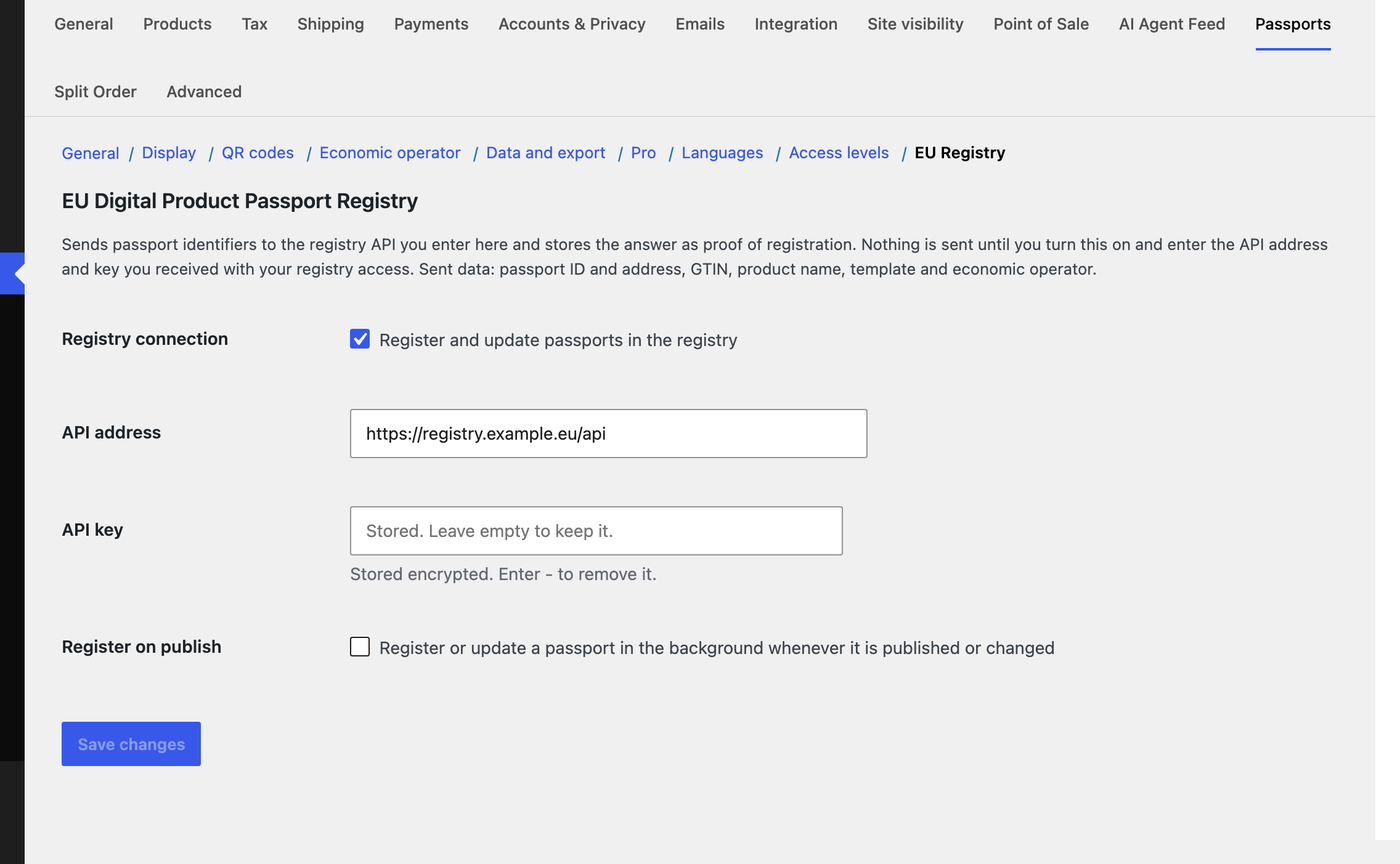
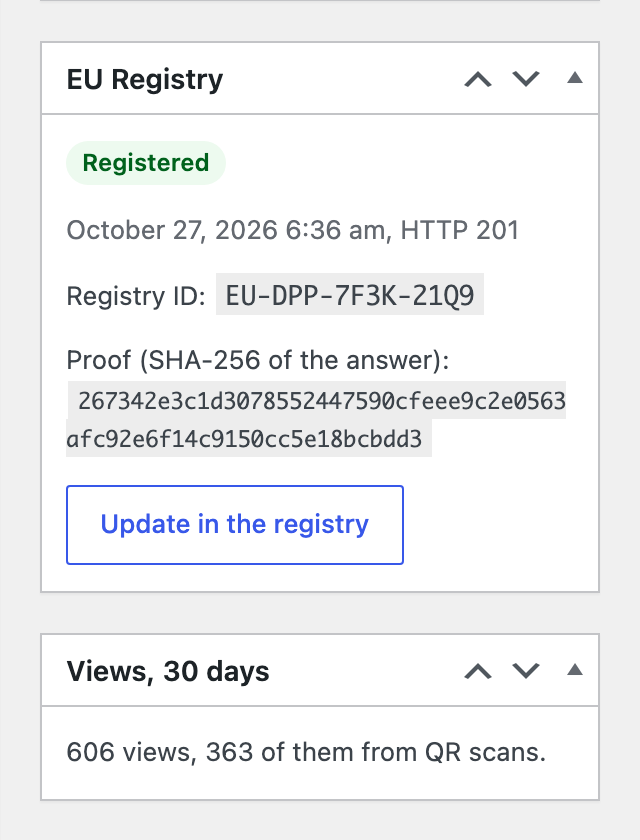
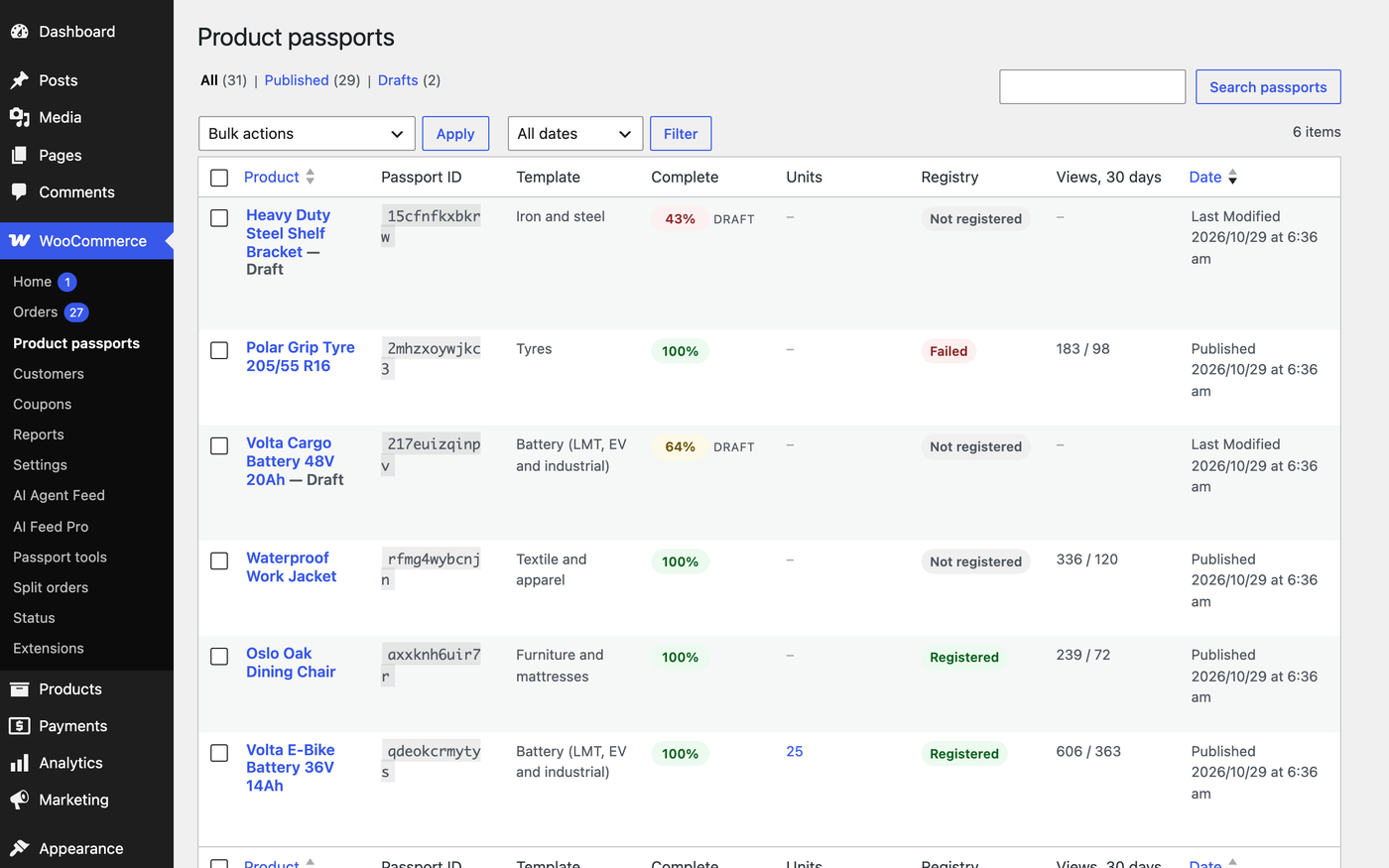
- Register one passport with Register now, many with the bulk action on the passports list, or all of them automatically when they are published or changed.
- The registry’s answer is stored as proof: its registry ID, time, status code and a SHA-256 hash of the answer.
- Failed registrations show the registry’s message, and an earlier proof is kept.
wfdpp_registry_payload and wfdpp_registry_request filters if your registry access needs a different one. Until then, the free CSV export covers manual uploads.Compliance dashboard
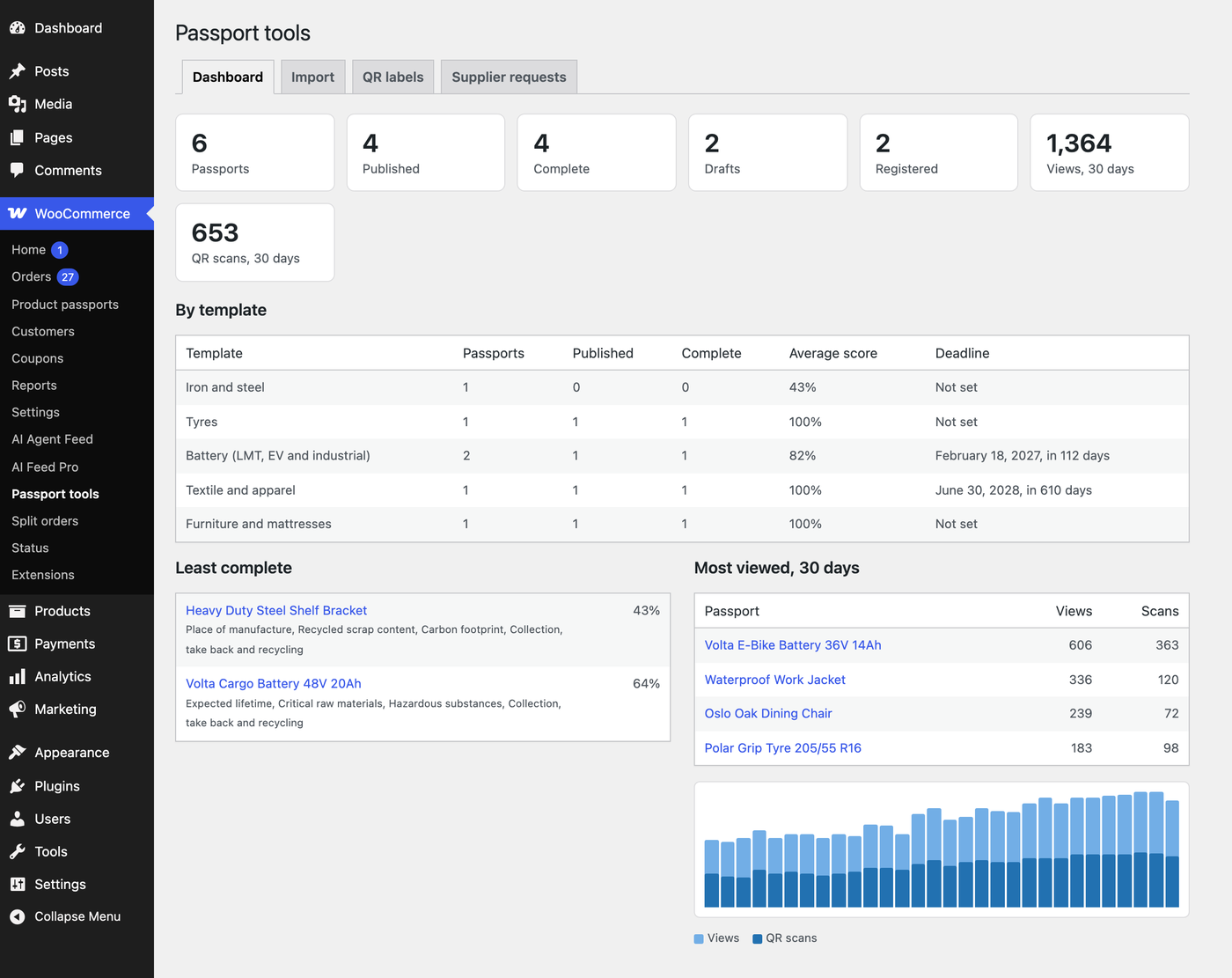
WooCommerce, Passport tools opens on a dashboard: passports, published, complete, drafts and registered; a table per template with the average score and the days left until its deadline; the least complete passports with what they miss; and the most viewed passports with a chart of views and QR scans per day.
Weekly digest
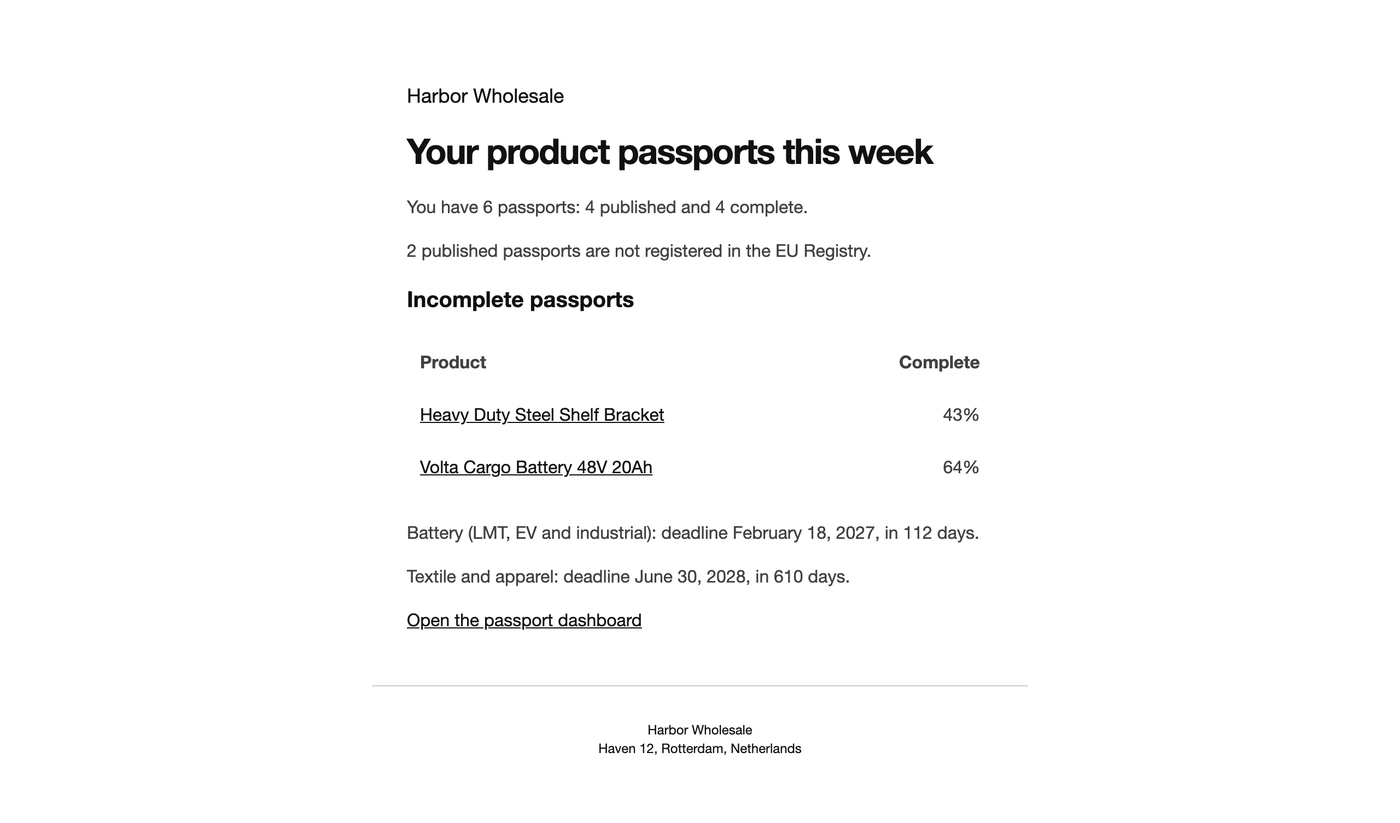
Every Monday the store gets an email with incomplete passports, unregistered passports and upcoming deadlines. Set deadlines per template under Settings, Passports, Pro; battery passports default to 18 February 2027.
Scan analytics
Passport page views and QR scans are counted per passport and day on your own site, without IP addresses, cookies or other personal data. Bots and visitors without JavaScript are not counted, and page caches do not hide views. New QR codes in the passport address format carry ?qr=1, so scans are told apart from clicks; GS1 Digital Link visits always count as scans. Unit passports count under their product passport.
More templates
Pro adds templates for iron and steel, aluminium, tyres (with the tyre label values of Regulation (EU) 2020/740 and the EPREL number) and mattresses. The delegated acts for steel, aluminium and mattresses are still in preparation; those templates follow the preparatory work and are updated when the acts are published.