
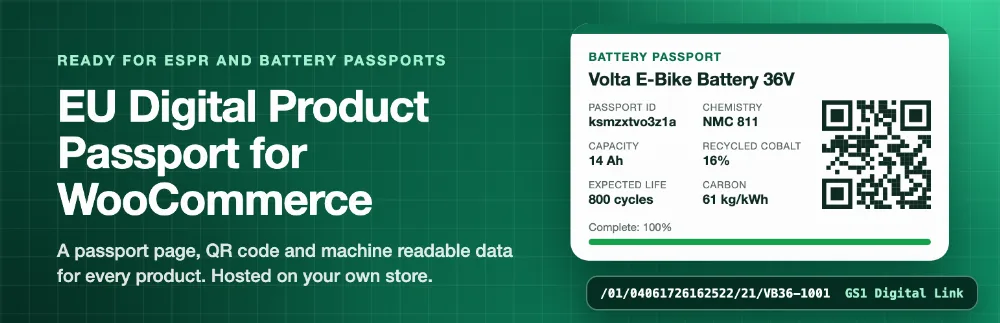
The EU Ecodesign for Sustainable Products Regulation (ESPR) and the Battery Regulation bring Digital Product Passports: a page, reached by a QR code on the product, that tells buyers, repairers and recyclers what the product is made of, how to use and repair it, and how to dispose of it. EU Digital Product Passport for WooCommerce lets you prepare and publish those passports right from your products.

EU Digital Product Passport
Create EU Digital Product Passports for your WooCommerce products: a public passport page, a QR code and machine readable data for every product.
- A passport for every product
- Public passport pages
- QR codes made on your site
- On the product page
ProHalloween sale: 37% off
First year $62.37 with HALLOWEEN37, then $99 a year.
Buy Pro- 1 year of updates
- Priority support from the developers
- Full docs and setup guide
- 30 day money back guarantee
Overview
Why stores use it
Features
What it does, screen by screen
01
The Product passport tab with the battery template and the completeness score
- A completeness score shows which required fields are still missing, on the product, the passports list and the products list.
- Compliance dashboard and weekly digest: passports by template with completeness and deadlines, the least complete passports, and a Monday email with incomplete and unregistered passports. Pro
- Serial and batch passports: create passports per unit or per batch under a product passport, as battery passports need. Each unit gets its own ID, page and QR code, with GS1 Digital Link /21/{serial} or /10/{batch} links that your store answers. Thousands of units are created in the background. Pro
02
A public passport page
- schema.org JSON-LD on each page and a public REST endpoint with the passport as JSON.
- Access levels: mark each field as public, for repairers and recyclers, or for authorities. Restricted fields are hidden on the page, in JSON-LD, the REST endpoint and PDFs until an access key is entered. Battery defaults follow Annex XIII of Regulation (EU) 2023/1542. Pro
03
The passport card with the QR code on the product page
- Download each passport’s QR code as PNG or SVG from the product screen.
04
The passports list
- Export all passports, or one, as JSON.
- Multilingual passports: translate the text fields of each passport into any of the 24 EU languages. Visitors get their browser language or pick one on the page; links from a WPML or Polylang shop carry the shop language. Pro
05
Settings
Free vs Pro
Start free, add Pro when you need more
FeatureFreePro
A passport for every product
A Product passport tab on every product with ready templates for batteries (Regulation (EU) 2023/1542, Annex XIII), textiles, furniture and a generic template.
Set a default template, a template per product category, or choose one per product.
Materials tables with share, recycled content and origin, document links with uploads from the media library, units on number fields.
A completeness score shows which required fields are still missing, on the product, the passports list and the products list.
Keep a passport as a draft until it is ready, then publish it.
Variations can have a passport of their own or share the parent’s.
Already have a passport from your supplier or a DPP provider? Link to it instead.
Public passport pages
Every passport gets a permanent page with a random ID, such as yourstore.com/passport/k3m9x2q7ab4c/.
A clean, fast page without your theme, readable on any phone, with collapsible sections and your logo and accent colour.
Economic operator, manufacturer and EU responsible person shown on every passport.
The page stays live when the product is deleted, so printed QR codes keep working.
schema.org JSON-LD on each page and a public REST endpoint with the passport as JSON.
QR codes made on your site
Download each passport’s QR code as PNG or SVG from the product screen.
Choose plain passport links or GS1 Digital Link from the product GTIN. Your store answers /01/{GTIN} links itself, with optional serial numbers.
Choose the PNG size and error correction, and print the passport ID under the code.
On the product page
Show the passport as a product tab, as a button with a popup, or only where you place the [wfdp_passport] shortcode or the Product passport block.
The QR code, passport ID and link switch with the chosen variation.
Export
Export all passports, or one, as JSON.
Export a CSV of passport IDs, addresses and GTINs, ready for a manual upload to the EU Digital Product Passport Registry.
Built the WooCommerce way
Compatible with High Performance Order Storage (HPOS) and the Cart and Checkout blocks.
No external calls, no tracking, no account needed. QR codes are made on your own server.
Only in Pro Pro
Serial and batch passports: create passports per unit or per batch under a product passport, as battery passports need. Each unit gets its own ID, page and QR code, with GS1 Digital Link /21/{serial} or /10/{batch} links that your store answers. Thousands of units are created in the background.
Version history: every published change becomes a dated version. Passport pages can show an archive of earlier versions; admins compare any two versions field by field and roll back.
Multilingual passports: translate the text fields of each passport into any of the 24 EU languages. Visitors get their browser language or pick one on the page; links from a WPML or Polylang shop carry the shop language.
Access levels: mark each field as public, for repairers and recyclers, or for authorities. Restricted fields are hidden on the page, in JSON-LD, the REST endpoint and PDFs until an access key is entered. Battery defaults follow Annex XIII of Regulation (EU) 2023/1542.
CSV and supplier data import: map the columns of a supplier or ERP spreadsheet to passport fields and update hundreds of products at once, after a dry run report. Sample files for every template.
Supplier request portal: email a supplier a private link to fill the fields only they know, such as material origin or recycled content. You review and approve the answer before it goes into the passport.
Bulk QR labels: print sheets of QR labels in A4 sizes (24, 14 or 40 labels) and label printer sizes (62 x 29 mm, 50 x 25 mm, 4 x 2 inch) with product name, GTIN, passport ID and serial number, filtered by category, SKU or template. Large runs are prepared in the background.
Branded PDF passport: a printable PDF of each passport with your logo and accent colour, linked from the passport and product page and attached to the Completed order email.
EU Registry connection: register and update passport identifiers through the registry API you enter, store proof of registration and see the status per passport. Register in bulk or automatically on publish.
Compliance dashboard and weekly digest: passports by template with completeness and deadlines, the least complete passports, and a Monday email with incomplete and unregistered passports.
Scan analytics: passport page views and QR scans per passport, counted on your site without personal data.
More templates: iron and steel, aluminium, tyres (with the tyre label values of Regulation (EU) 2020/740) and mattresses. Templates for groups whose delegated acts are still in preparation are updated when the acts are published.
Good to know Pro
The PDF uses the standard PDF fonts, which cover Western and Central European languages. Letters outside them, such as Greek or Cyrillic, lose their accents or show as a question mark in the PDF; the passport page shows every language.
Passport labels on translated pages follow the translations of the free plugin for that language.
QR codes in the passport address format get ?qr=1 so scans can be counted. Codes printed earlier keep working and count as views.
This add-on helps you prepare and publish passport data. It is not legal advice.
Updates and supportA year of updates and support tickets answered by the developers who wrote the plugin.30 day money backIf Pro is not right for your store, ask within 30 days for a full refund.Docs you can followA step by step guide with screenshots for every setting.
Built the WooCommerce wayHPOS and Cart and Checkout blocks ready, checked with Plugin Check and PHPCS.
Pricing
Simple yearly licences, priced per month
Pro, 1 site
$4.08
$2.57/month
First year $30.87, then $49 a year
Use on 1 site. Updates and support for one year.
Buy ProPro, 5 sites
$8.25
$5.20/month
First year $62.37, then $99 a year
Use on 5 sites. Updates and support for one year.
Buy ProPro, Unlimited sites
$16.58
$10.45/month
First year $125.37, then $199 a year
Use on unlimited sites. Updates and support for one year.
Buy ProPrices in USD, billed yearly. Pro renews yearly and can be cancelled from your account at any time, with a 30 day money back guarantee. Pro needs the free plugin installed.
Questions
Frequently asked
Which products need a passport, and when?
Batteries first: EV, light means of transport and industrial batteries over 2 kWh need a battery passport from February 2027. Textiles, furniture, iron and steel, tyres and other groups follow as the EU adopts delegated acts under ESPR. Check the rules for your product group.
Does the plugin send data anywhere?
No. Passports, QR codes and pages are made and served by your own site. The EU registry upload is a manual step with the CSV export.
Will printed QR codes keep working?
Yes. The passport ID never changes and the page stays live even after the product is deleted. Only changing the passport address setting breaks printed codes, and the setting warns you.
Can I use GS1 Digital Link?
Yes. Set the QR format to GS1 Digital Link and add a GTIN to the product. The QR code then holds yourstore.com/01/{GTIN}, which your store forwards to the passport. Products without a valid GTIN fall back to the passport address.
Can customers see draft passports?
No. Draft passports are only visible to shop managers. Visitors get a not found page.
Where is the GTIN taken from?
From the GTIN, UPC, EAN or ISBN field WooCommerce added to the Inventory tab.
Changelog
What changed
Version 1.0.0Latest
- NewFirst release.
Tell us about your site
A plugin question, a broken page or a new project. One message gets you to the right developer.