Halloween sale: 37% off every Pro plugin Use code at checkout.Shop Pro plugins

Plugins

Shoppable Video Stories

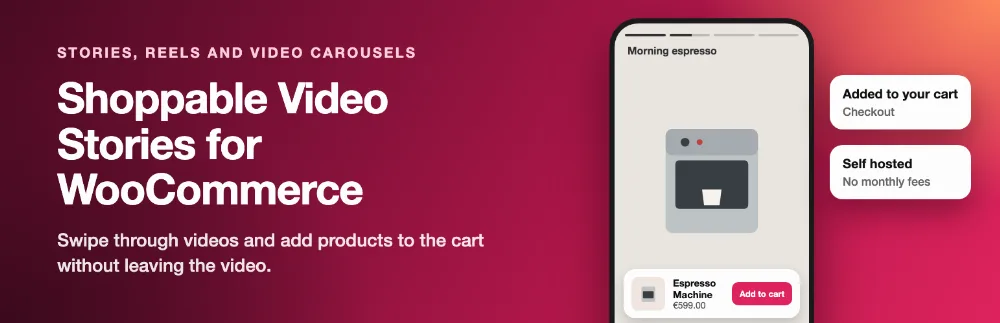
Instagram and TikTok style video stories, carousels and grids for WooCommerce, with add to cart inside the video. Self hosted, no monthly fees.

  • Video library
  • Product tagging
  • Story bubbles
  • Carousel and grid
  • Version 1.0.0
  • WordPress 6.2+
  • WooCommerce 8.0+
  • PHP 7.4+
  • HPOS compatible
ProHalloween sale: 37% off
How many sites?
$8.25$5.20/month

First year $62.37 with HALLOWEEN37, then $99 a year.

Buy ProOr start with the free version

Overview

Why stores use it

Shoppers discover products through short vertical videos. Shoppable Video Stories brings that to your own store: story bubbles at the top of a page, a video carousel or a grid, and a full screen player where shoppers swipe through videos and add the products they see to the cart without leaving the video.

Videos are hosted on your own site. There are no external calls, no visitor tracking and no monthly bill.

Features

What it does, screen by screen

01

Story bubbles and a video carousel on a store page

  • Blocks: Video story bubbles, Video carousel, Video grid and Video playlist.
  • Story bubbles. Round bubbles like Instagram Stories. A tap opens the full screen player.
  • Shortcode: [wfvs_playlist id="12" layout="bubbles"]. Layouts: bubbles, carousel, grid. Leave out the id to use the default playlist, or list videos with videos="5,8,9".
02

The full screen player with the product card and add to cart

  • Add to cart in the video. A product card with price, stock and an option picker for variable products. Products are added through the WooCommerce Store API, so the cart and the mini cart update while the video keeps playing. Choose to stay in the player, open the mini cart or go to the checkout.
  • Full screen swipe player. Swipe up or down on phones, arrow keys on desktop, a mute button and a progress bar for each video.
  • Product page videos. The videos a product is tagged in show on its product page: under the add to cart area, after the tabs, in a Videos tab, or with the [wfvsp_product_videos] shortcode. Pro
03

Choosing a size in the player

  • Carousel and grid. Vertical video cards in a scrolling row or a grid, with size, corner and colour options.
04

Adding a video and tagging products

  • Product tagging. Tag any number of products to a video, including variable products.
  • Drag and drop ordering. Arrange the videos of a playlist with a live preview, and drag the products of a video into order. Pro
05

Video stats

  • Basic stats. Views, product taps and add to carts per video, stored in a small table on your site, without IP addresses.

Free vs Pro

Start free, add Pro when you need more

FeatureFreePro
Features
Video library. Upload MP4 or WebM to the Media Library or paste a direct video address. Each video has a title, a poster image and a status.
Product tagging. Tag any number of products to a video, including variable products.
Story bubbles. Round bubbles like Instagram Stories. A tap opens the full screen player.
Carousel and grid. Vertical video cards in a scrolling row or a grid, with size, corner and colour options.
Full screen swipe player. Swipe up or down on phones, arrow keys on desktop, a mute button and a progress bar for each video.
Add to cart in the video. A product card with price, stock and an option picker for variable products. Products are added through the WooCommerce Store API, so the cart and the mini cart update while the video keeps playing. Choose to stay in the player, open the mini cart or go to the checkout.
Playlists. Group videos into playlists and drag them into order.
Fast pages. Only poster images load with the page. A video loads when it is opened, and the player script loads only on pages that show videos.
Basic stats. Views, product taps and add to carts per video, stored in a small table on your site, without IP addresses.
Accessible and translatable. Keyboard navigation, a focus trap and Escape to close in the player, screen reader labels, reduced motion support, RTL and translation ready.
Blocks and shortcode
Blocks: Video story bubbles, Video carousel, Video grid and Video playlist.
Shortcode: [wfvs_playlist id="12" layout="bubbles"]. Layouts: bubbles, carousel, grid. Leave out the id to use the default playlist, or list videos with videos="5,8,9".
Works with
The Cart and Checkout blocks, the Mini Cart block and the classic cart and checkout.
Block themes and classic themes.
High Performance Order Storage (HPOS).
Only in Pro Pro
Floating video widget. A round video bubble in a corner of chosen pages that opens a playlist. It appears after a delay or after the shopper scrolls, and shoppers can hide it.
Product page videos. The videos a product is tagged in show on its product page: under the add to cart area, after the tabs, in a Videos tab, or with the [wfvsp_product_videos] shortcode.
Sales analytics. Views, watch time, product taps, add to carts, orders and sales per video, with date filters, top videos and CSV. An order line counts for a video when the shopper added that product from the video and the order is paid; refunds and cancellations are taken back.
YouTube Shorts, Vimeo, Instagram Reels and TikTok. Paste a link instead of uploading a file. The video plays in the service’s own player. Optionally fetch the poster image from the service.
Extra layouts. Stacked cards, a marquee and an inline feed where videos play in the page.
Autoplay previews. A muted preview of the first seconds on carousel and grid cards, on hover or when in view.
Display rules. Start and end dates for playlists, and placing a playlist on the shop page, category and tag pages, product pages or chosen pages without editing them.
Custom buttons. A button to any address, a coupon code shoppers can copy and a countdown, shown in the player.
Drag and drop ordering. Arrange the videos of a playlist with a live preview, and drag the products of a video into order.
Weekly performance email. Every Monday the store gets last week’s views, watch time, add to carts and sales from video. Edit it under WooCommerce, Settings, Emails.
External services Pro
When you add a YouTube, Vimeo, Instagram or TikTok link, the player loads that service’s embed when a shopper plays the video. With Ask first on (the default), the shopper sees a Play video button that names the service before anything loads. YouTube videos use youtube-nocookie.com. Services: YouTube (Google) https://policies.google.com/privacy, Vimeo https://vimeo.com/privacy, Instagram (Meta) https://privacycenter.instagram.com/policy, TikTok https://www.tiktok.com/legal/privacy-policy.
When you tick Fetch the poster image while saving a video, your site requests the preview image once: from i.ytimg.com for YouTube, from the vimeo.com oEmbed endpoint for Vimeo, and from the tiktok.com oEmbed endpoint for TikTok. Only the video link is sent.


Pricing

Simple yearly licences, priced per month

Free

0

Core features, for any number of sites.

Download free

Pro, 1 site

$4.08

$2.57/month

First year $30.87, then $49 a year

Use on 1 site. Updates and support for one year.

Buy Pro

Pro, Unlimited sites

$16.58

$10.45/month

First year $125.37, then $199 a year

Use on unlimited sites. Updates and support for one year.

Buy Pro

Prices in USD, billed yearly. Pro renews yearly and can be cancelled from your account at any time, with a 30 day money back guarantee. Pro needs the free plugin installed.

Questions

Frequently asked

What video files can I use?

MP4 (H.264) or WebM. Short vertical clips work best: 9 by 16 and under about 30 seconds. Large files use disk space and bandwidth on your hosting, so keep them small. Your server's upload limit is shown on the video screen.

Does it work with the Checkout block?

Yes. Products are added through the Store API, which the Cart, Checkout and Mini Cart blocks use. The classic cart works too.

Can shoppers choose a size or colour in the video?

Yes. Variable products show an option picker with live price and stock.

Does the plugin send data anywhere?

No. Videos play from your site, and stats are counted in your own database without IP addresses. A random session number kept in the browser tab stops one visit from counting many times.

Will it slow my pages down?

Only poster images load with the page, lazily. The video file loads when a shopper opens it, and the player script and styles load only on pages with a video layout.

Changelog

What changed

Version 1.0.0Latest
  • NewFirst release.

Tell us about your site

A plugin question, a broken page or a new project. One message gets you to the right developer.