
Bulk QR labels
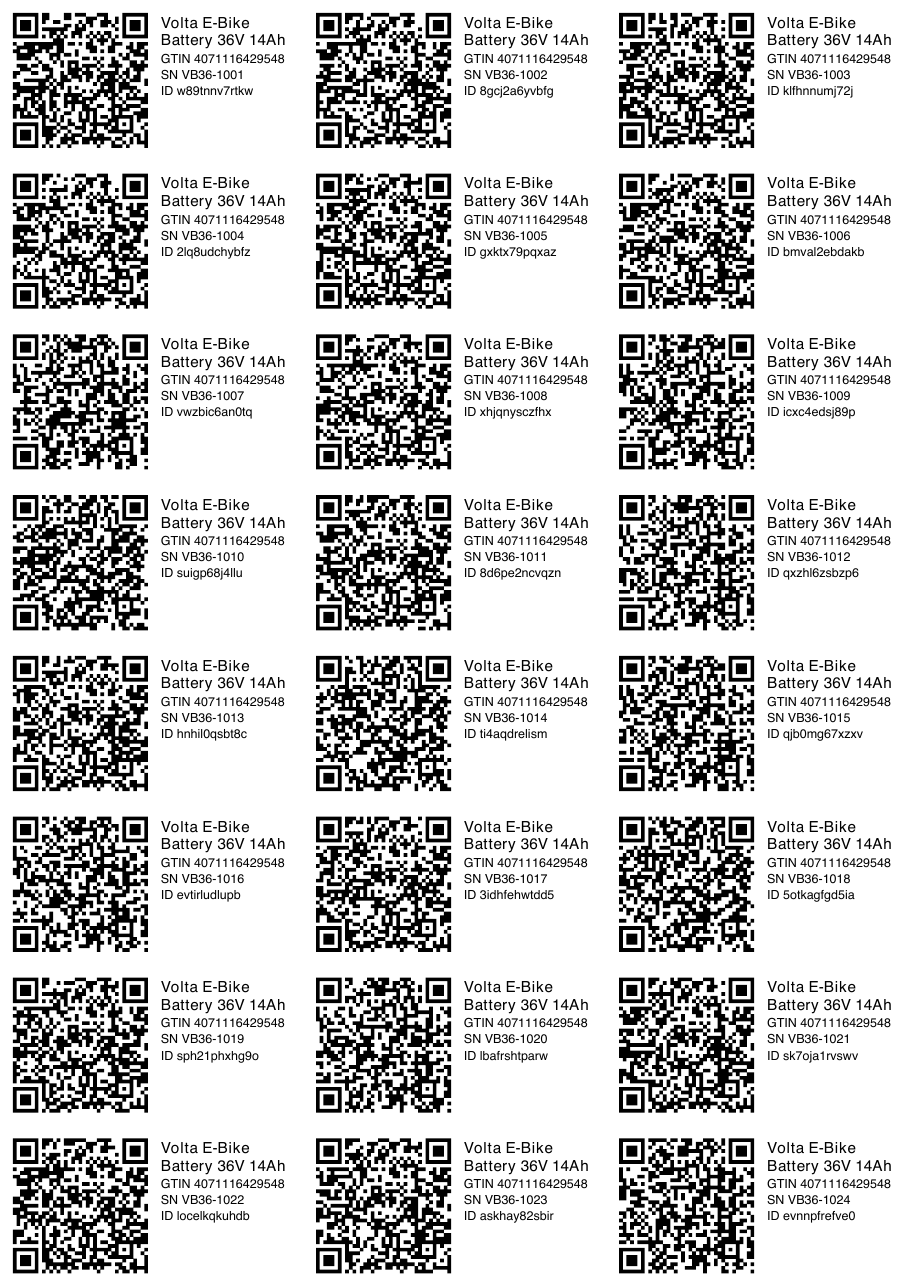
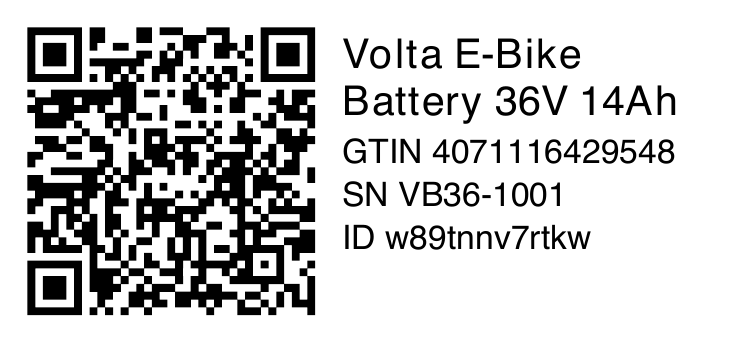
Under Passport tools, QR labels, print a PDF sheet of labels with the QR code, product name, GTIN, passport ID and serial number. Choose passports by category, SKU or template, with or without their units, or print the units of one passport from its screen. You can also select passports on the passports list and use the Print QR labels bulk action.
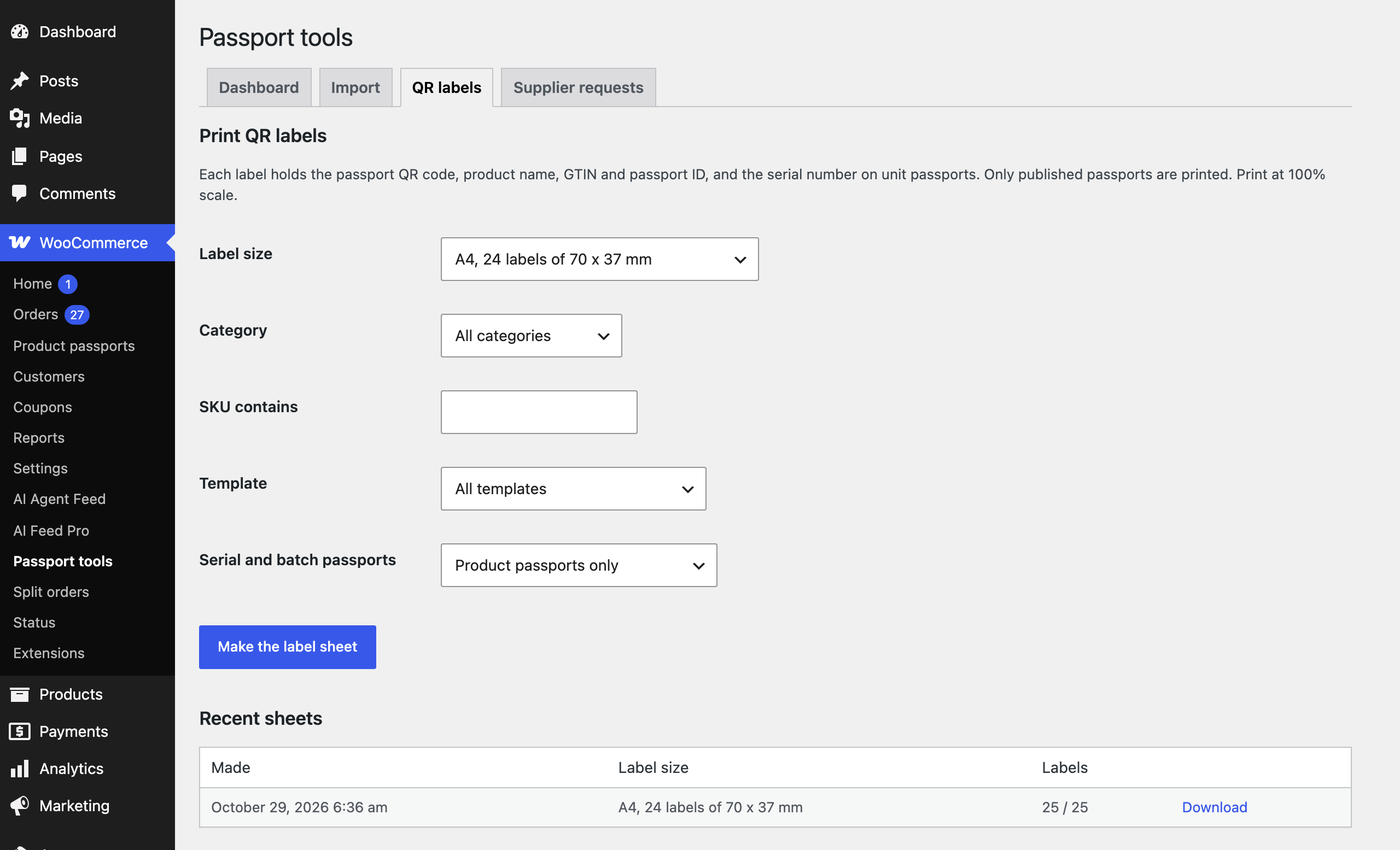
| Label size | Use |
|---|---|
| A4, 24 labels of 70 x 37 mm | Common office label sheets |
| A4, 14 labels of 99.1 x 38.1 mm | L7163 sheets |
| A4, 40 labels of 52.5 x 29.7 mm | Small labels for batteries and parts |
| 62 x 29 mm, 50 x 25 mm, 4 x 2 inch | Label printers, one label per page |
Up to 100 labels are made at once; larger runs are prepared in the background and appear under Recent sheets. QR codes are drawn as vectors, so they stay sharp at any size. Print at 100% scale.
Branded PDF passport
Every published passport is also available as a PDF with your logo and accent colour, the QR code and all public fields. Visitors download it from the PDF link in the page header or the product page card. Turn on PDF with orders to attach the passports of the bought products to the Completed order email.
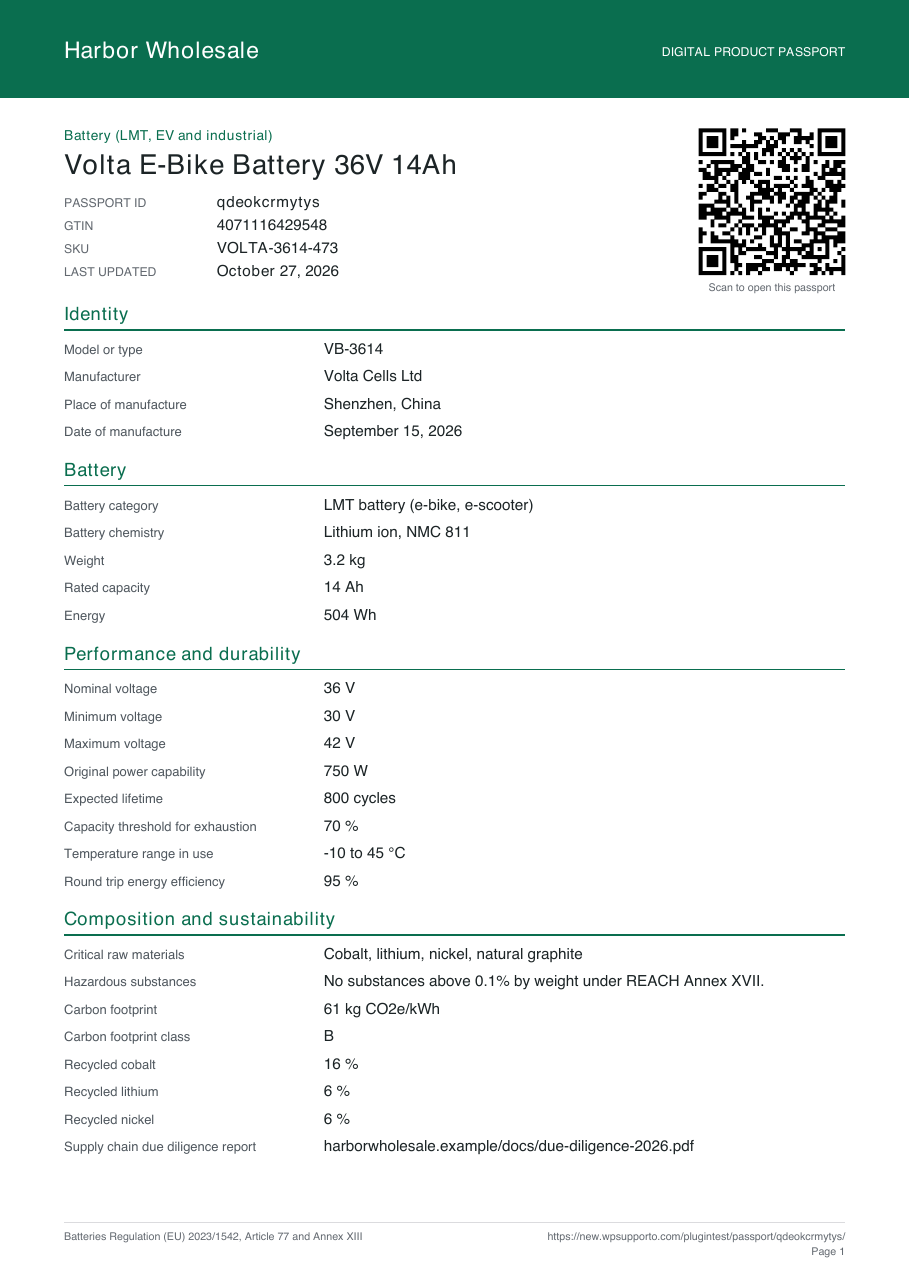
Restricted fields are left out, unless the visitor opened the page with an access key.
