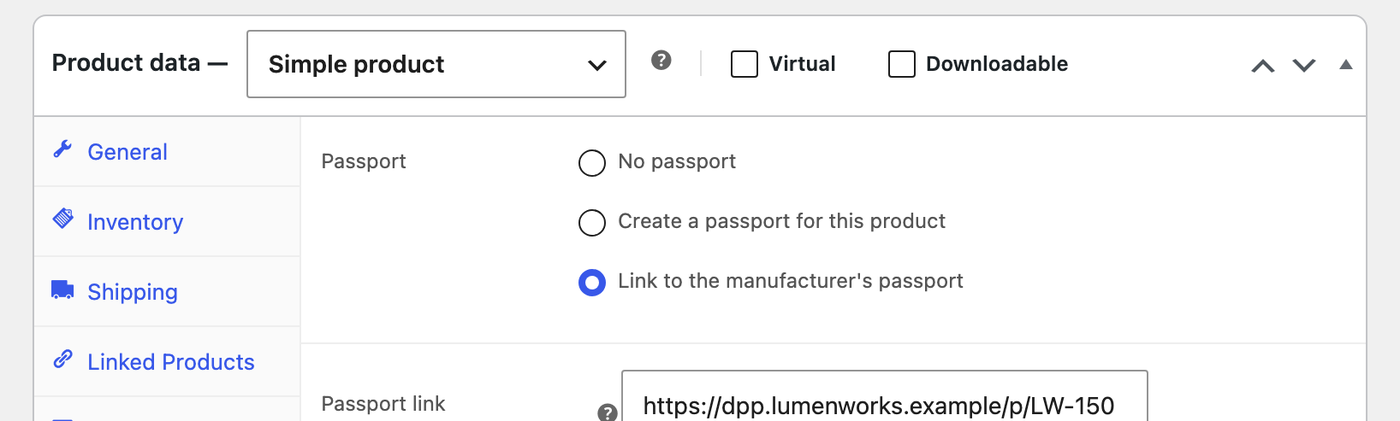
The Product passport tab sits with the other product data tabs. It has three choices:
- No passport: the product shows nothing.
- Create a passport for this product: fill in the fields of the template and publish the passport page.
- Link to the manufacturer’s passport: for retailers whose supplier already provides a passport. Enter its address and identifier; the product page shows the link and a QR code for it.
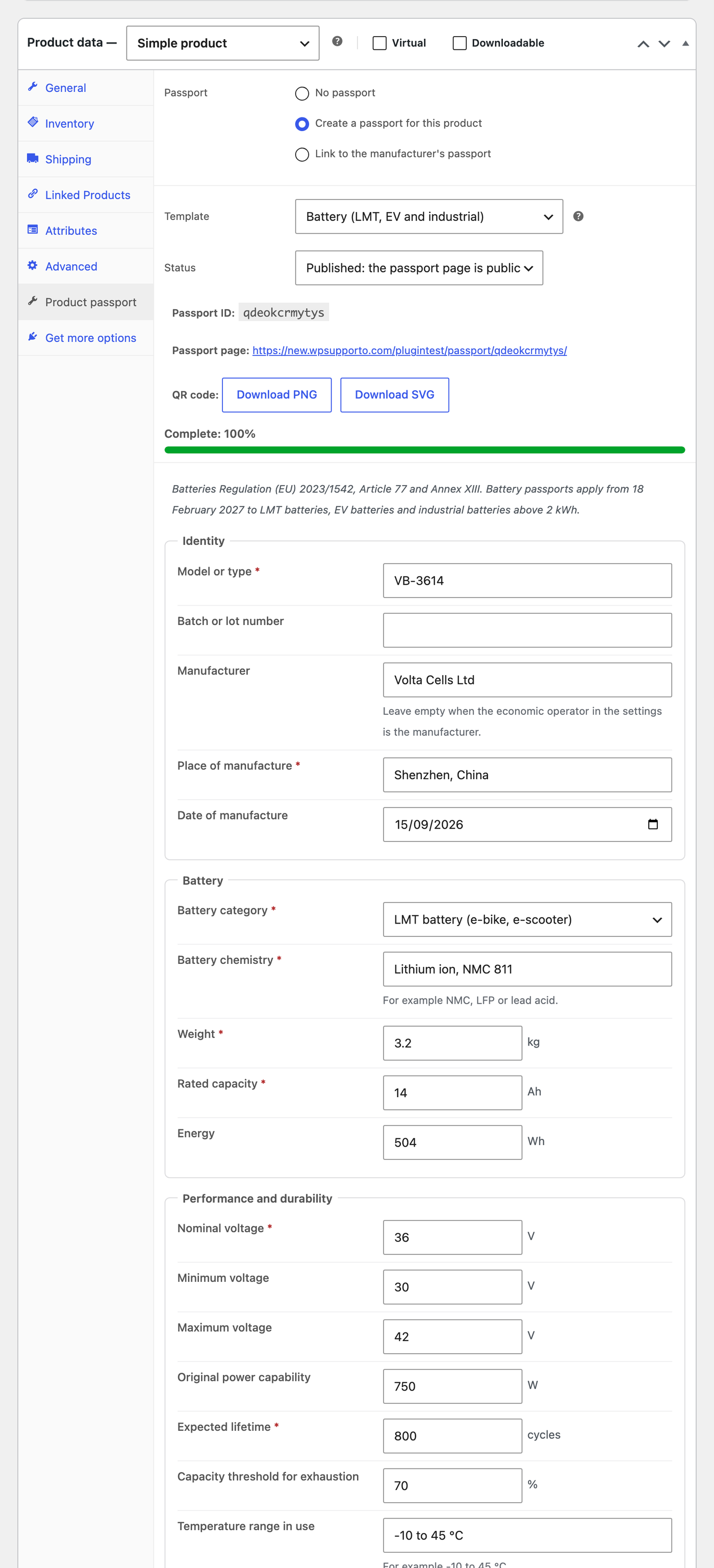
Templates and fields
Every template starts with an Identity group (model, batch, manufacturer, place and date of manufacture) and ends with End of life and Documents. In between are the fields of the product group:
| Template | Based on | Main fields |
|---|---|---|
| Battery (LMT, EV and industrial) | Regulation (EU) 2023/1542, Article 77 and Annex XIII | Category, chemistry, weight, capacity, energy, voltages, power, expected lifetime, materials, critical raw materials, hazardous substances, carbon footprint, recycled cobalt, lithium, nickel and lead, due diligence report, safety information |
| Textile and apparel | ESPR, textile priority group | Materials (adding up to 100%), recycled content, origin of processing steps, substances, certifications, care, durability, repair |
| Furniture and mattresses | ESPR, furniture priority group | Materials, recycled content, dimensions, assembly guide, care, repair, spare parts and warranty years |
| Generic (ESPR) | ESPR, Article 9 and Annex III | Materials, recycled content, substances, carbon footprint, use, lifetime, repair, spare parts, care |
Materials tables hold the material, its share, the recycled share and the origin. Documents can be links or uploads from the media library. Number fields show their unit, such as kg, Ah or %.
Completeness, draft and publish
The completeness score counts the required fields (marked with a red star) and checks rules such as textile materials adding up to 100%. It shows on the product, on the passports list and as a Passport column in the products list. Keep a passport as a Draft until it is ready: only shop managers can see a draft page, visitors get a not found page.
Variations
Variable products share the parent’s passport by default. Tick Own passport on a variation to give it a passport of its own; it starts as a copy of the parent’s data. On the product page, the QR code, passport ID and link switch when a customer picks that variation.