
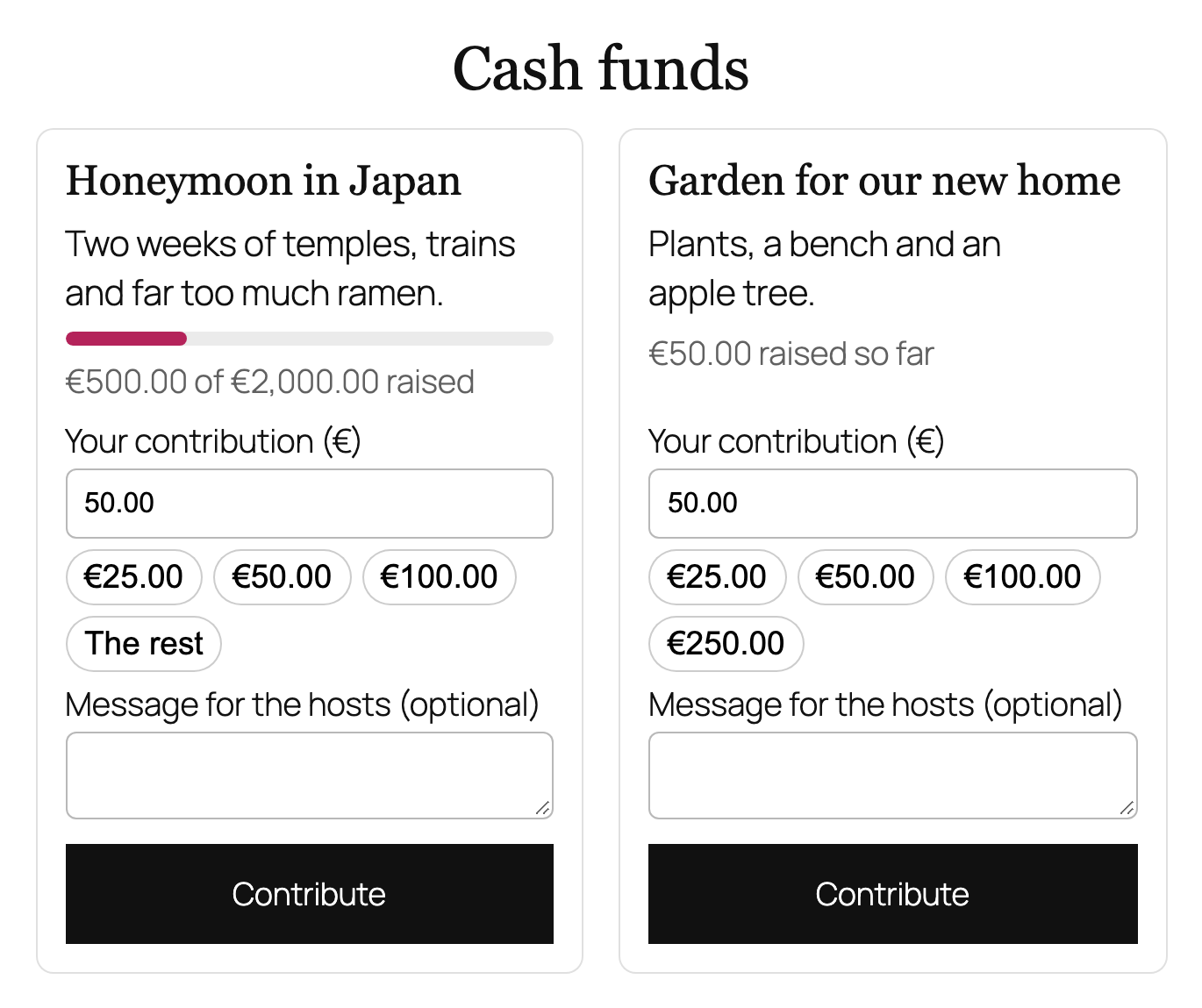
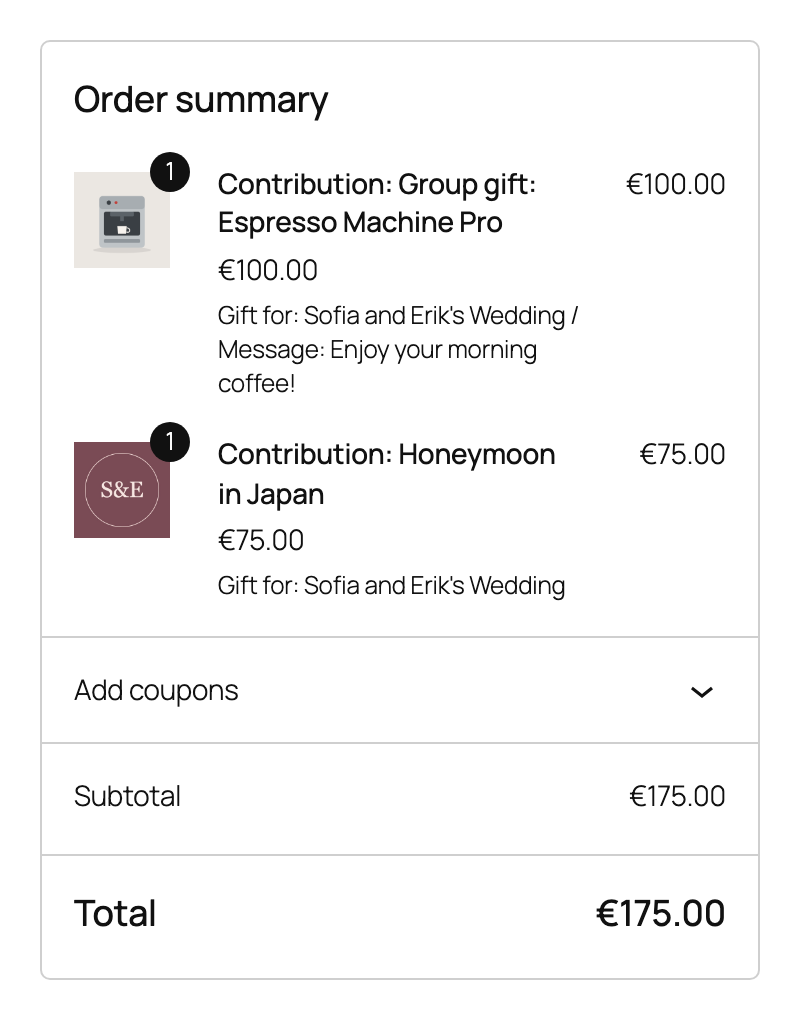
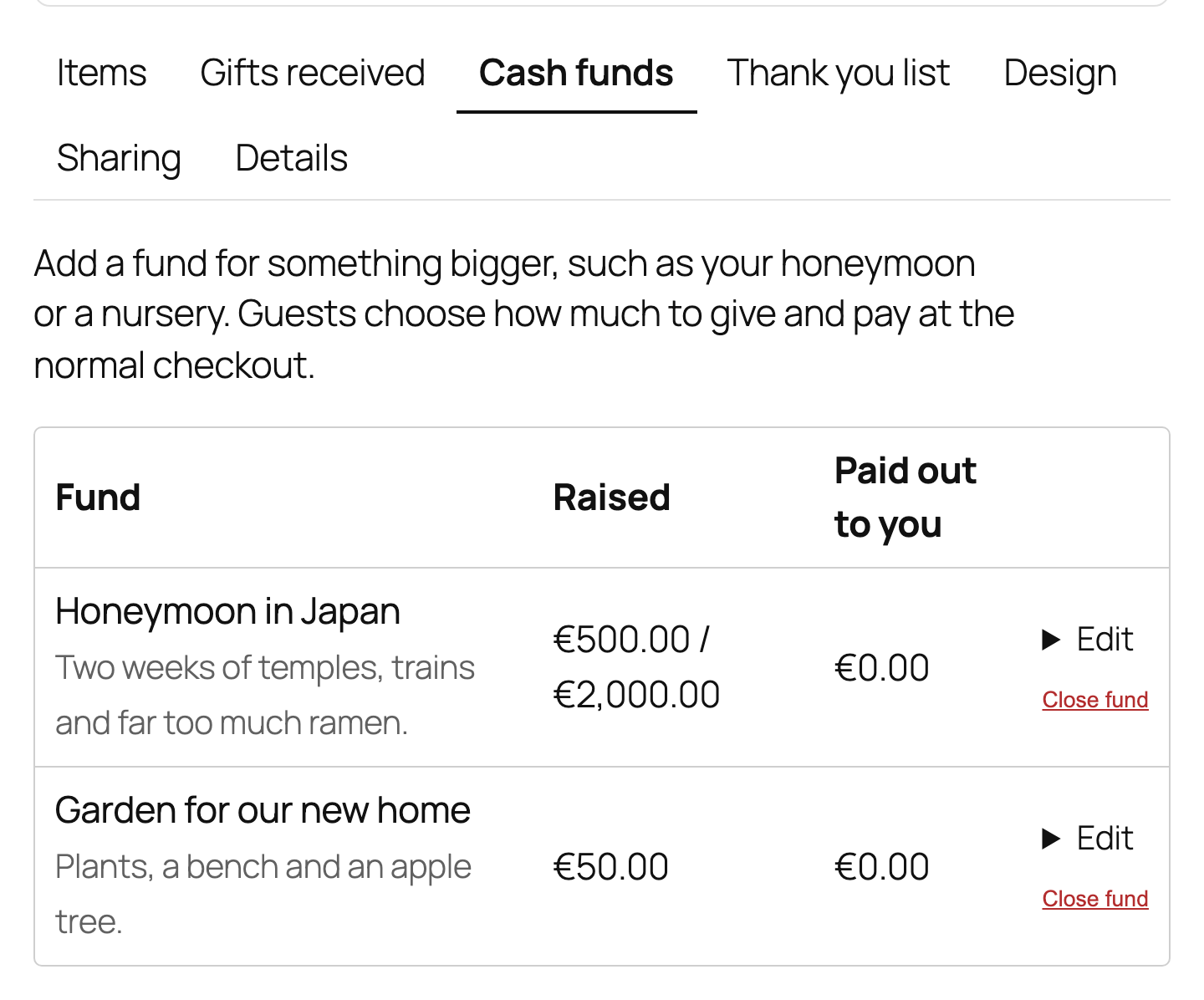
Hosts add funds such as a honeymoon or a garden fund, with an optional goal, on the Cash funds tab. Guests contribute any amount from the registry page. A fund with money in it is closed rather than deleted, so the money stays traceable.
Paying out
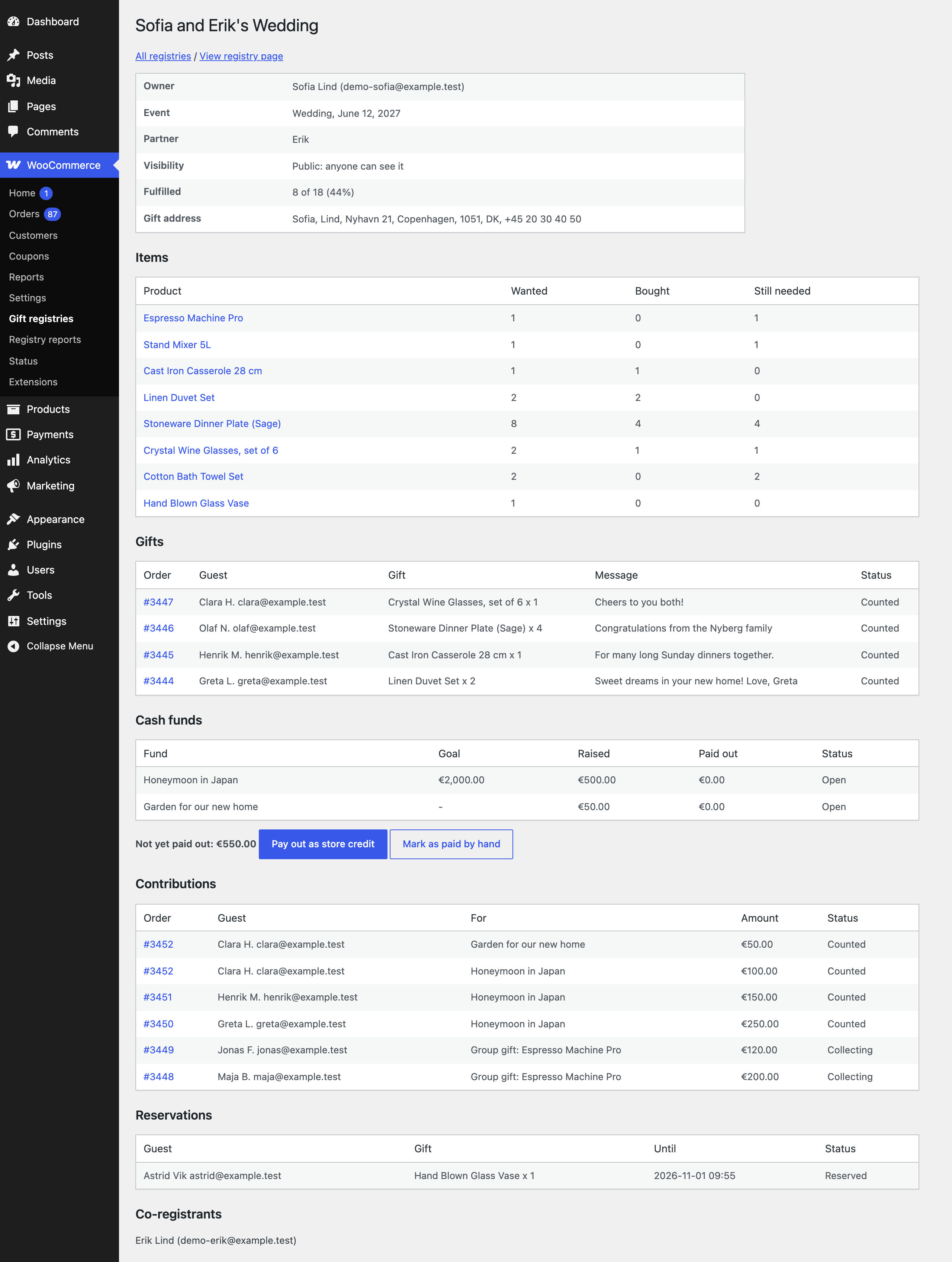
Open the registry under WooCommerce, Gift registries. Pro adds Cash funds, Contributions, Reservations and Co-registrants to the screen.
- Pay out as store credit makes a one time coupon for the unpaid amount, limited to the host’s email address, valid for the days you set, and emails the code to the host.
- Mark as paid by hand is for when you pay the host yourself.
Store credit keeps the money in your store. Check the rules in your country before paying out cash by hand.