
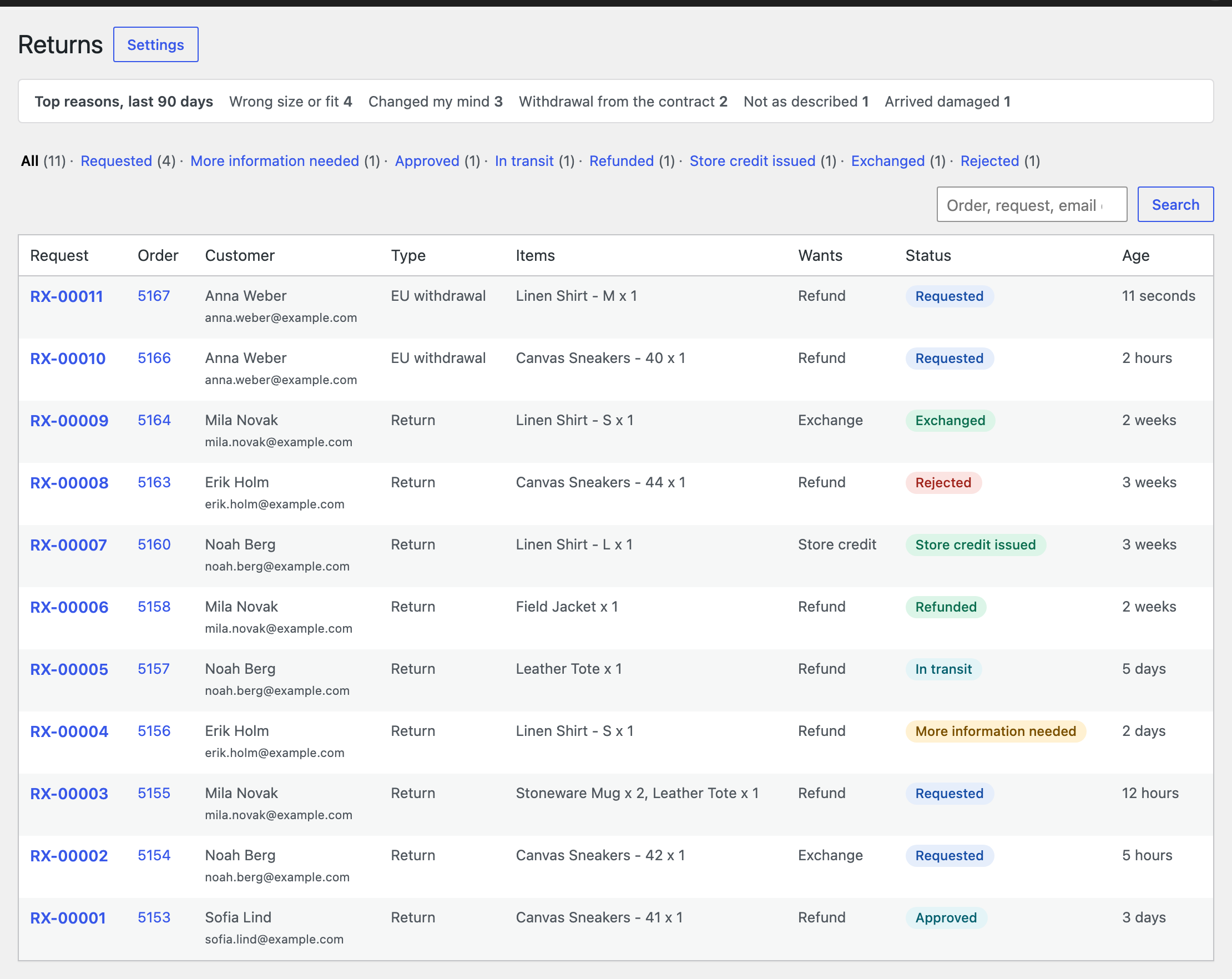
WooCommerce, Returns lists every request with status, age, customer and what they want. Filter by status, or search by order, request number, email or name. A strip at the top counts the top reasons of the last 90 days.
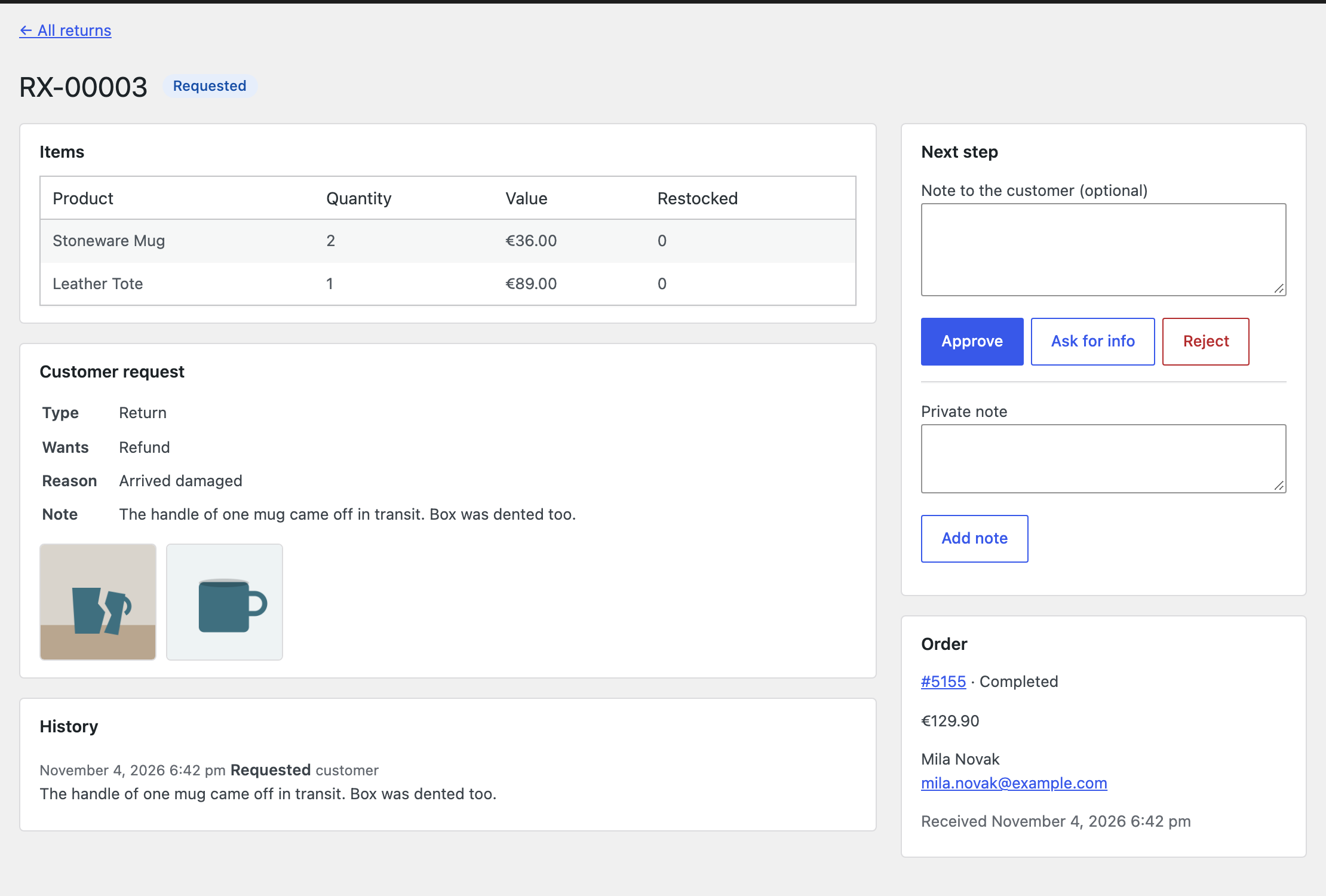
Open a request to see items, reason, photos, notes and history. The Next step box only offers what is possible right now.
| Status | What it means | What you can do |
|---|---|---|
| Requested | Waiting for you | Approve, ask for info, reject |
| More information needed | Waiting for the customer’s answer | Approve or reject anyway |
| Approved | Customer has the instructions | Mark in transit, mark received, reject |
| In transit | Customer sent the parcel | Mark received, reject |
| Received | Parcel arrived | Settle now, if automatic refund is off |
| Refunded, Store credit issued, Exchanged | Done | Add private notes |
| Rejected, Cancelled | Closed, the quantities can be requested again | Add private notes |
Every step is added to the request history and as a note on the order, for later disputes. The order screen has a Returns box that links to its requests.