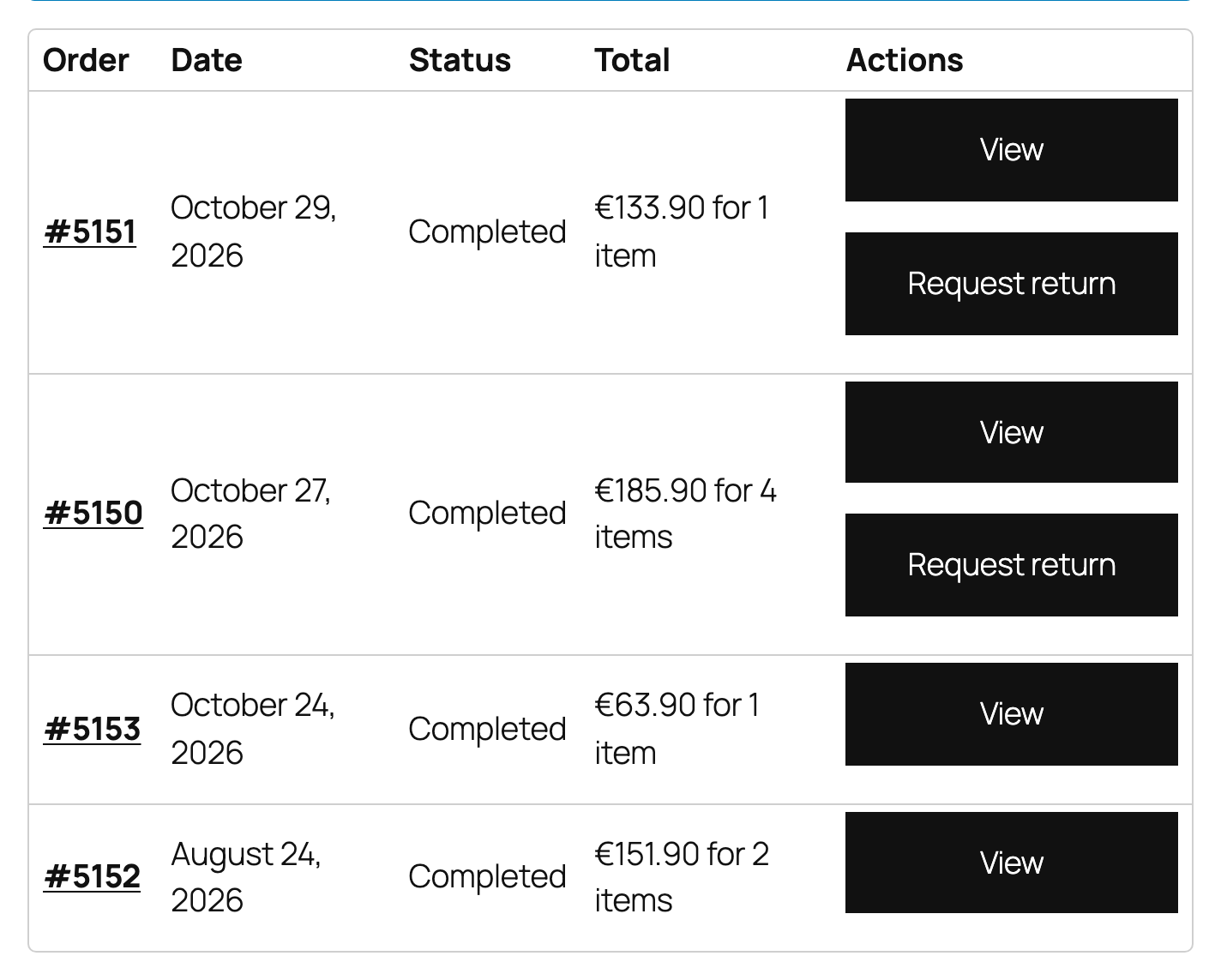
A Request return button shows on the orders list and the order page of every eligible order. My Account also gets a Returns tab with their requests and the orders they can still return.

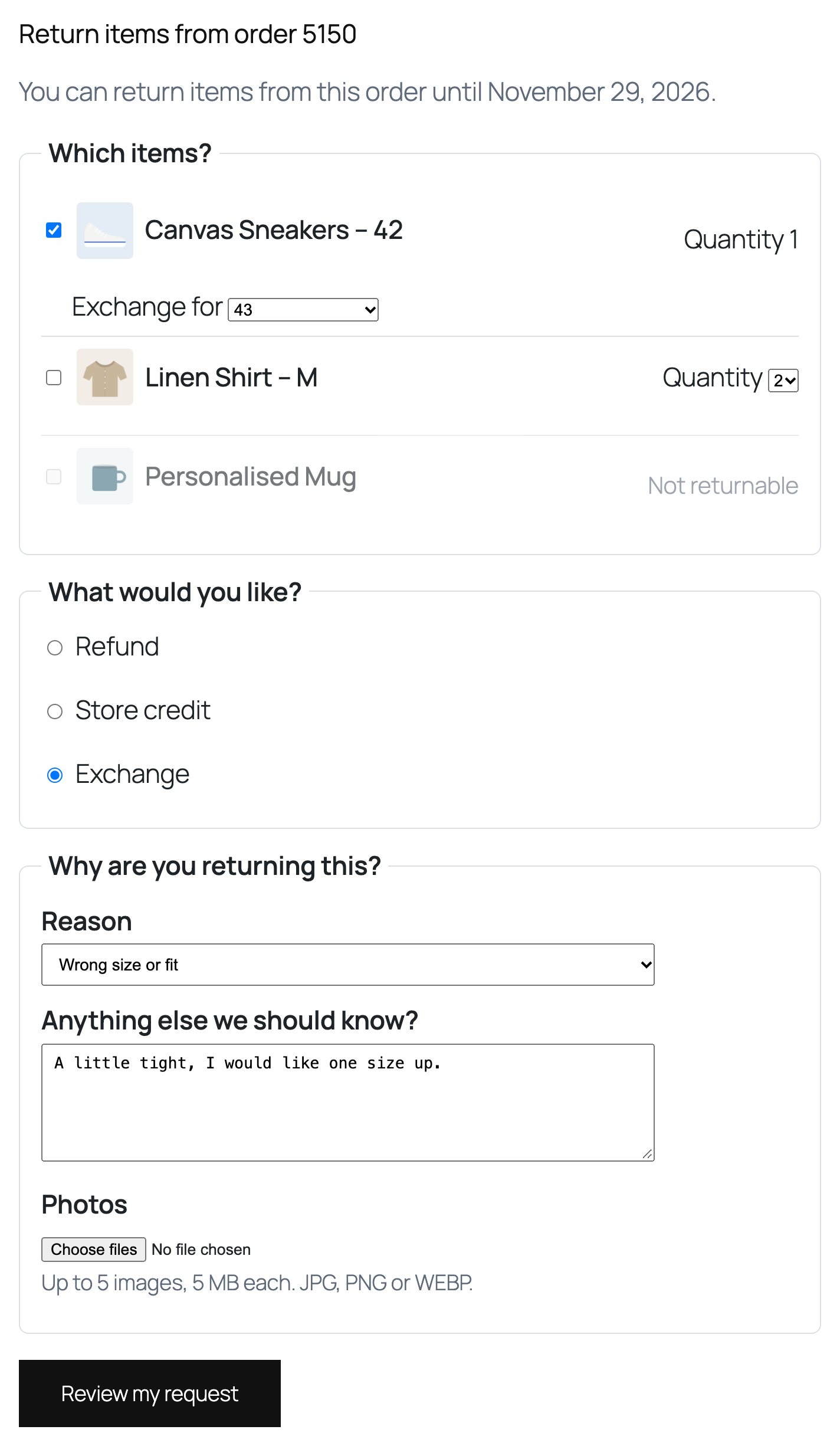
The form lists every line. Items that cannot be returned are greyed out with the reason. The customer picks items and quantities, chooses refund, store credit or exchange, selects a reason, and adds a note and photos.
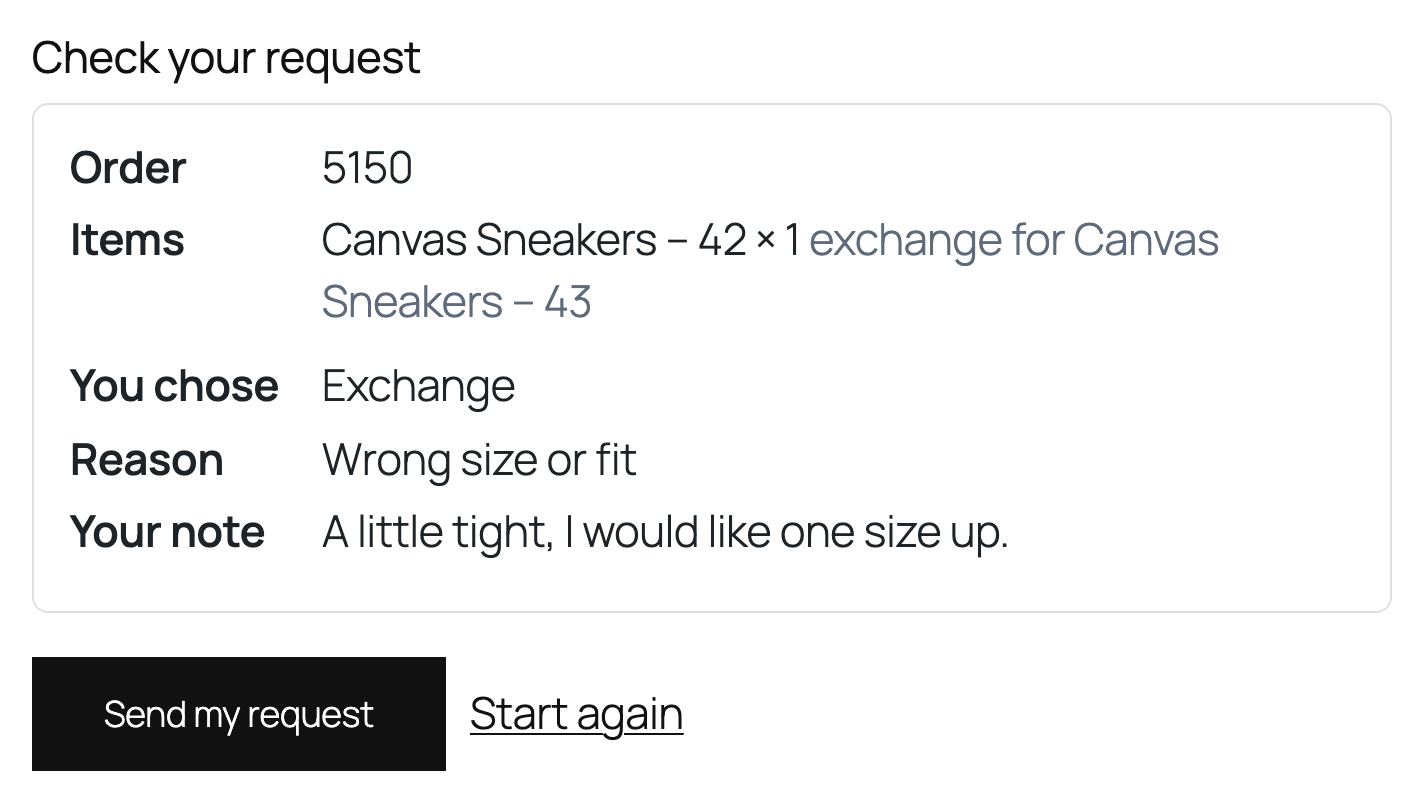
Next comes a summary screen to confirm. Nothing is saved until the customer presses Send my request.
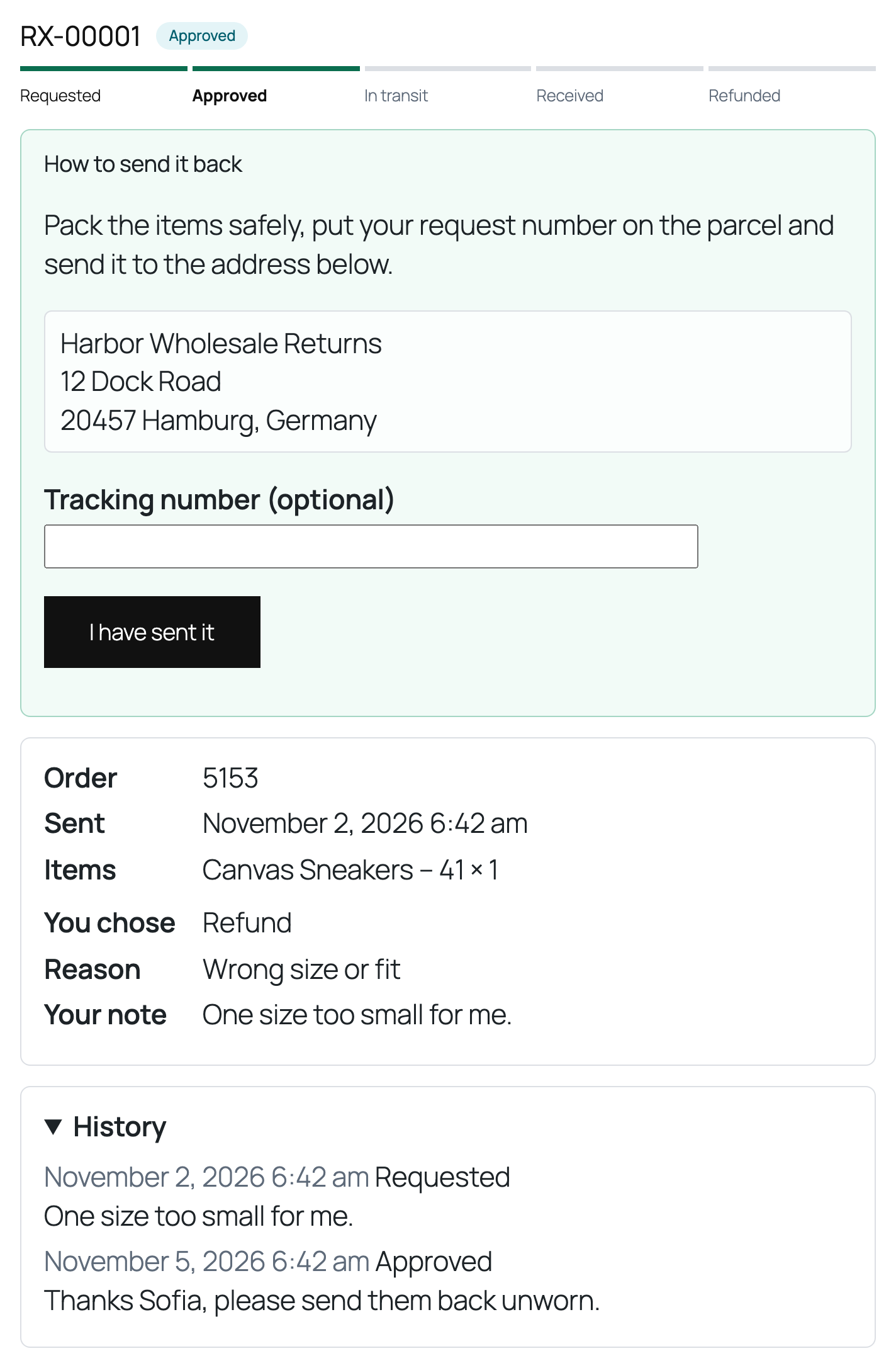
After that, the status page shows the steps, return instructions and address, a field for the tracking number, the history, and a way to cancel before approval.