Docs / Returns and Exchanges Manager
First setup
- Install and activate the plugin. It creates two draft pages: Returns and exchanges, and Withdraw from contract. A notice links to them.
- Review the wording of both pages and publish them. Guest returns and the withdrawal link only show once the pages are published.
- Open WooCommerce, Settings, Returns. Set the return window, when it starts, and which order statuses can be returned.
- Under Processing, enter your return address and shipping instructions. They go in the approval email.
- Under Request form, check the reasons and mark which ones need a photo.
- Place a test order and try it. Requests appear under WooCommerce, Returns.
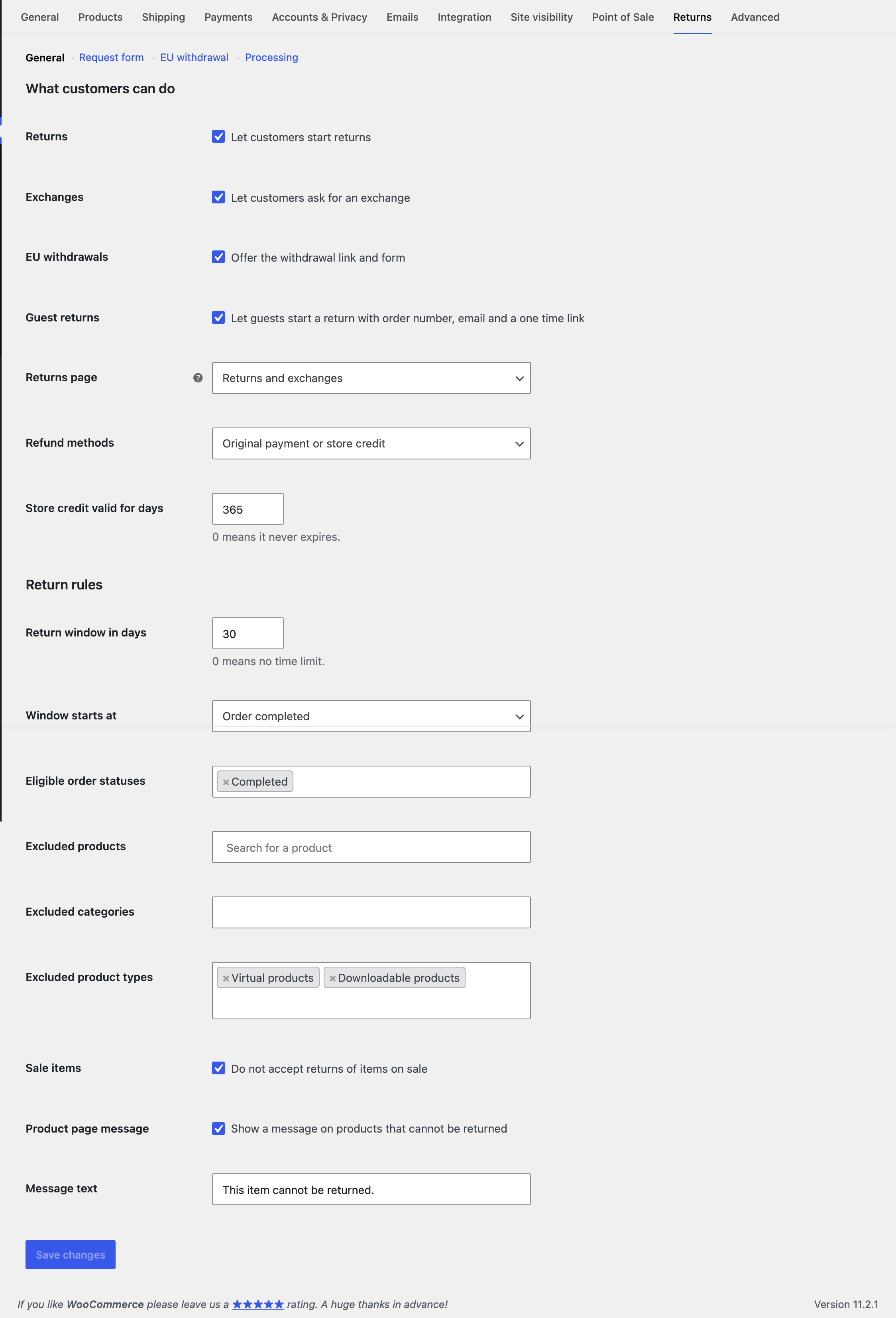 What customers can do and the return rules.
