Docs / Package Protection and Delivery Guarantee
First setup
- Install and activate WooCommerce and this plugin. Nothing changes for shoppers yet.
- Open WooCommerce, Settings, Delivery guarantee. Choose Paid guarantee or Free guarantee, and your shipping countries.
- In Guarantee and terms, choose what you promise, the limit per order and the remedy. Press Create a draft terms page.
- Edit the parts of the draft in square brackets, have a lawyer read it, and publish it.
- In Claims, set the claim window and the photo rules.
- Go back to General. Each line of the checklist should be green.
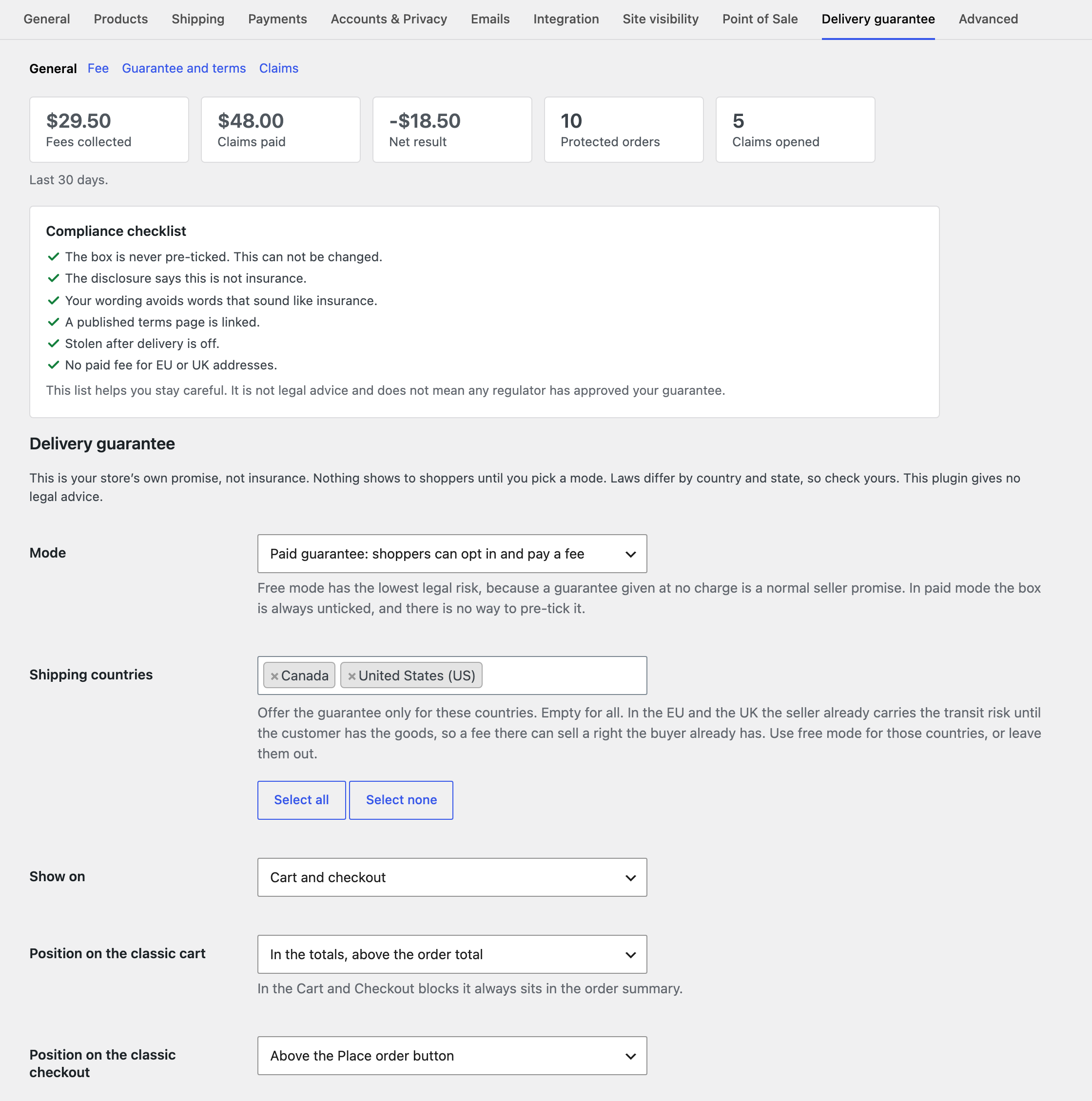 The General section with the summary numbers and the compliance checklist.
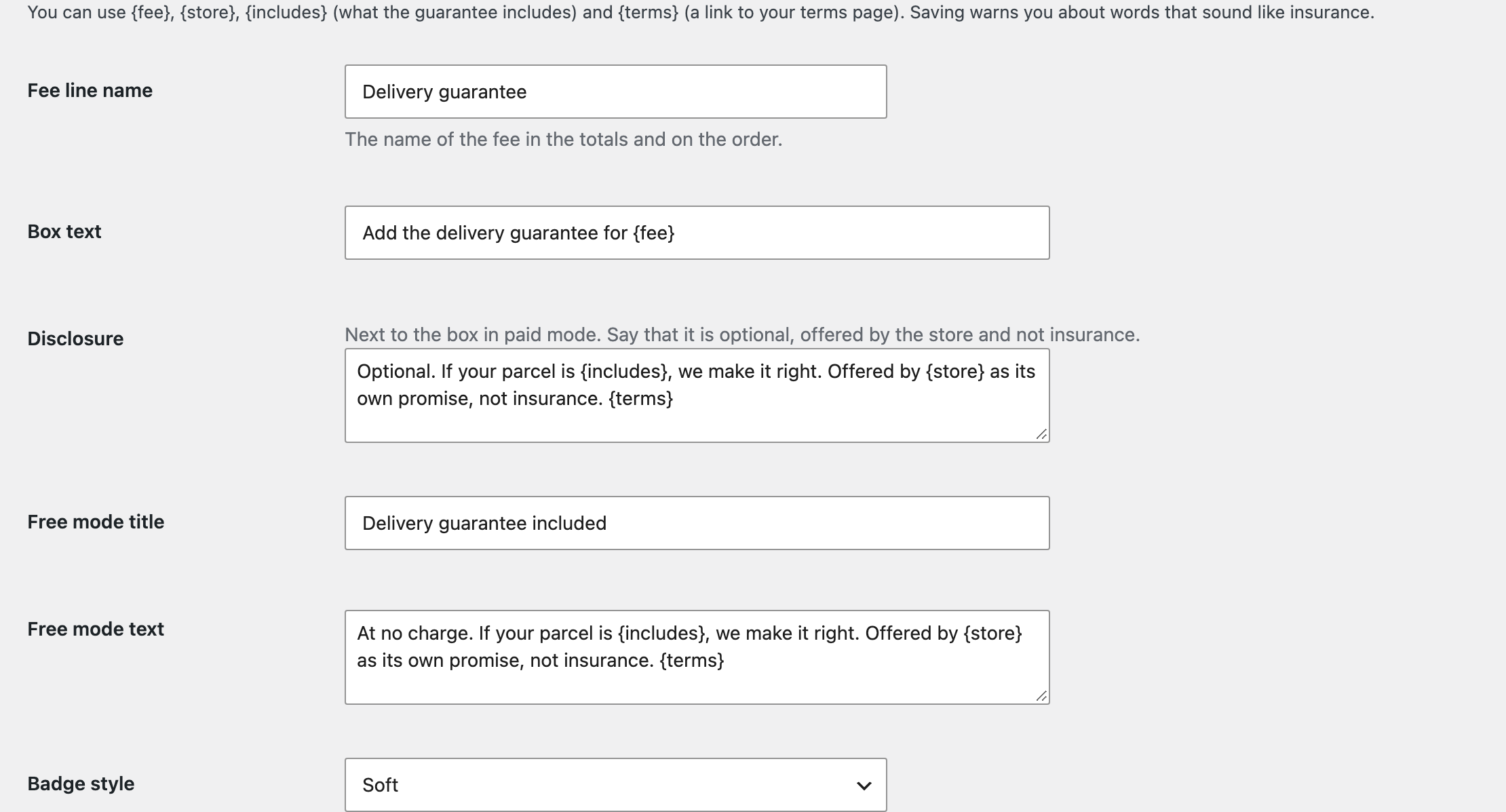 Wording. You can use {fee}, {store}, {includes} and {terms}.
