
Nothing changes when you activate the plugin. Open WooCommerce, Settings, Order Approval when you are ready.
- Choose the workflow. Use Approve then pay when prices, stock or credit need a check before any money changes hands. Use Pay then approve when you only need to check the order before it ships.
- Choose who needs approval: all customers, guests, or selected roles such as Wholesale customer.
- Optionally narrow it down to orders above a total, or (Pay then approve) to chosen payment methods such as bank transfer or cash on delivery.
- Keep shop staff under “Never for these roles” so orders they place for customers go straight through.
- Pick the statuses after approval and rejection, and whether stock is reserved while an order waits.
- Tick Enable and save. Then review the four emails under WooCommerce, Settings, Emails.
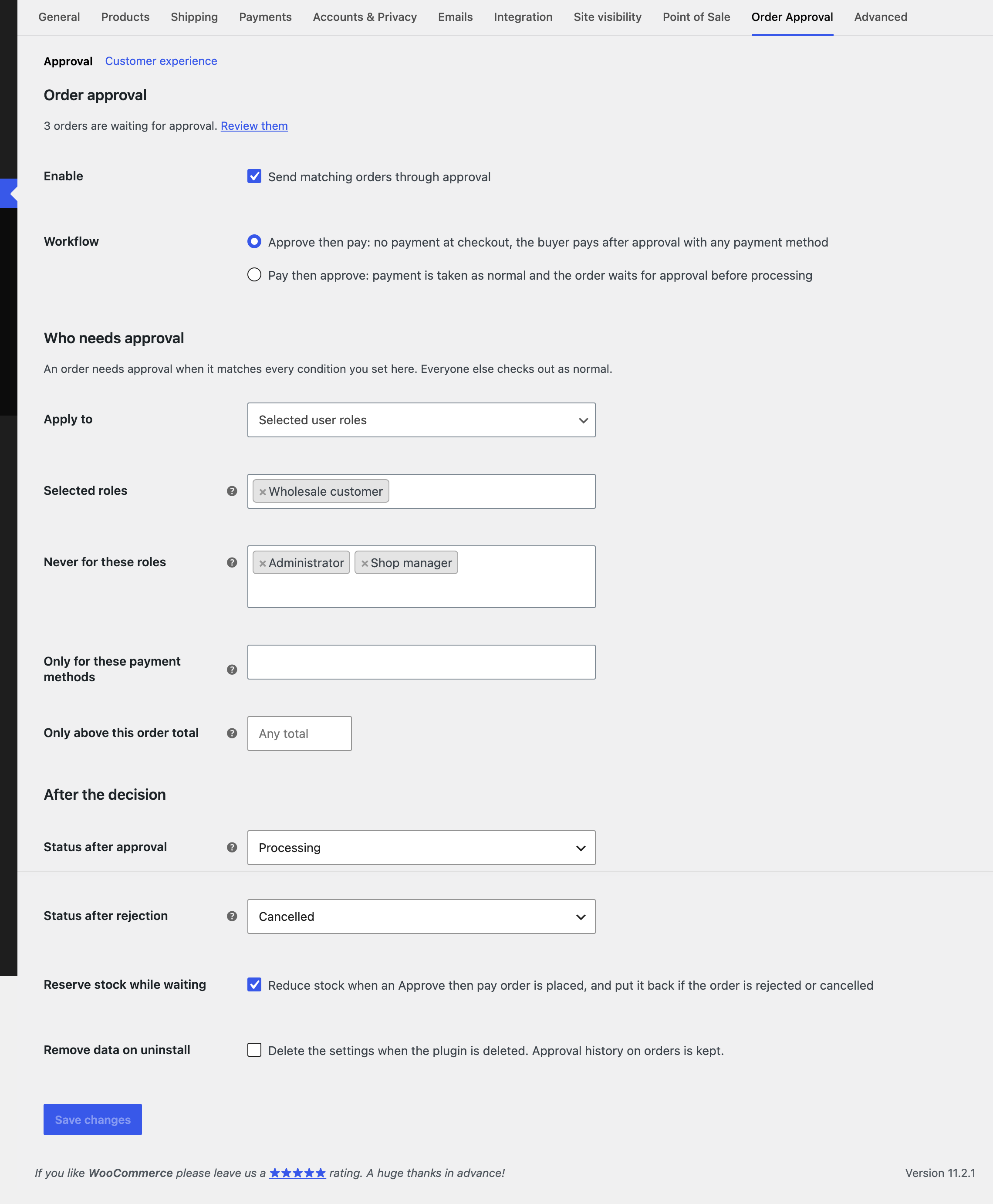
An order needs approval when it matches every condition you set. Leave a condition empty to ignore it.