Docs / B2B Order Approval
Pro: approval chains and the dashboard
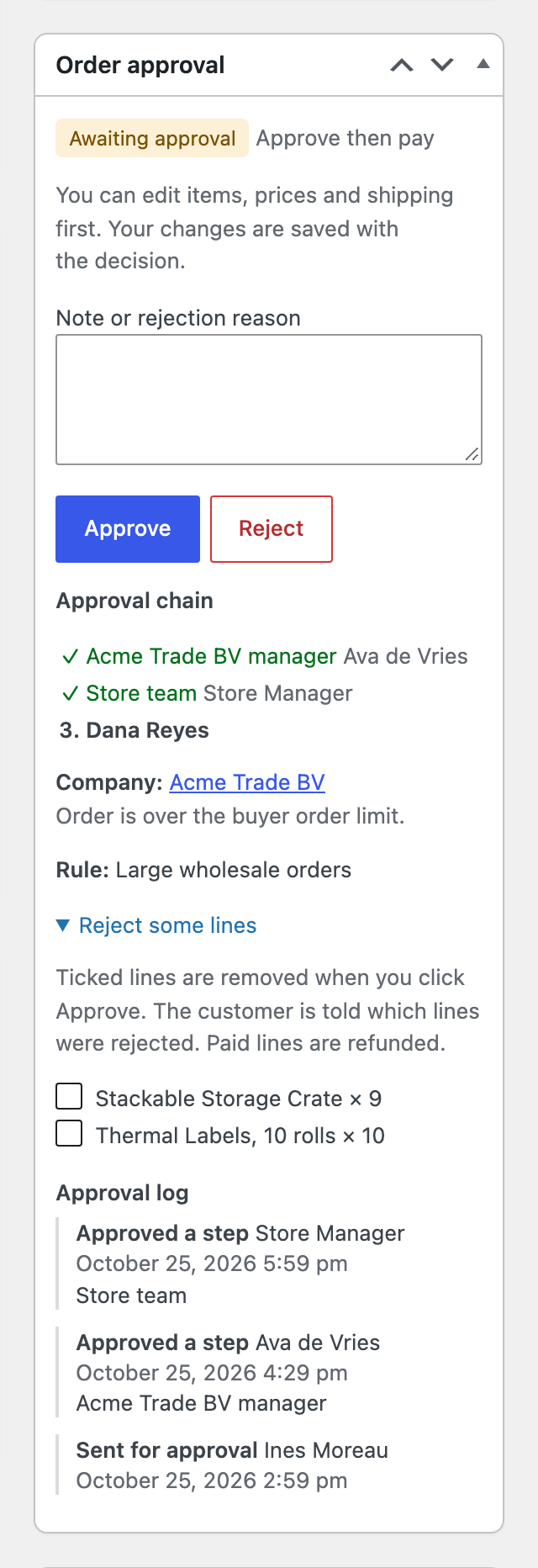 The approval chain on the order: company manager and store team done, finance next. Lines can be rejected while approving.
- Each step names its approvers: the store team, a role such as role:shop_manager, or one person such as user:finance@example.com.
- A step can apply only above a total, for example finance only for orders of 1,000 or more.
- Approve moves the order to the next step and emails the next approvers. The last step approves the order.
- Only that step’s approvers can act on it. Administrators can act on any step.
- Reject at any step rejects the order.
- The box also shows the company, why the manager was asked, and the rule that matched.
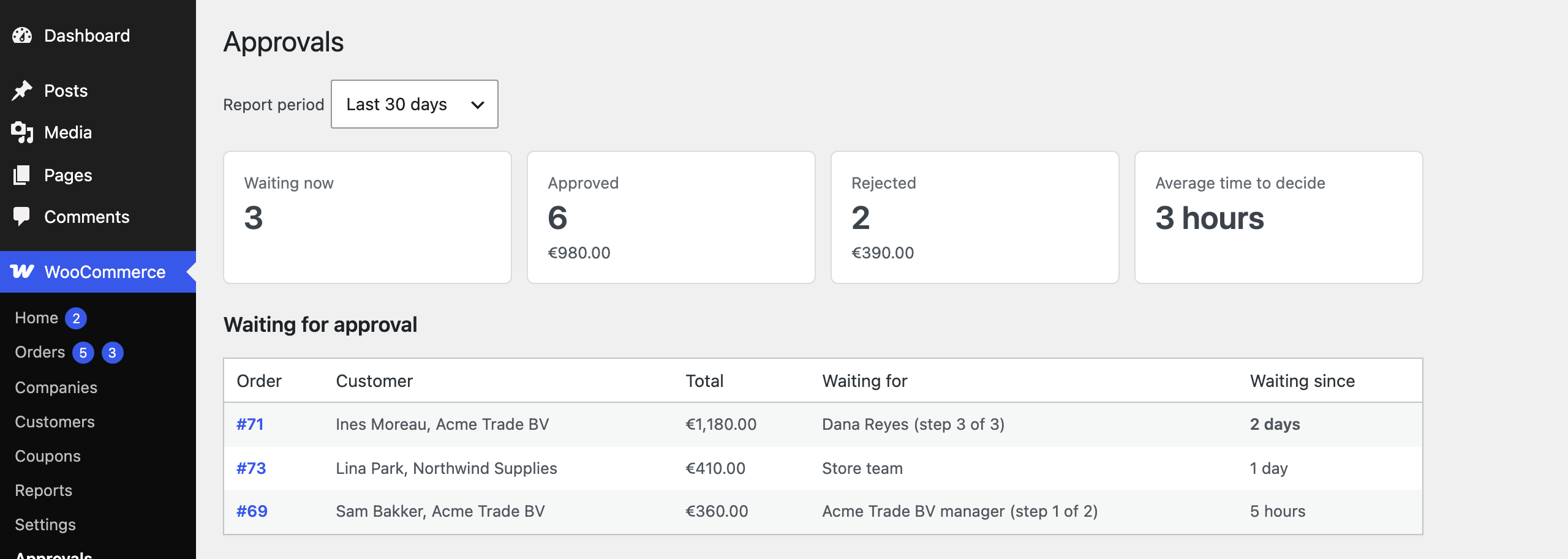 WooCommerce, Approvals: waiting orders oldest first with the current approver, approved and rejected counts and value, and the average time to decide.
