
Under WooCommerce, Settings, Order Approval, Rules you build rules from conditions. Rules are checked from top to bottom and the first one that matches decides. When none matches, the Approval settings decide.
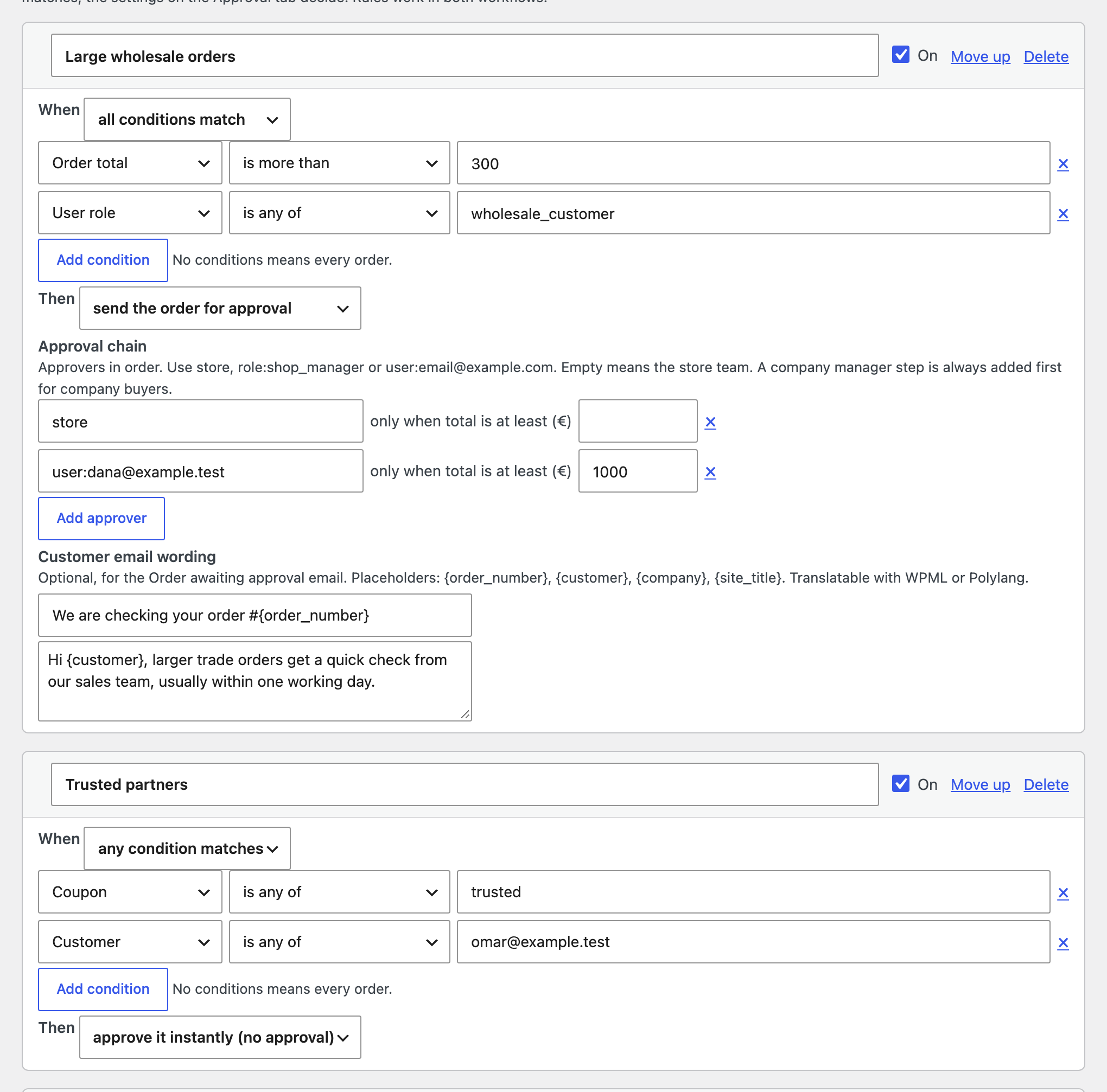
- Conditions: order total, product or SKU, category, tag, brand, shipping method, billing country, customer, user role, coupon, payment method and company account. Match all or any.
- Action: send the order for approval with its own approval chain, or approve it instantly so staff only review the orders that matter.
- Customer email wording: a subject and message for the Order awaiting approval email, with placeholders, translatable with WPML or Polylang.
- Use Move up to change the order. A company manager step for company buyers always comes first, even when an auto approve rule matches.