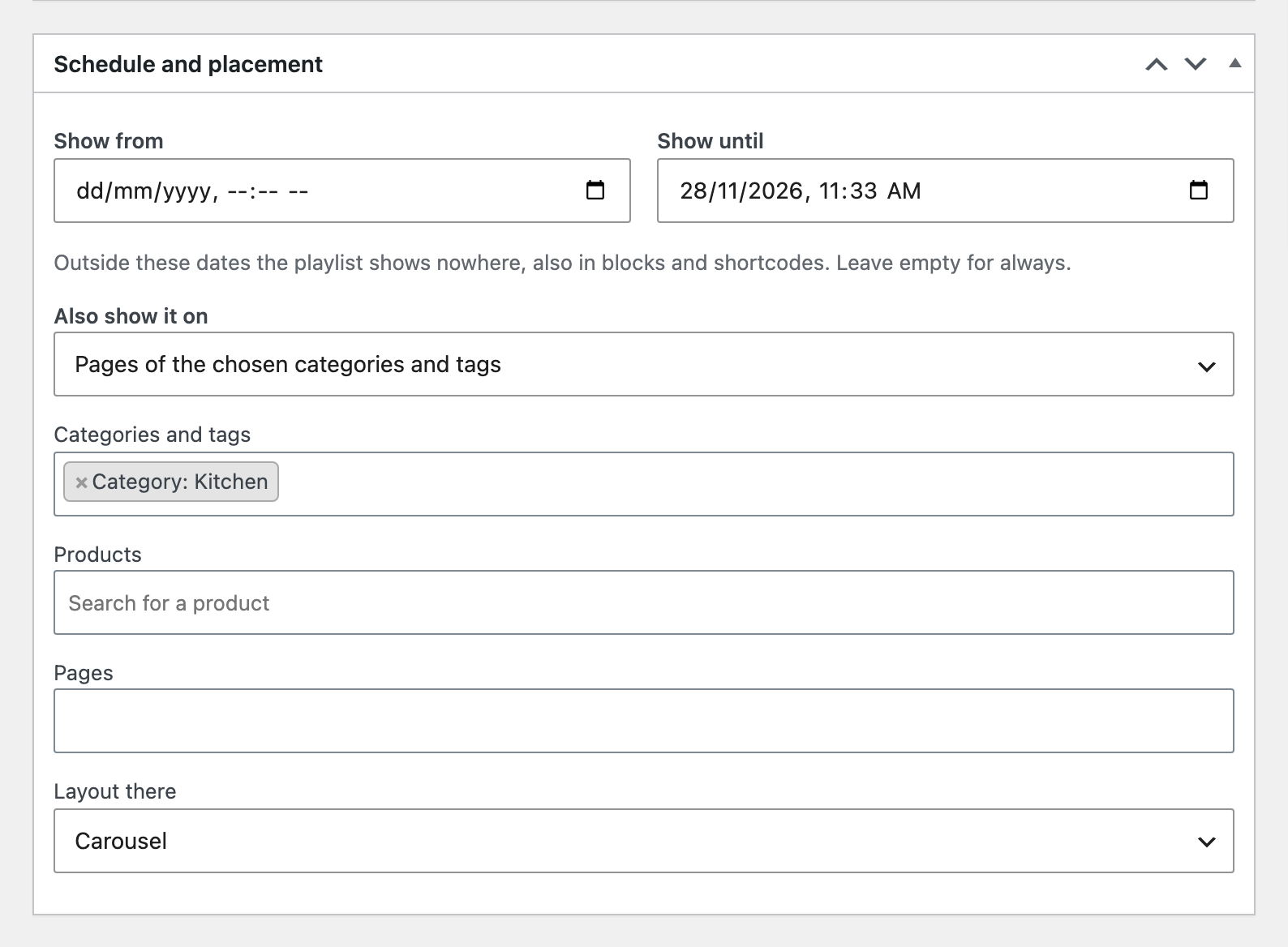
Each playlist gets start and end dates; outside them it shows nowhere. You can also place it on the shop page and every category and tag page, on chosen category or tag pages, on product pages in chosen categories or tags or chosen products, or on chosen pages, without editing them.
Schedule and placement on a playlist.The playlist on the Kitchen category page.
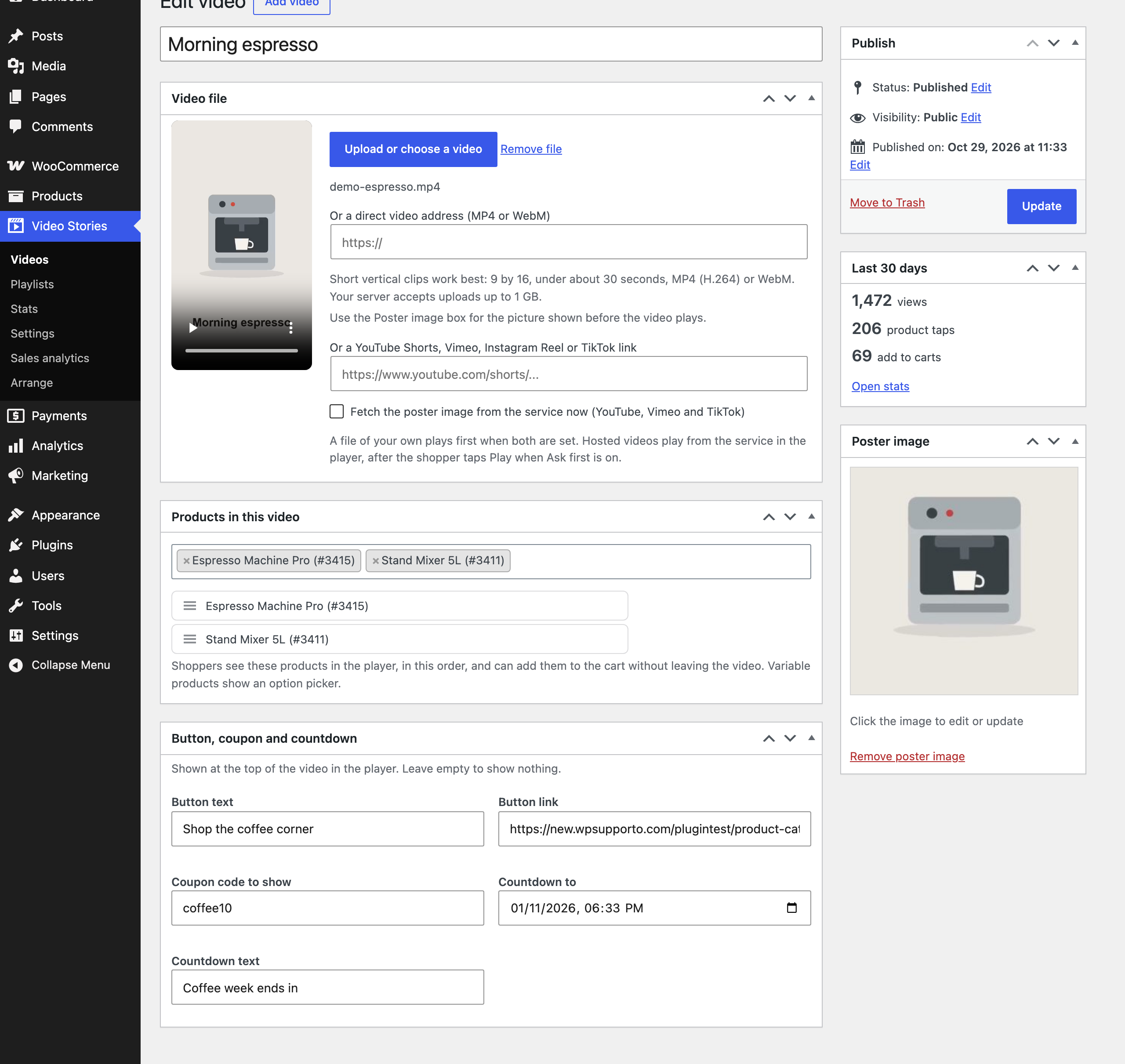
Button, coupon and countdown
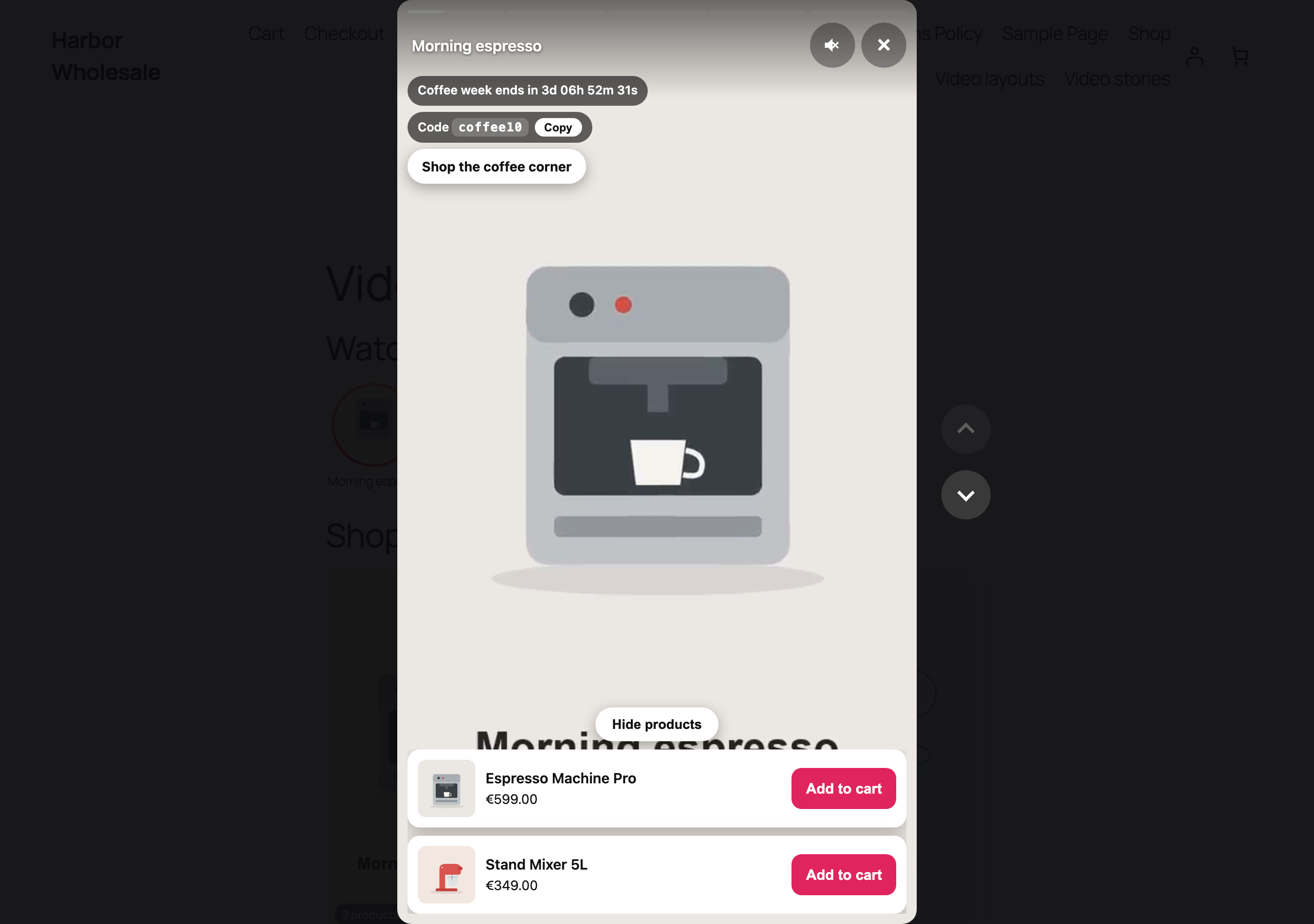
A countdown, a coupon code with a Copy button and a button to any link, shown in the player.The video screen with the hosted link, product ordering and the button box.
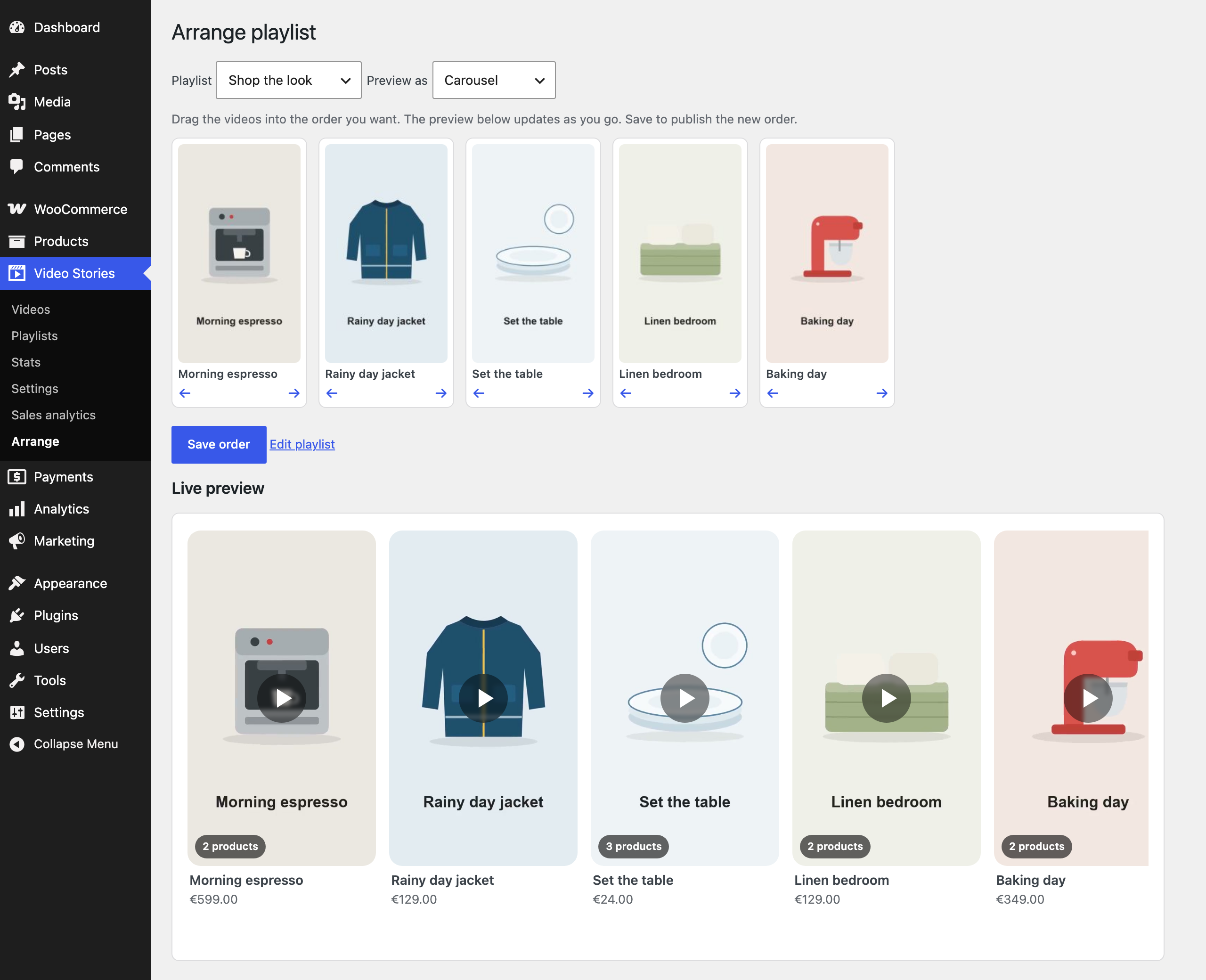
Arrange
Video Stories, Arrange: drag the videos of a playlist, see the layout change, then save. Products of a video are dragged into order on the video screen.
Halloween sale
37% off every Pro plugin
For the first year of any Pro licence, on all our WooCommerce plugins. Every licence includes updates, support and a 30 day money back guarantee.