A video: the file with a preview, the products in it, the poster image and the last 30 days of numbers.
Video file: upload or choose an MP4 or WebM from the Media Library, or paste a direct address that ends in .mp4 or .webm. The screen shows your server’s upload limit.
Poster image: the picture shown on bubbles and cards and before the video plays. Only posters load with the page.
Products in this video: search and add any number of products, including variable ones. Shoppers see them in this order in the player.
Videos can be drafts until you publish them. Drafts never show in the store.
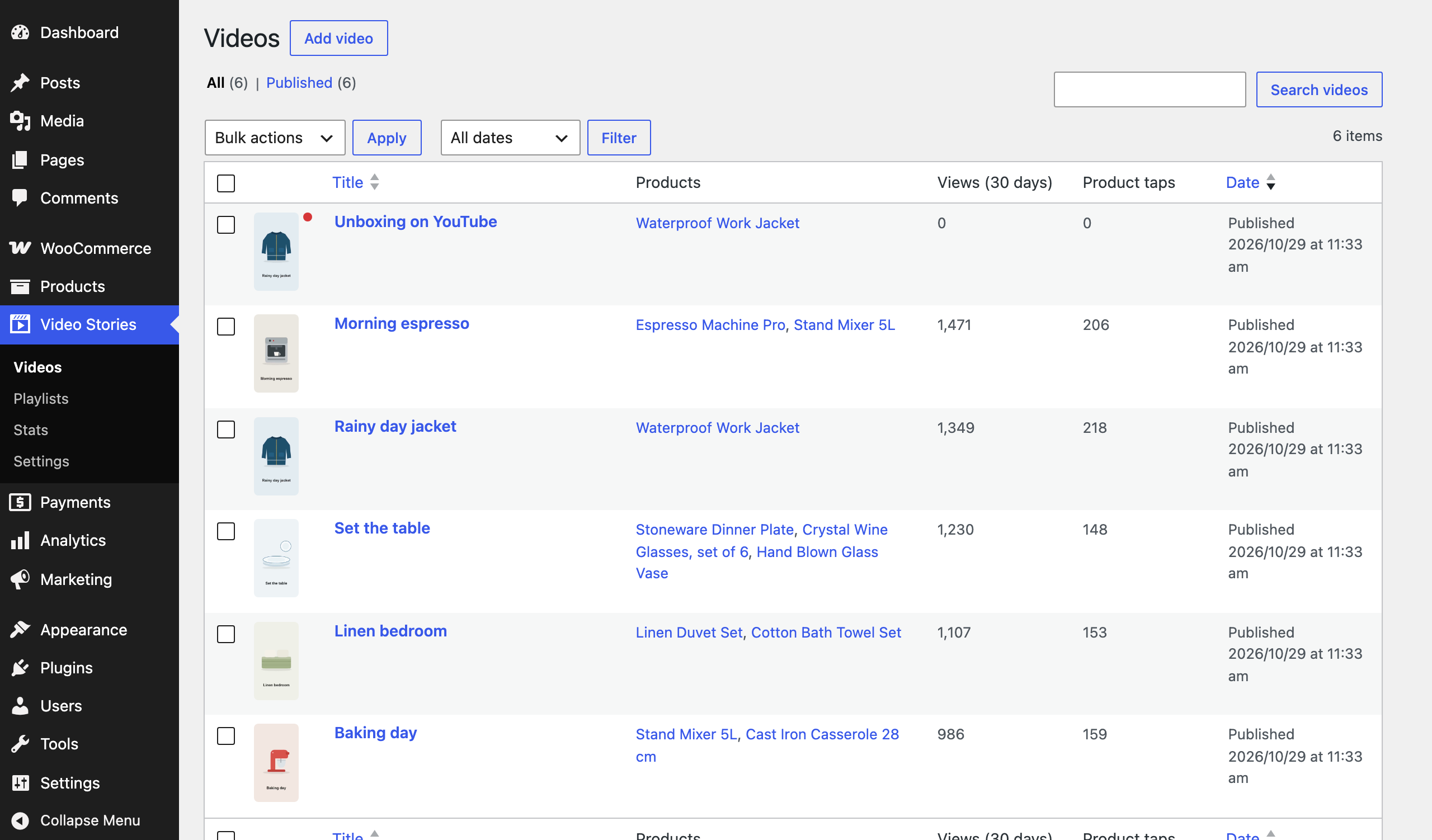
The videos list with posters, tagged products, views and product taps. A red dot marks a video without a file.
Halloween sale
37% off every Pro plugin
For the first year of any Pro licence, on all our WooCommerce plugins. Every licence includes updates, support and a 30 day money back guarantee.