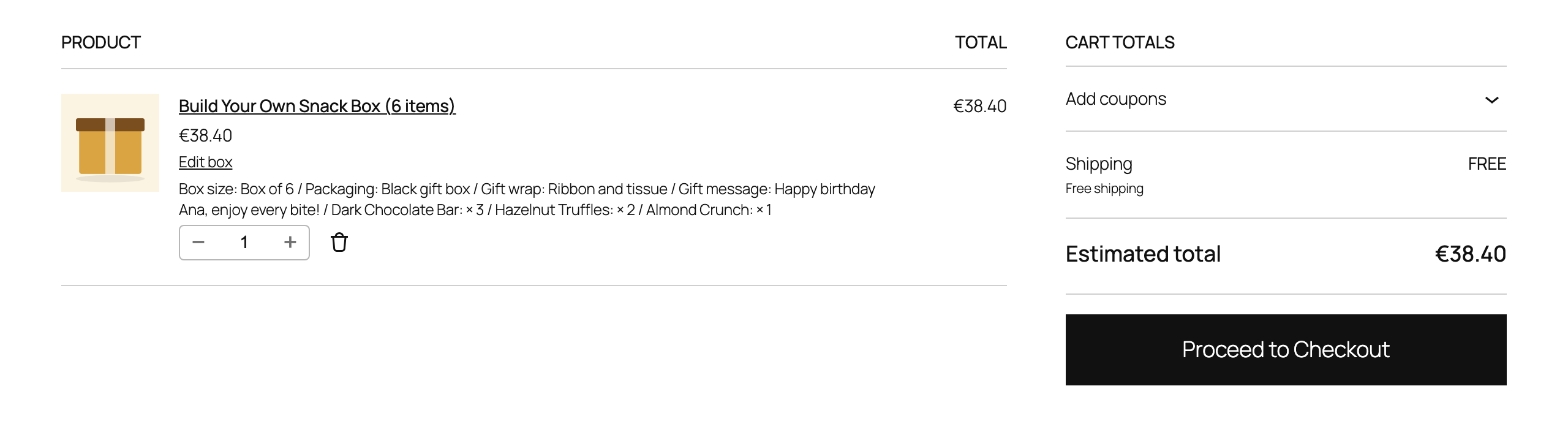
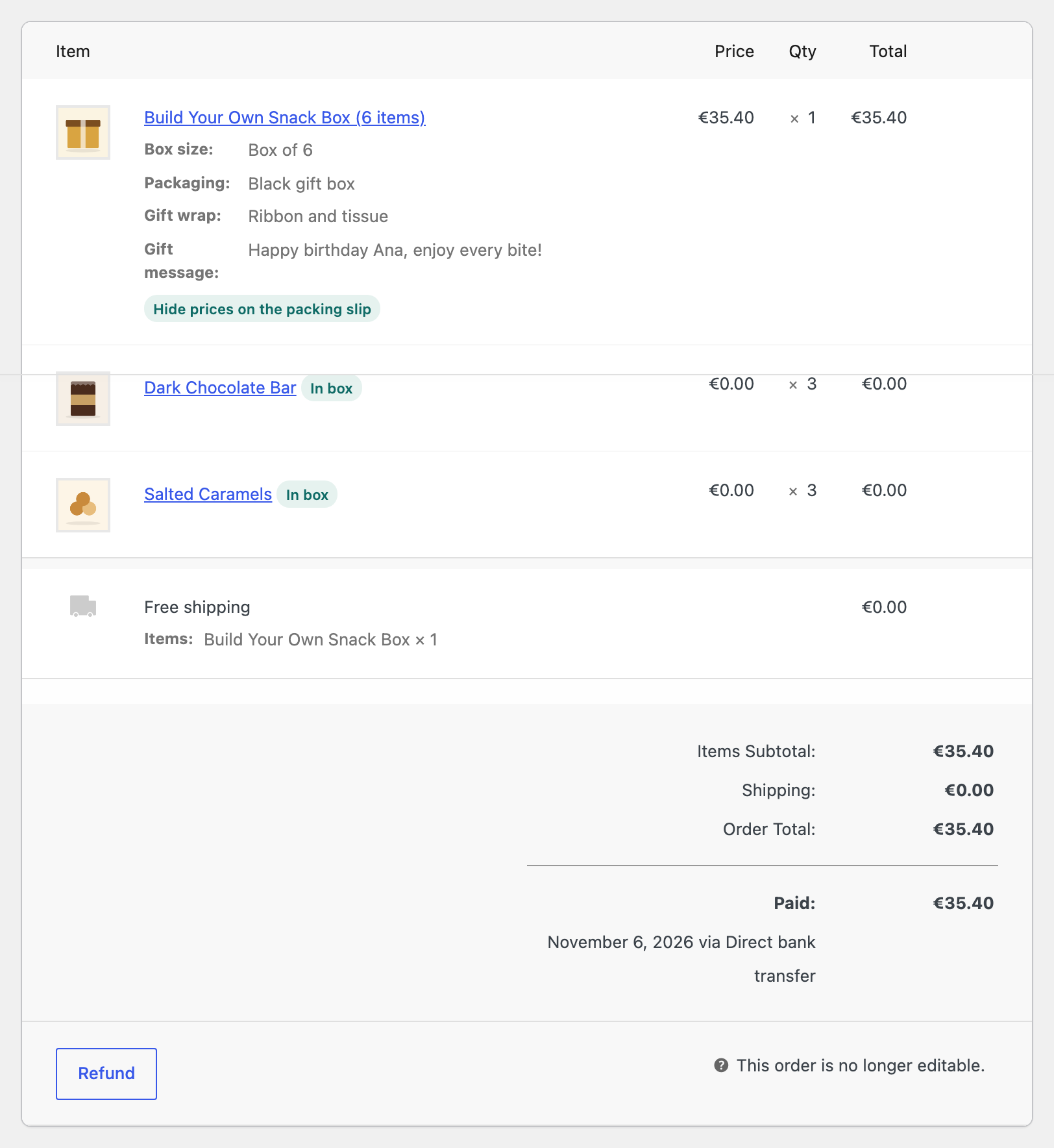
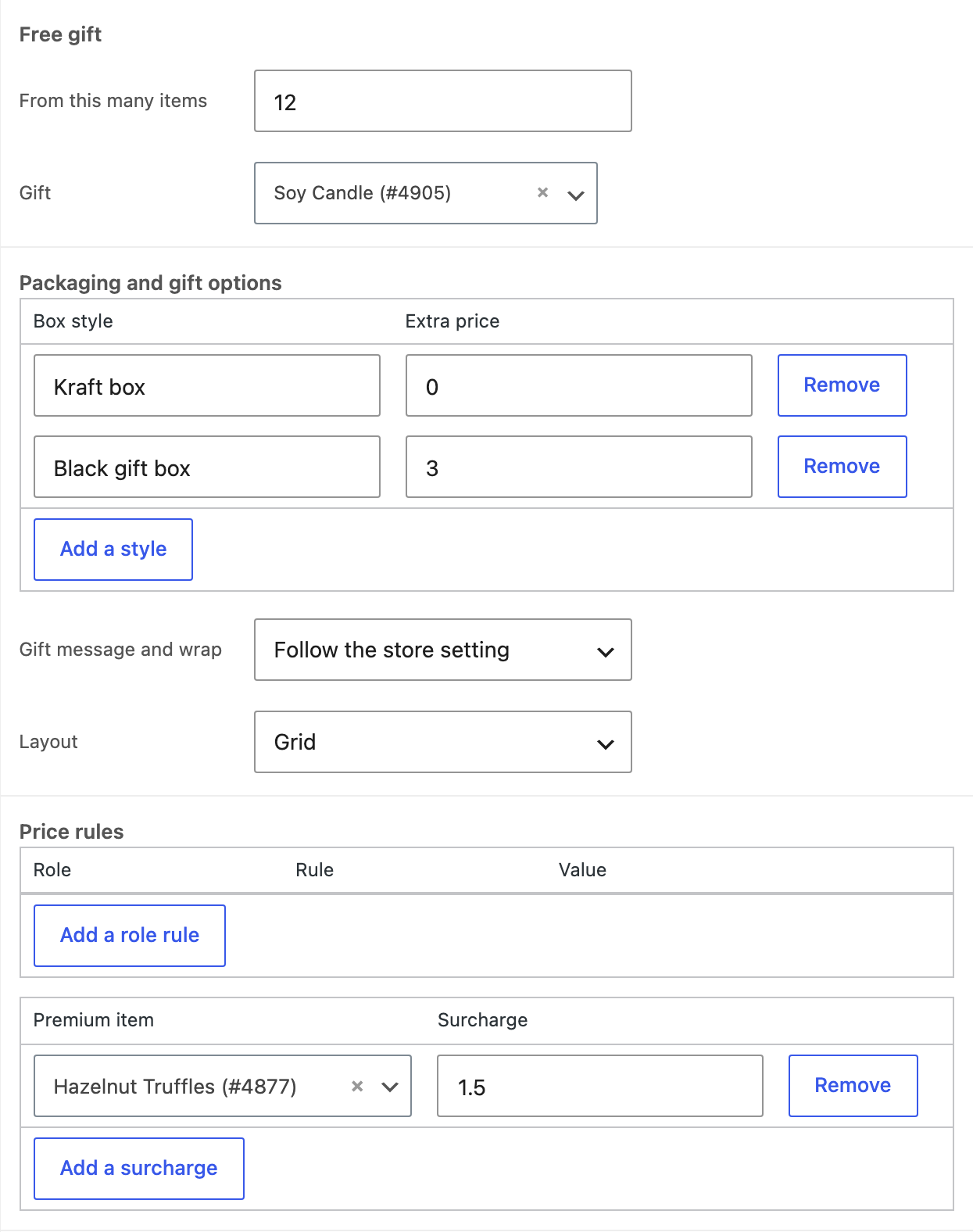
Turn gift options on for the whole store under Settings, Box builder, Gifts, and turn them on or off for a single box on its Box tab.
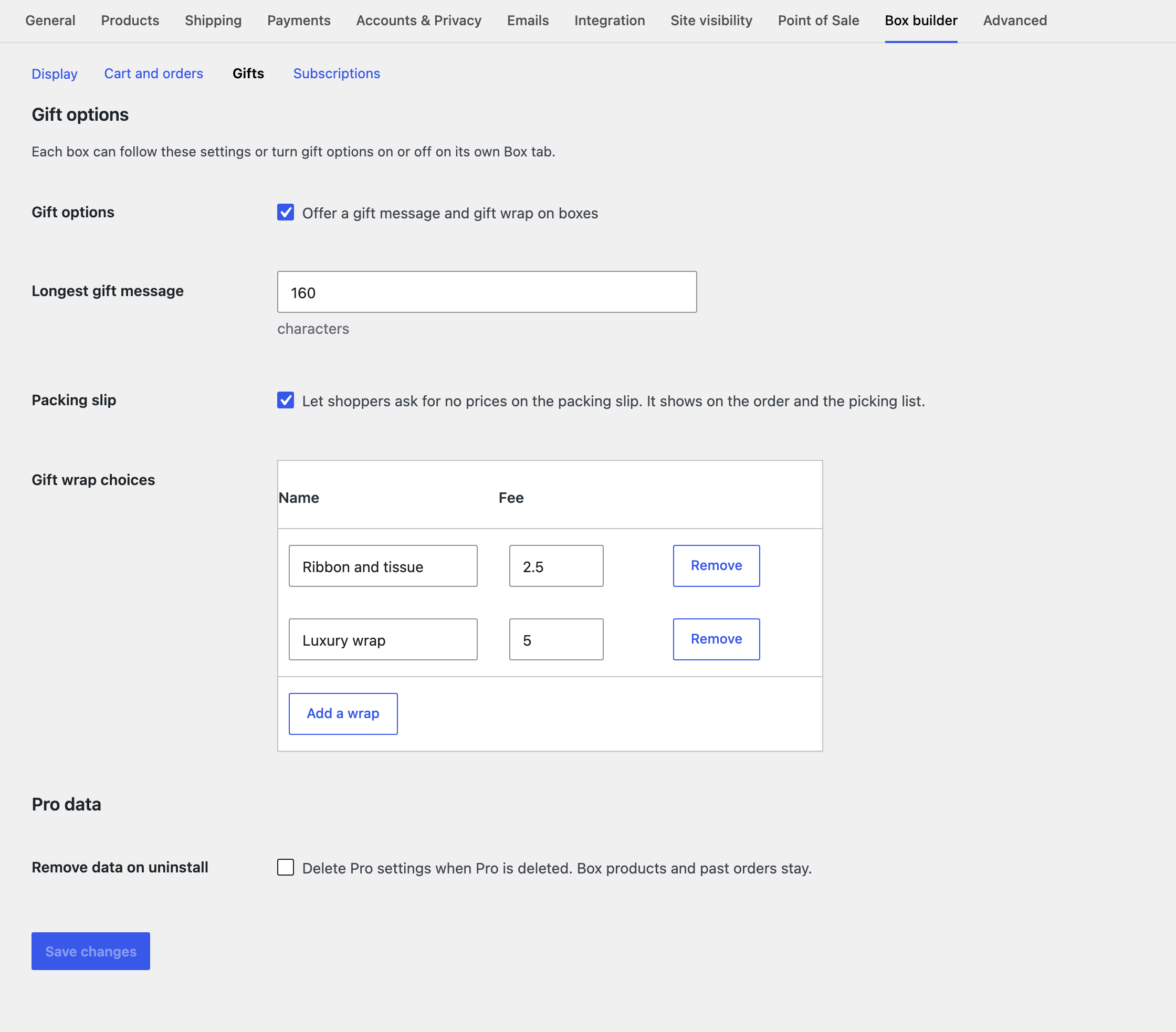
- Gift message with a character limit and a live counter.
- Gift wrap choices with their own fees. Wrap and packaging fees take no discount.
- Packing slip request. The shopper can ask for no prices on the packing slip. It shows on the order screen and the picking list. The plugin makes no packing slips itself, so your packing slip tool or your staff act on this flag.
- Packaging choice. Box styles or colors, each with an optional price.
- Free gift. Adds a chosen item at no charge from a set number of items. If the gift is out of stock the box is still sold, without it.
Edit box from the cart
An Edit box link in the cart reopens the builder with the current items and choices. The old box is replaced only once the new one passes every check, and a failed edit leaves the old box in place.