| Setting | What it does |
|---|
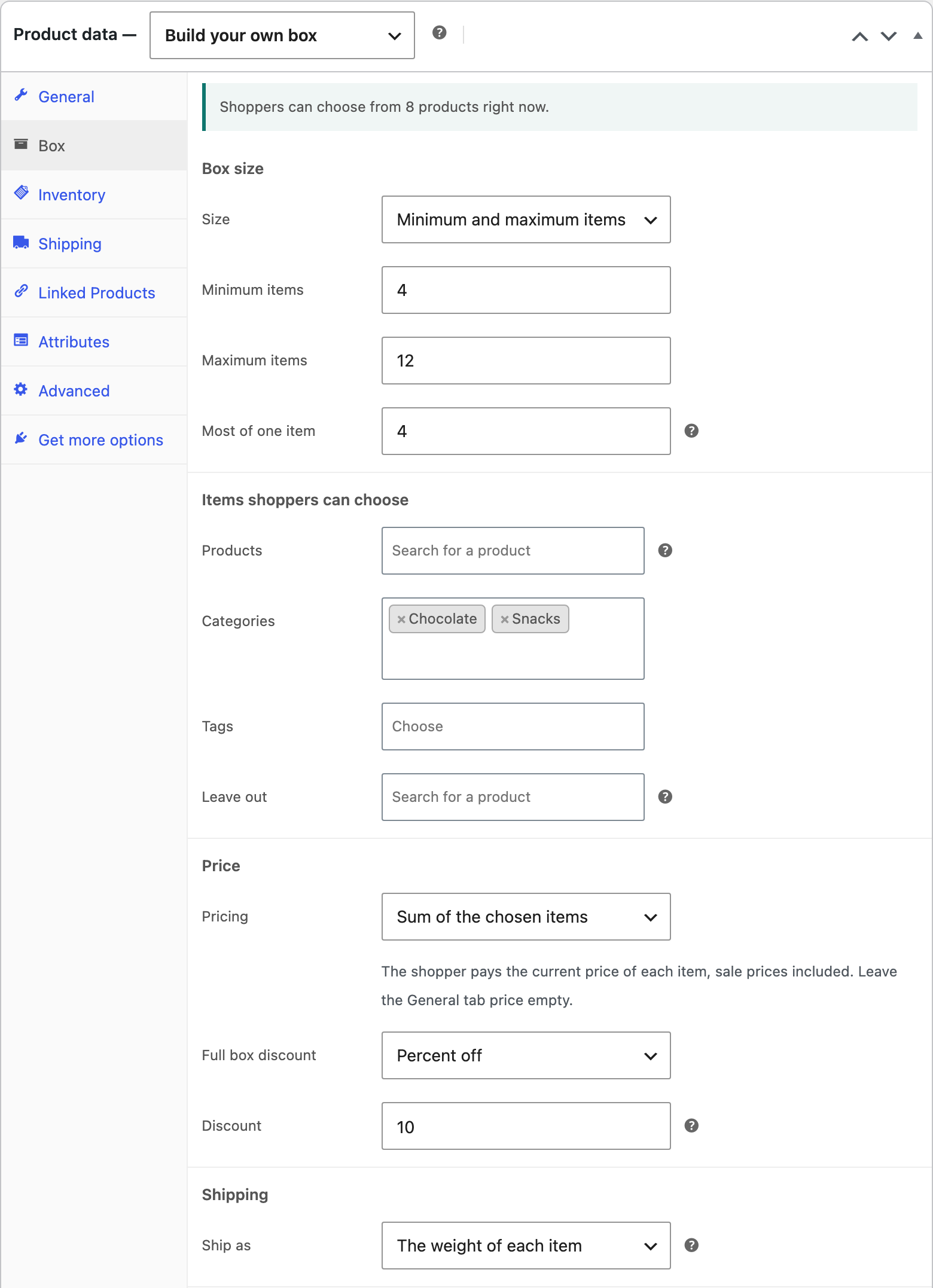
| Size | A set number of slots, or a minimum and maximum number of items. |
| Most of one item | Stops a shopper filling the box with one product. |
| Products, Categories, Tags | The items on offer. Pick products one by one, or whole categories and tags so new products appear by themselves. Picking a variable product offers its variations. |
| Leave out | Products in those categories and tags that should not be offered. |
| Pricing | Fixed box price, sum of the chosen items, or base box price plus items. |
| Full box discount | Percent or fixed amount off when the box holds the highest number of items. |
| Ship as | One parcel with the box weight, or the weight of each item. |