
One product
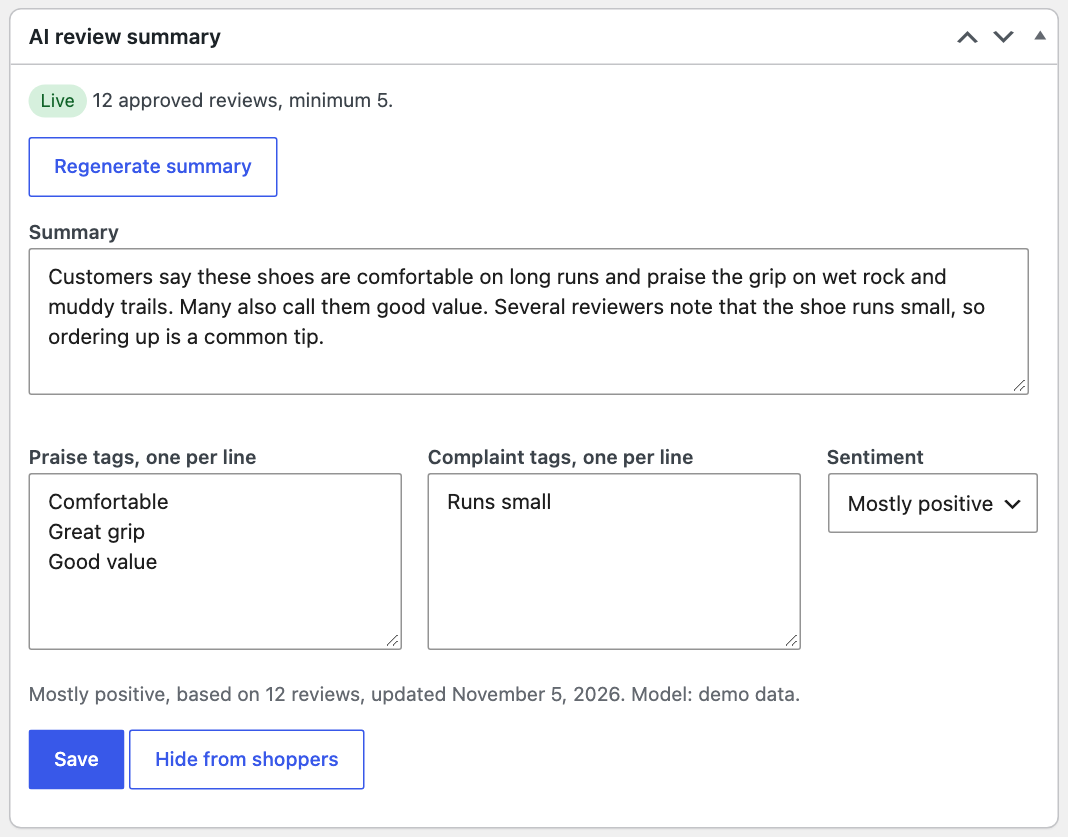
Open a product. The AI review summary box lets you generate, regenerate, edit the text and tags by hand, approve, hide, or discard a waiting summary.
Many products
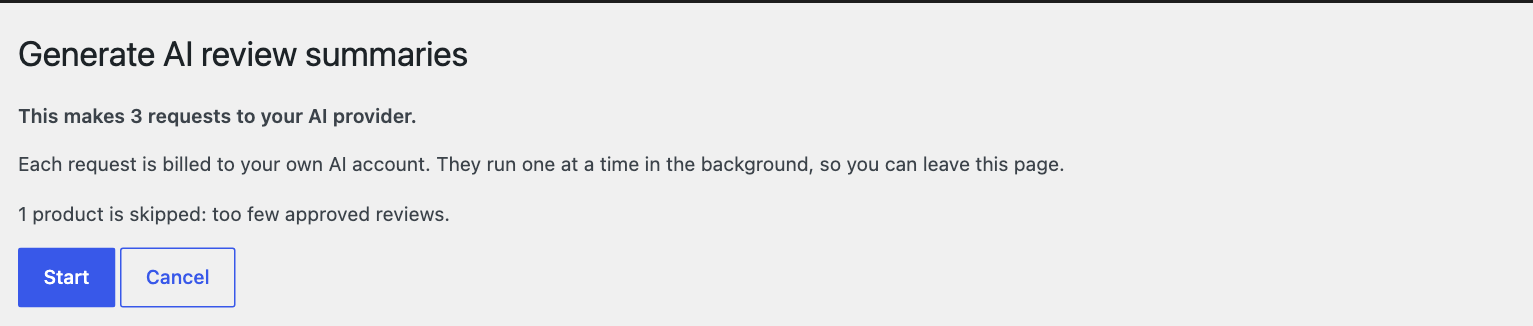
On the Products list, select products and choose Generate AI review summaries. A confirm screen shows the number of requests before anything starts. They run one at a time in the background.
After new reviews
By default a summary is rebuilt after 5 review changes. An approved review that is later removed counts too, so old text does not stay on the page. Failed requests are retried up to 3 times, with a pause on rate limits.
Approval
Turn on approval under Summary rules and new summaries wait for you, while the current one stays live. You get an email when one made in the background waits. A summary you edited by hand is never replaced by a background run without your approval, even with approval off.
What the plugin checks
The AI reply must match a fixed format. It is rejected, and nothing is saved, if it holds a link or an email address, names a reviewer, uses a number that is not in the reviews or the product name, or claims a sentiment that does not fit the star ratings. A check can not catch every misreading, so please read your summaries or turn on approval.