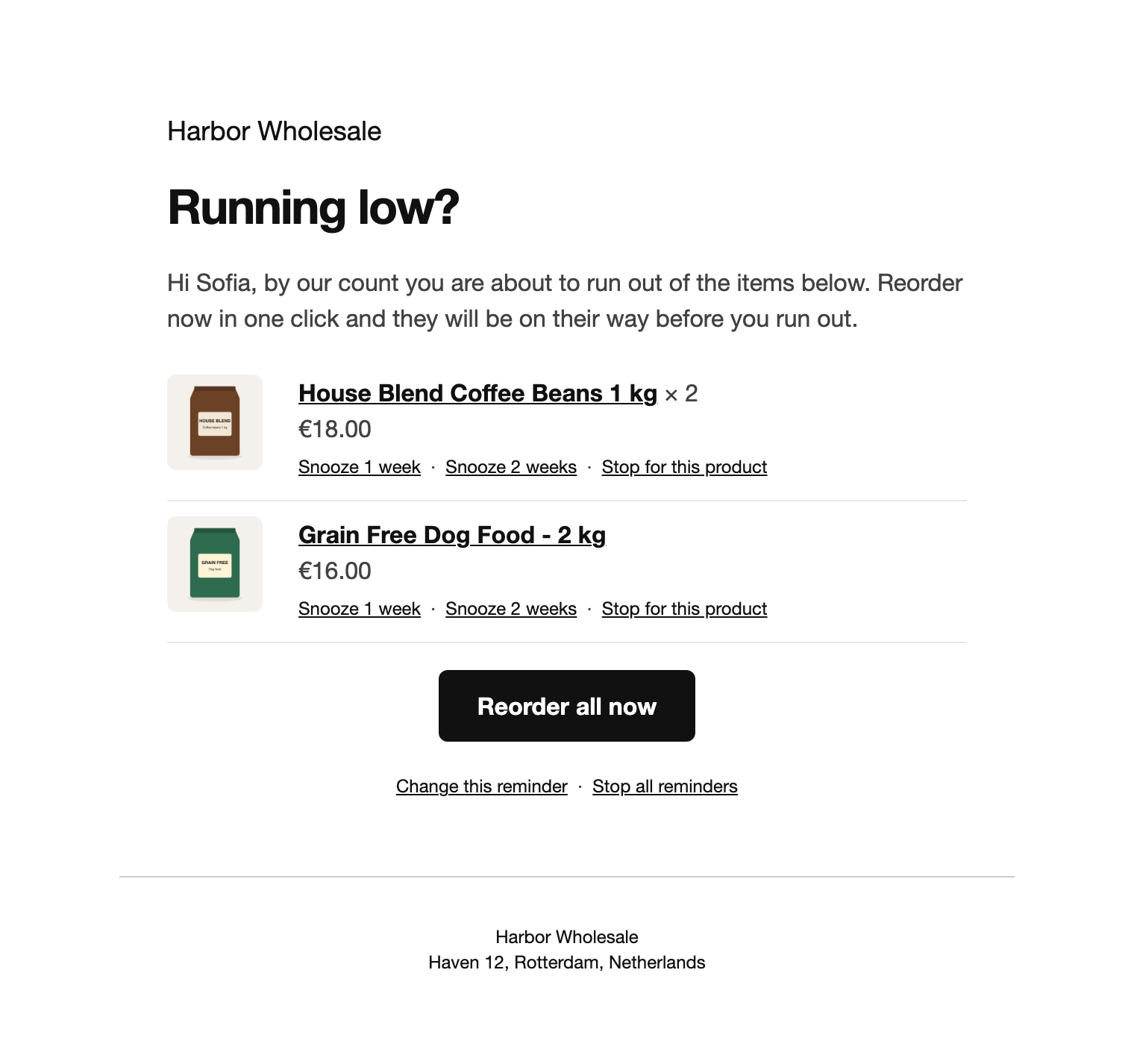
The reminder is a normal WooCommerce email in your store’s template. Products due within the grouping window go in one email, so nobody gets a run of separate messages. Each product has its image, price and links to snooze or stop.
The reorder link
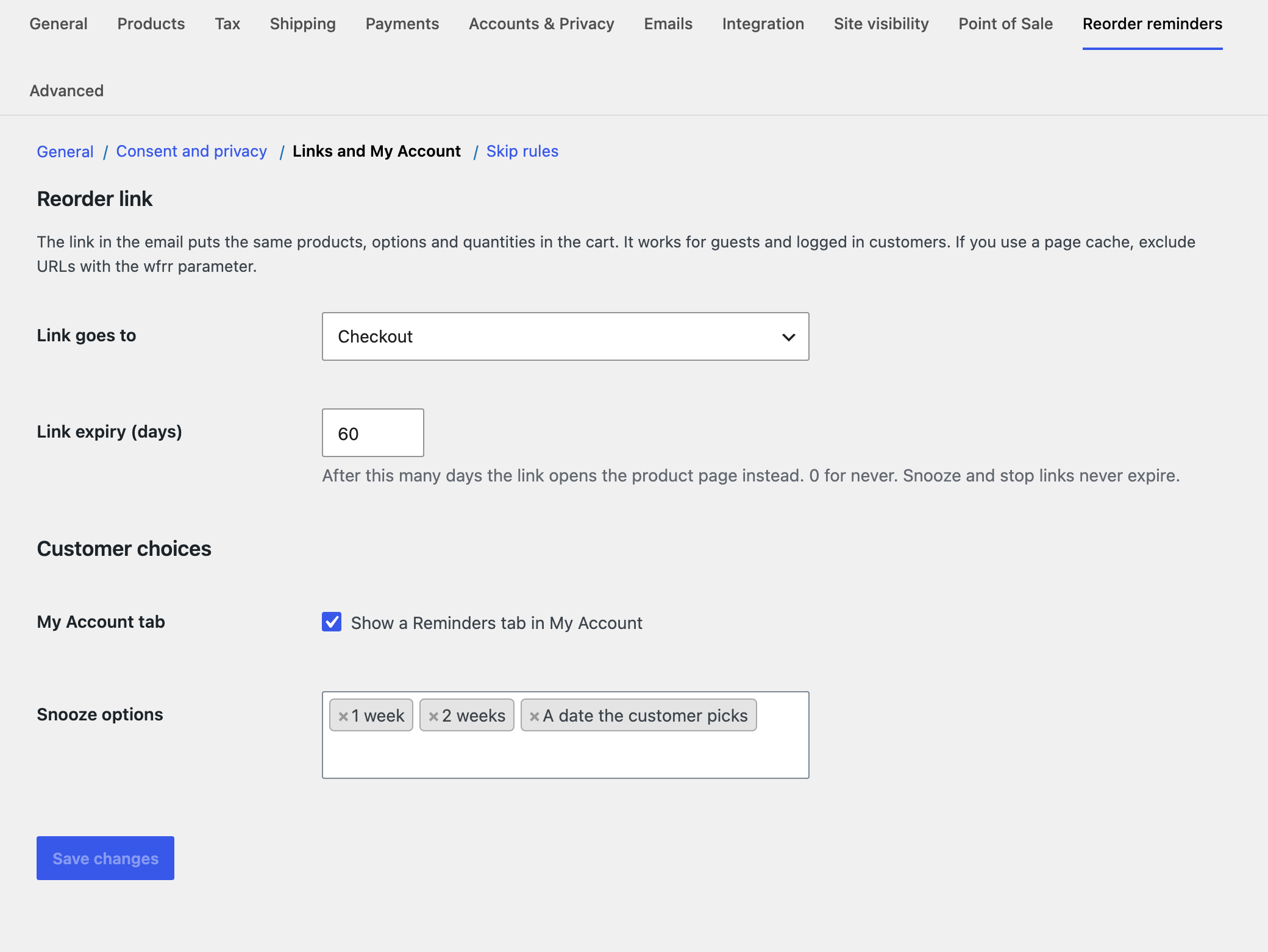
The button adds the same products, variations and quantities to the cart and opens the checkout or cart. It works for guests and logged in customers, using a random token tied to that email. A second click adds nothing more. If an item is sold out it is left out and the customer is told. Stock limits lower the quantity instead of failing. After the expiry you set, the link opens the product page instead.
Snooze and stop
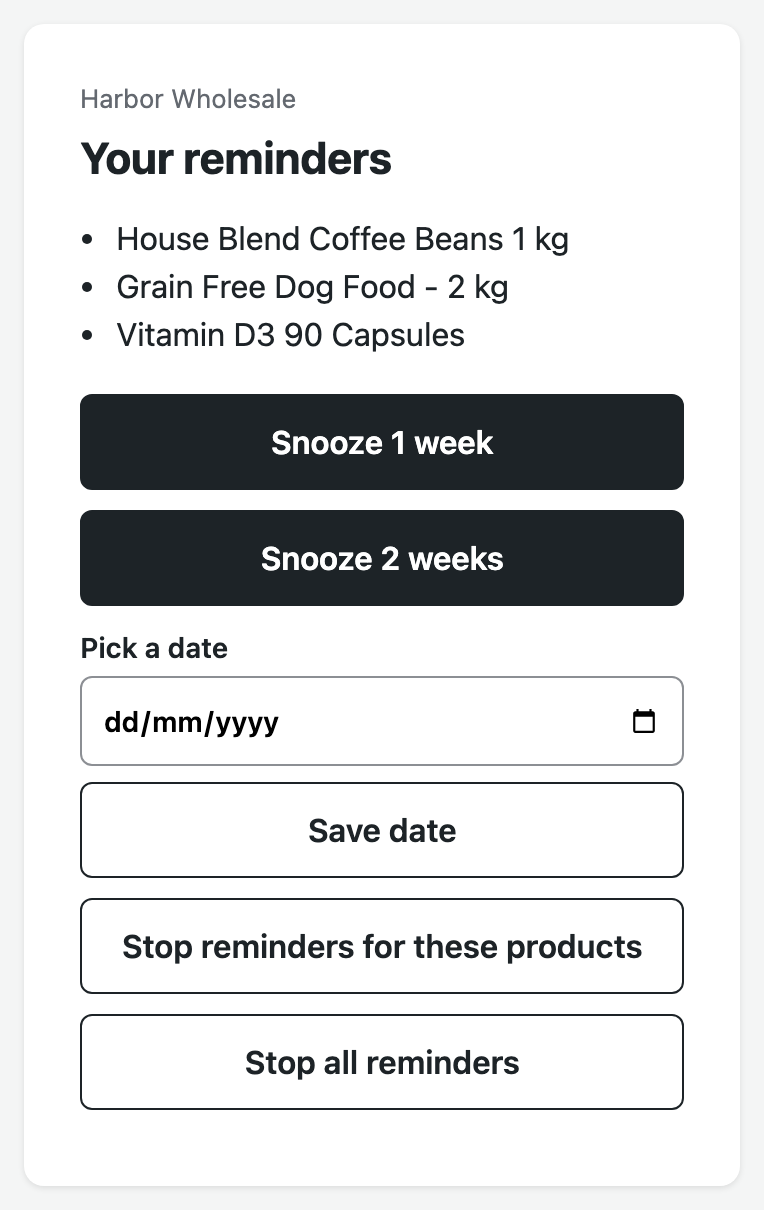
Many mail systems open every link in an email to scan it. So snooze and stop open a short page with a button, and following the link changes nothing. Those links never expire. Emails also carry one click unsubscribe headers for mailbox providers such as Gmail.
My Account
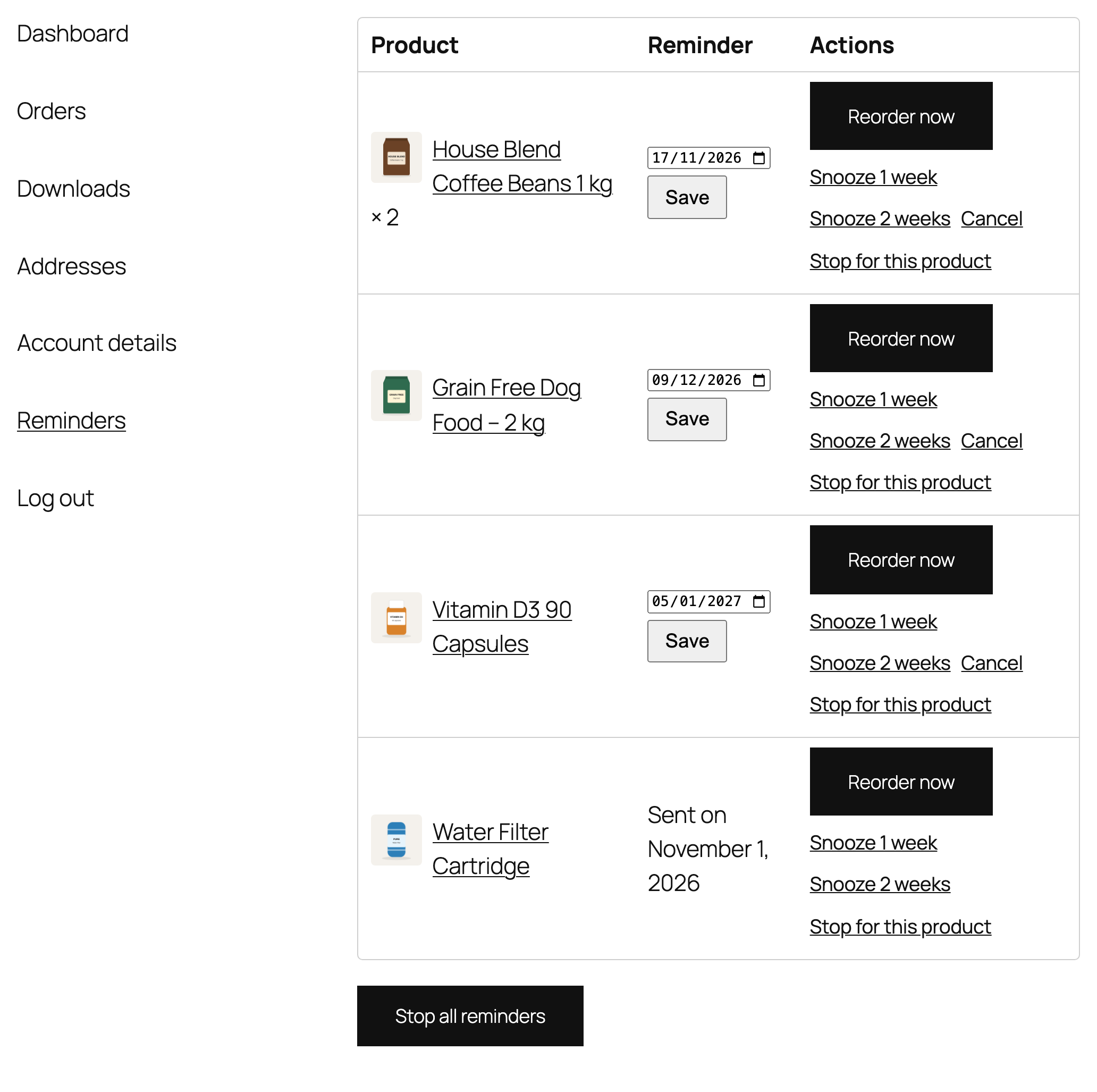
The Reminders tab lists upcoming and recently sent reminders. Customers can change the date, snooze, cancel, reorder now, stop a product or stop everything, and turn stopped products on again.