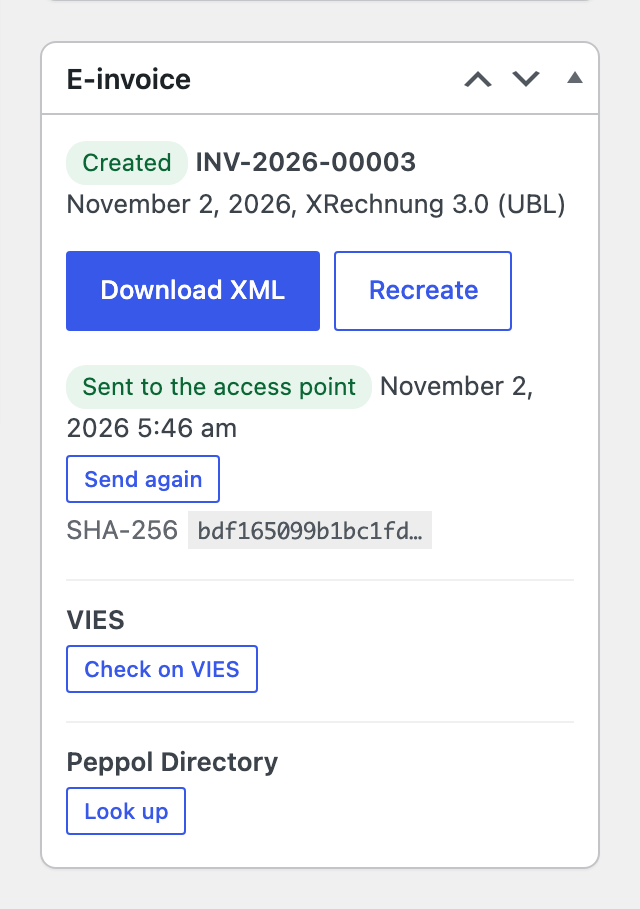
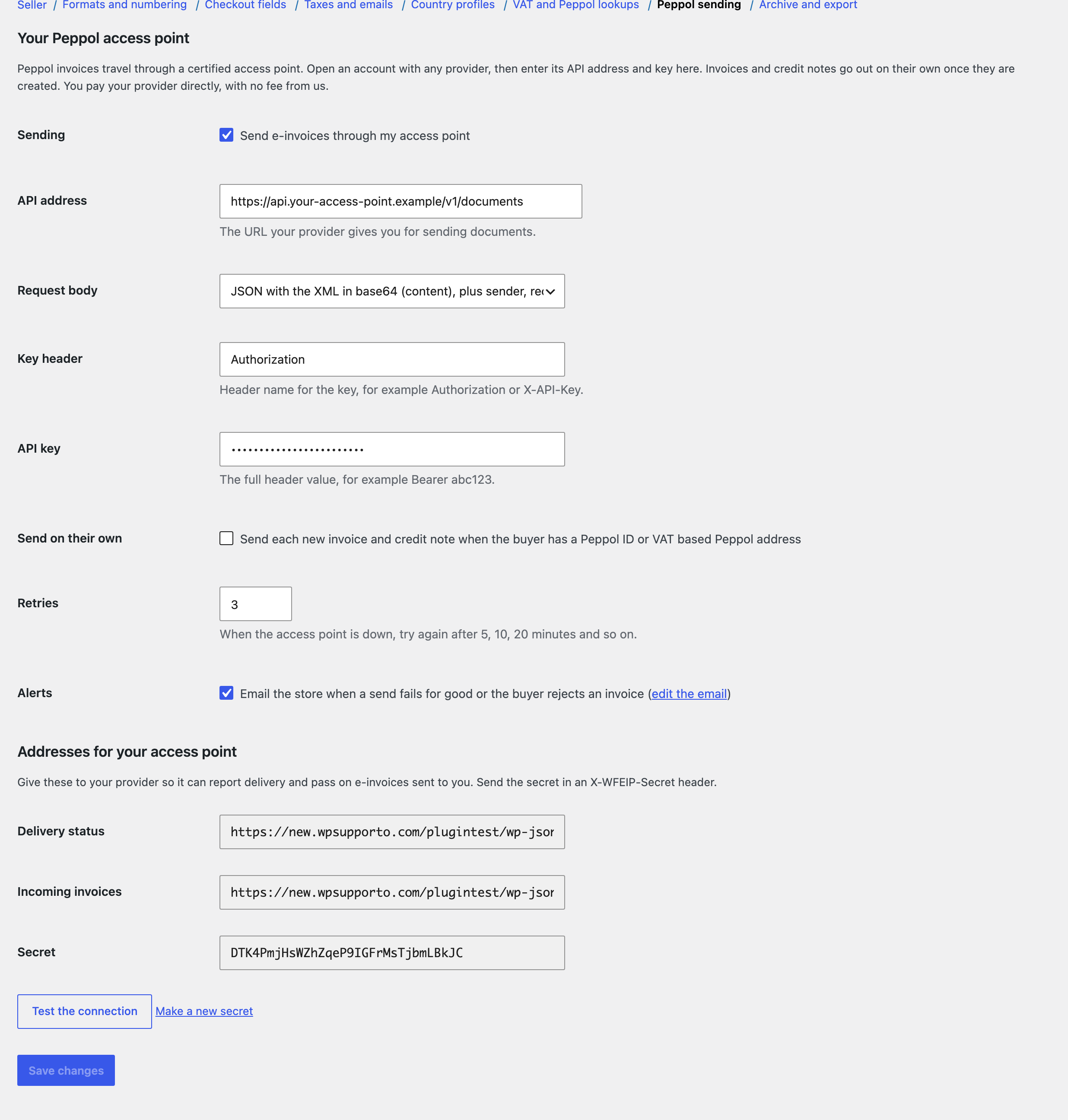
Peppol invoices travel through certified access points. Open an account with any provider, then enter its API address and key under Peppol sending. Invoices and credit notes go out when they are created (when the buyer has a Peppol address), or with Send through Peppol in the order box. You pay your provider directly, with no fee from us.
- Request body: JSON with the XML in base64 plus sender, receiver and number, or the raw XML with X-Peppol-Sender and X-Peppol-Receiver headers. Developers can reshape the request for any provider with the
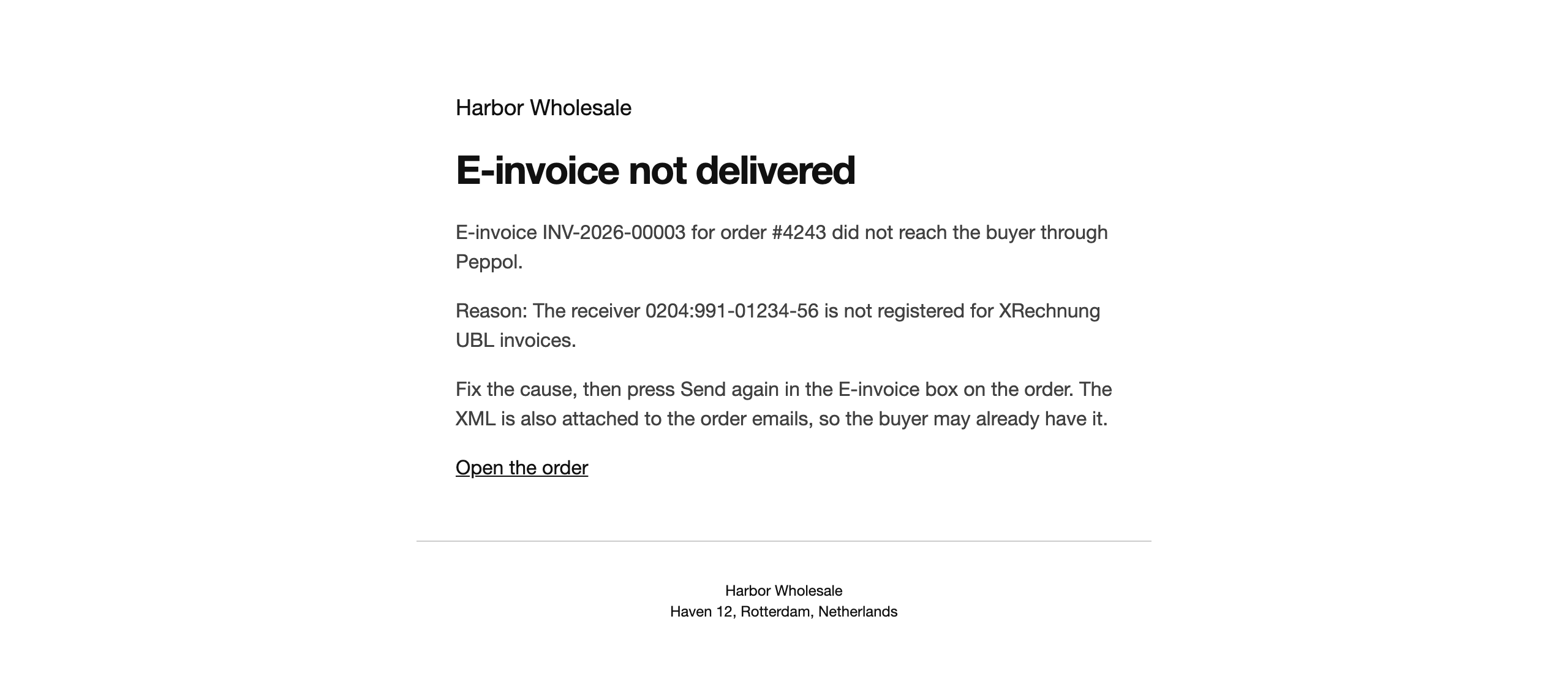
wfeip_send_requestfilter. - Retries: when the access point is down or busy, the send is retried after 5, 10, 20 minutes and so on. Errors that retrying cannot fix, such as an unknown receiver, fail right away.
- Status: each document shows Waiting to send, Sent, Delivered, Rejected or Send failed with the reason. The store gets an email when a send fails for good or the buyer rejects an invoice.
- Test the connection checks the address and key.
Delivery updates from your provider
Give your provider the Delivery status address shown below the settings and the secret. It posts updates like this, with the secret in an X-WFEIP-Secret header:
{"message_id": "AP-7F3K29Q", "status": "delivered"}
Accepted statuses are sent, delivered, rejected and failed, with an optional reason. The document can also be found by its number instead of the message ID.