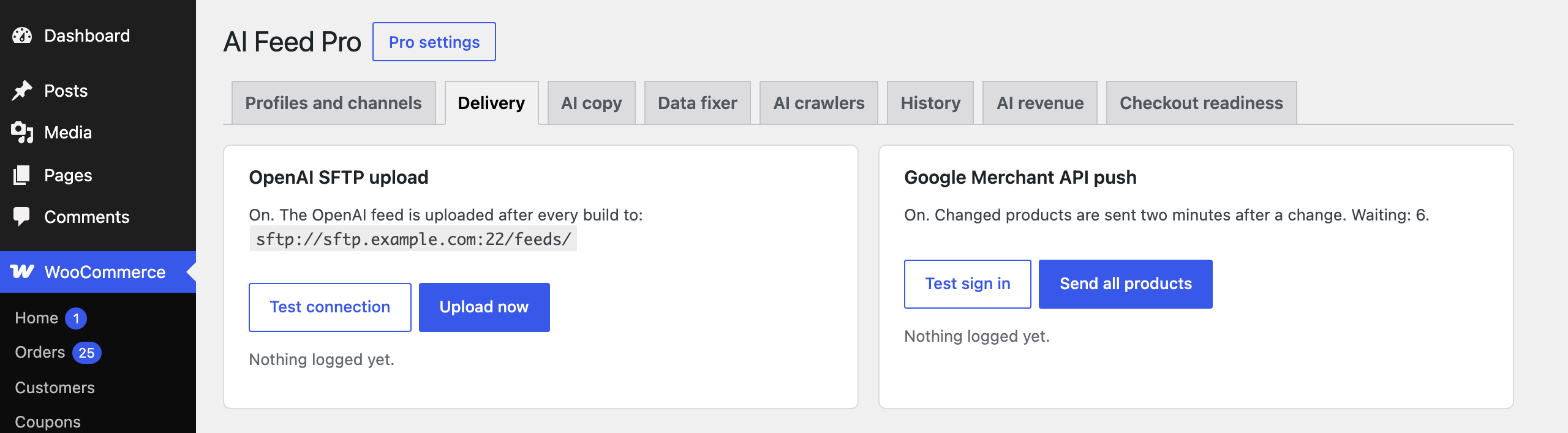
OpenAI SFTP upload
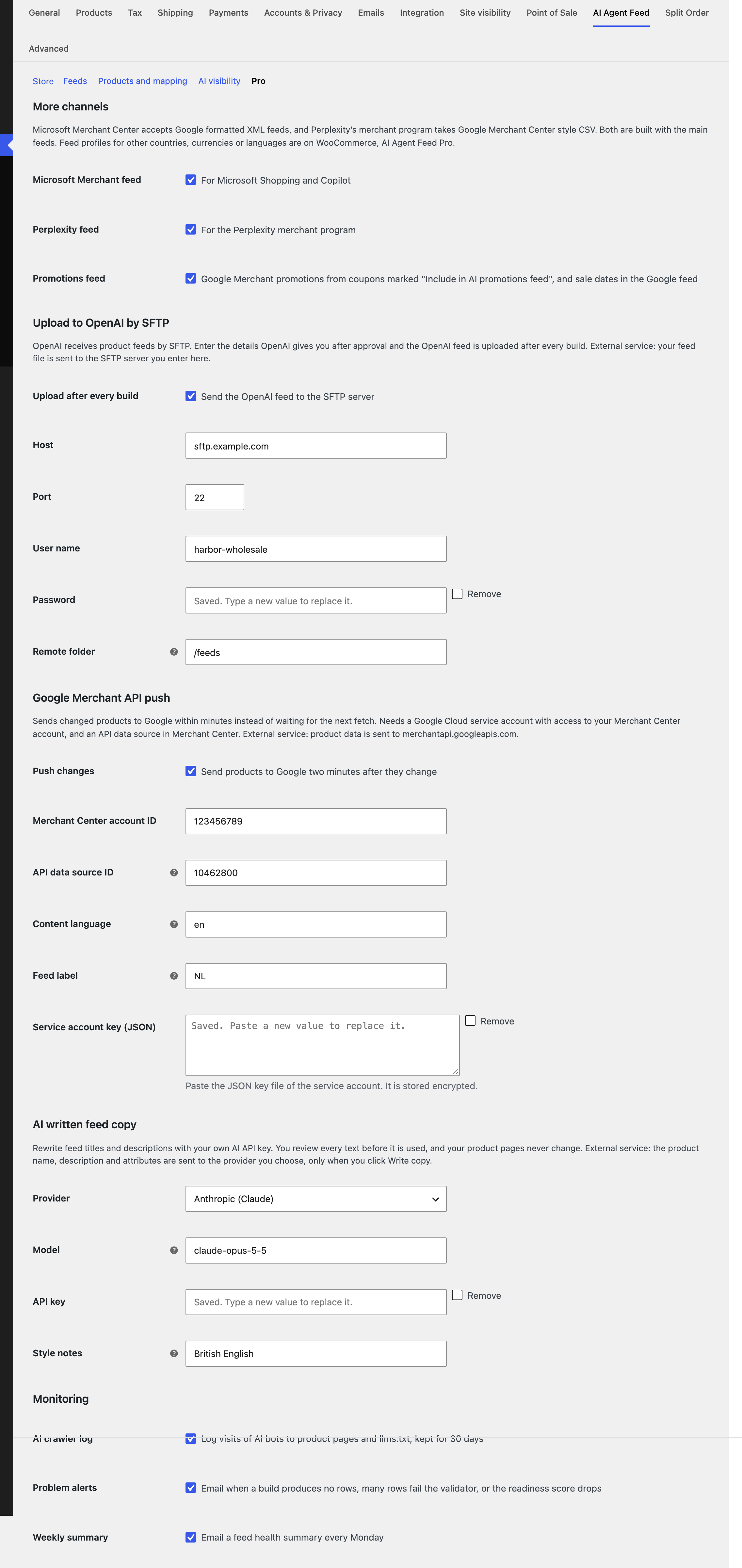
OpenAI receives product feeds by SFTP. Enter the host, port, user name, password and remote folder OpenAI gives you, and turn on Upload after every build. The OpenAI feed is then uploaded in the background after each main build. The password is stored encrypted and never shown again.
The Delivery tab has Test connection, Upload now and a log of the last uploads. The server needs PHP cURL with SFTP support; the tab tells you if it is missing.
Google Merchant API push
Instead of waiting for Google’s daily fetch, Pro sends changed products to Google two minutes after a change, through the Merchant API. Products that leave the feed are deleted from Google.
- In Google Cloud, create a service account, enable the Merchant API and download its JSON key.
- In Merchant Center, give the service account’s email access to your account, and add a data source with input “API”.
- In the Pro settings enter the Merchant Center account ID, the API data source ID, the content language and feed label (usually the country), and paste the JSON key.
- On the Delivery tab click Test sign in, then Send all products once. After that only changes are sent.