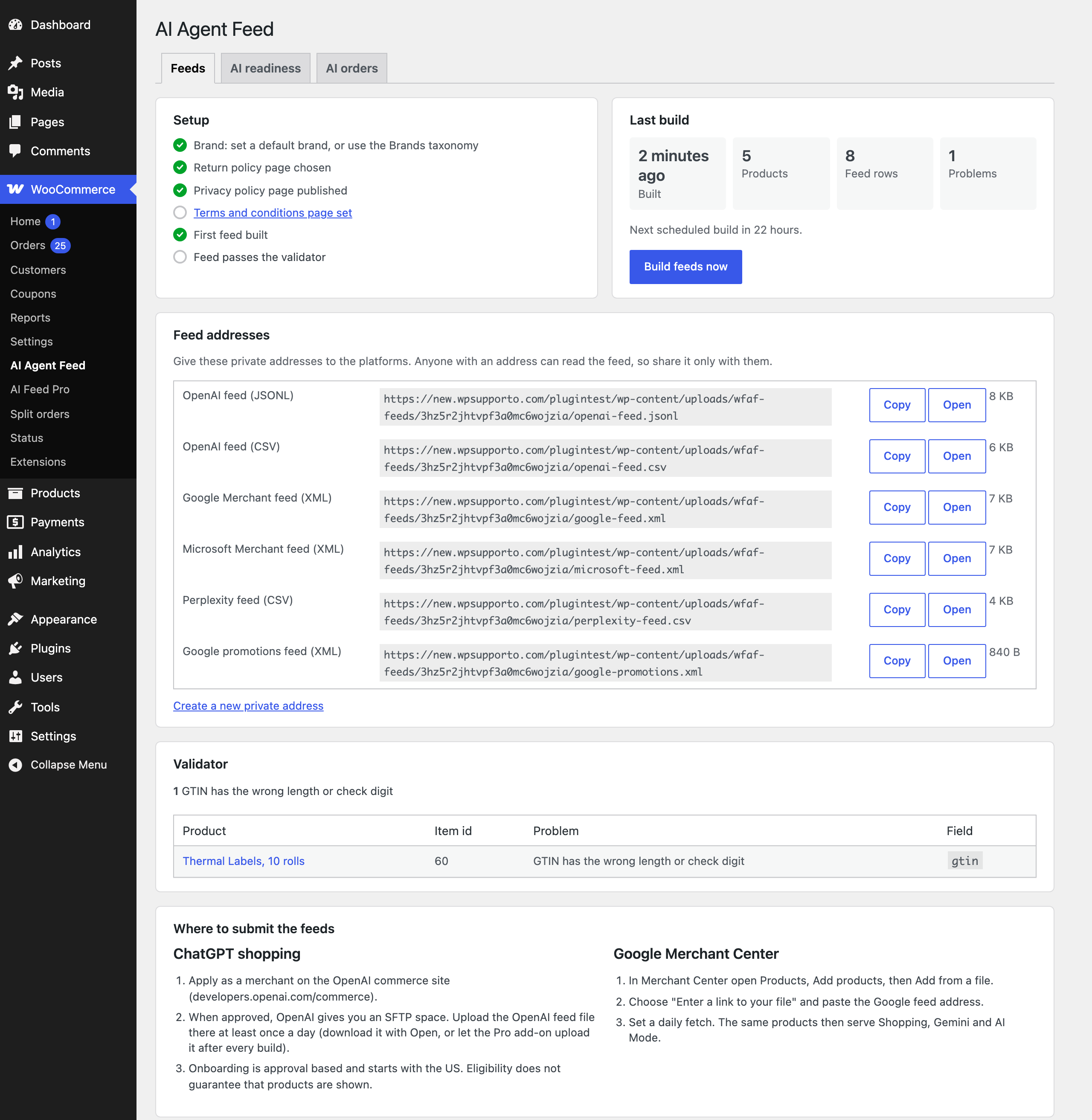
After activation, go to WooCommerce, AI Agent Feed. The Setup list on the left shows what is still needed.
- Store details. Under WooCommerce, Settings, AI Agent Feed, Store set the seller name (empty uses the site title), a default brand for products without one, the condition and, if it is the same for every order, the shipping price.
- Policies. Choose the return policy page and the return window. The privacy page comes from Settings, Privacy, and the terms page from WooCommerce, Settings, Advanced.
- Feeds. Under the Feeds section choose the OpenAI feed format and the Google feed, and how often to rebuild.
- Build. Click Build feeds now. Small stores build in a few seconds; large catalogs build in the background in batches of 100 products.
- Fix. Check the validator and the AI readiness tab, fix what they list and build again.