
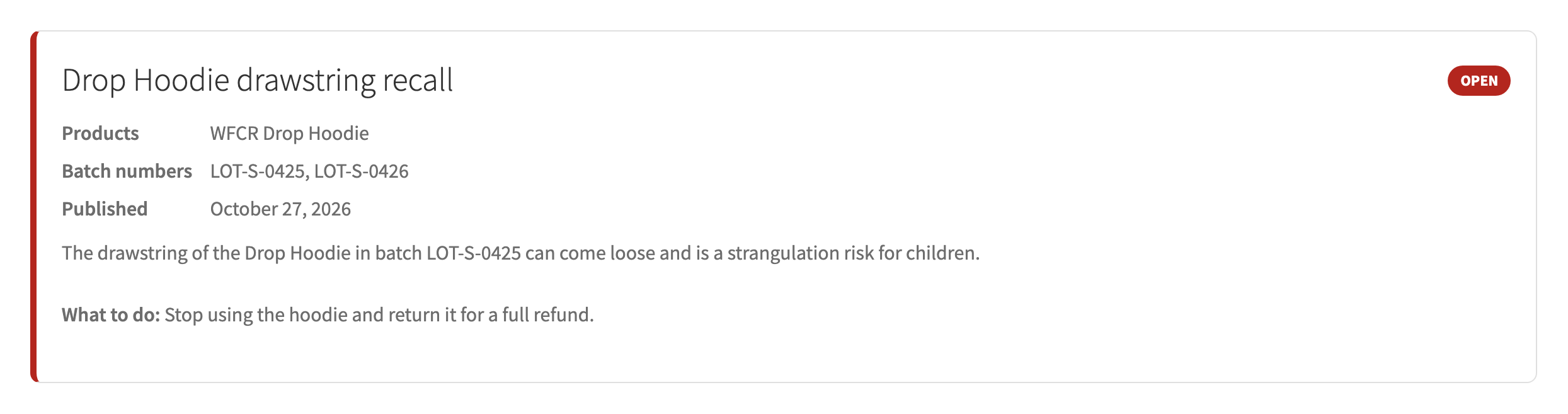
- Open WooCommerce, GPSR, Recalls and add a recall. Write the customer notice in the editor.
- Choose the products and, if only some batches are affected, the batch numbers. Limit to an order date range if needed.
- Add the remedy, for example a refund. Tick Public notice to list it on your recall page and show the shop banner.
- Publish, then click “Find buyers and send notices”. Orders are checked in batches of 50 in the background.
- Each buyer gets one recall email and the order gets a note. You get a summary email when it is done.
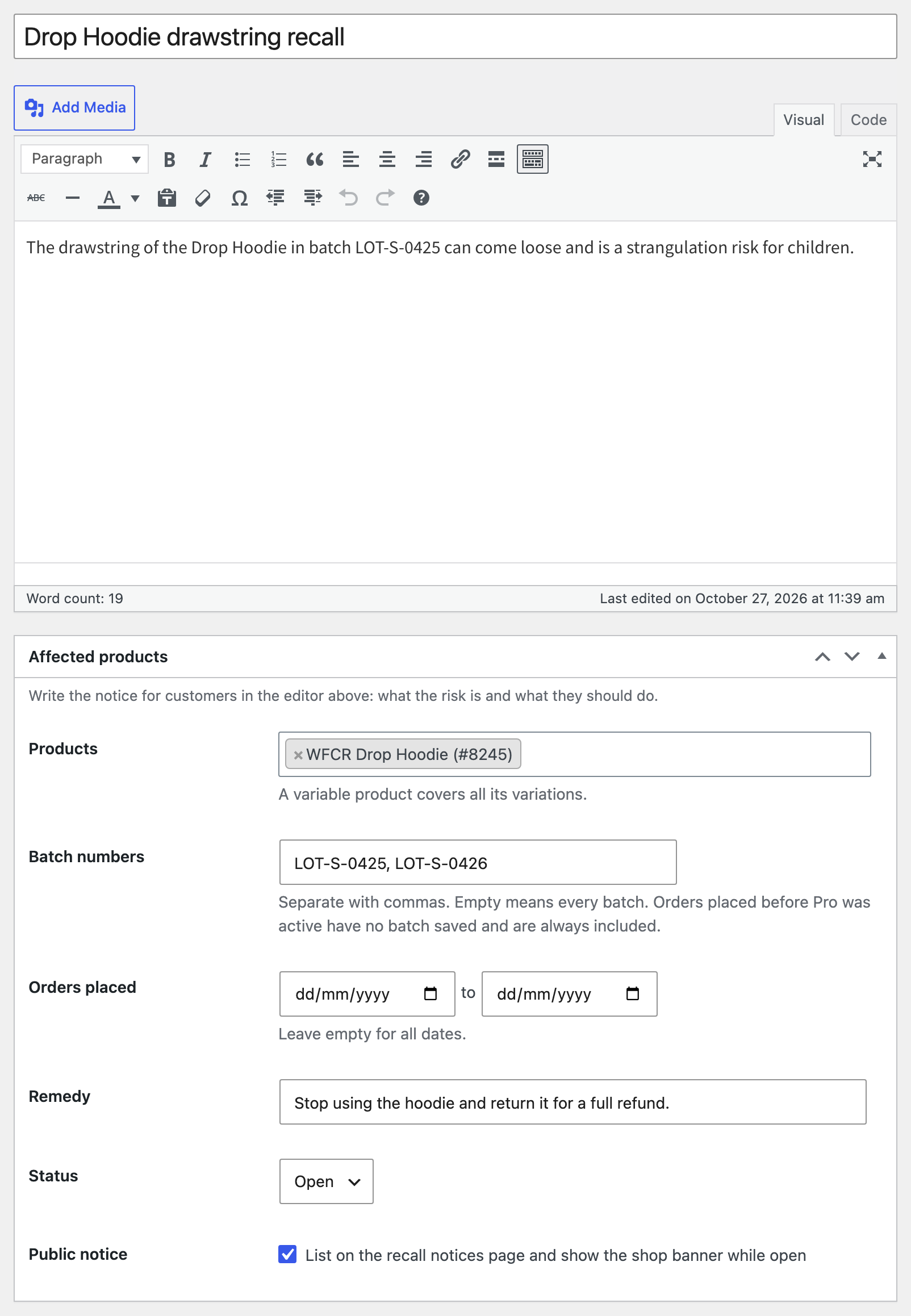

Customers who already got a notice are skipped when you send again. Orders placed before Pro was active have no batch saved and are always included, so nobody who might be affected is missed.
The recall email, the recall summary and the weekly report are normal WooCommerce emails. Edit their subject, heading and text under WooCommerce, Settings, Emails.