An “Edit order” button appears next to the order in My Account, on the order page, on the thank-you page and in the order emails while the order can still be changed.
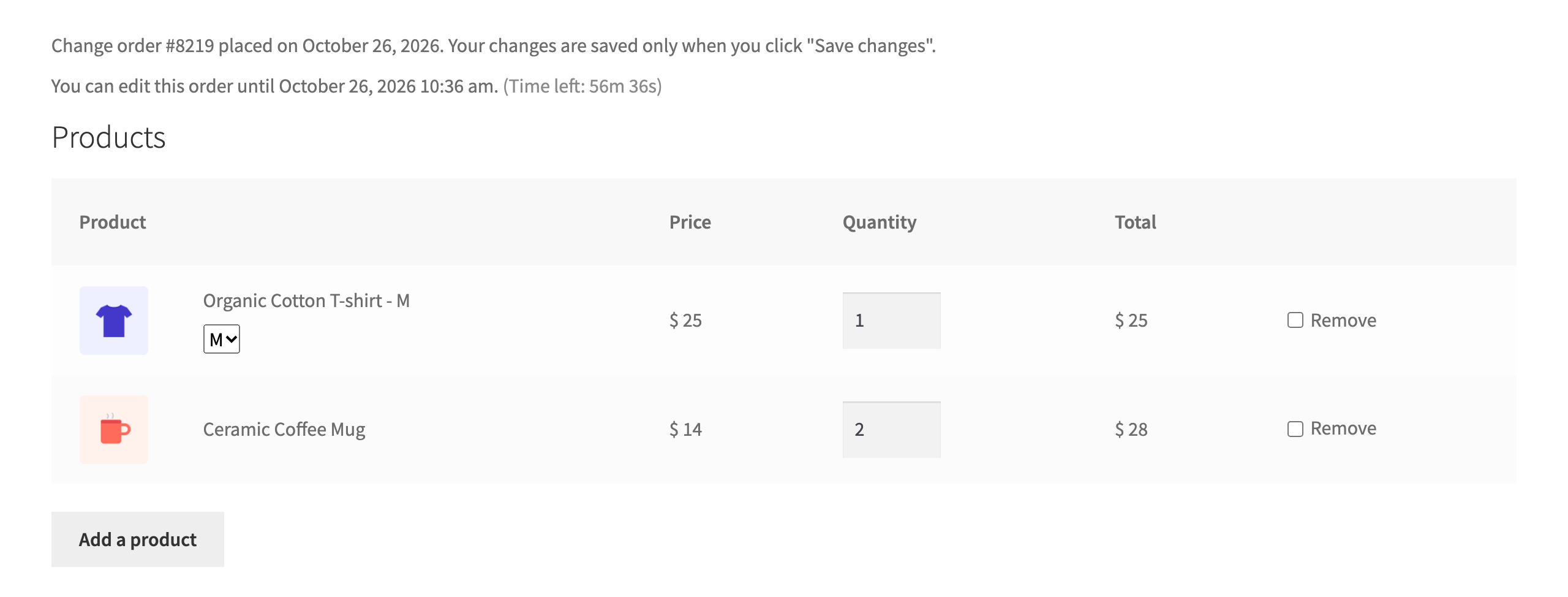
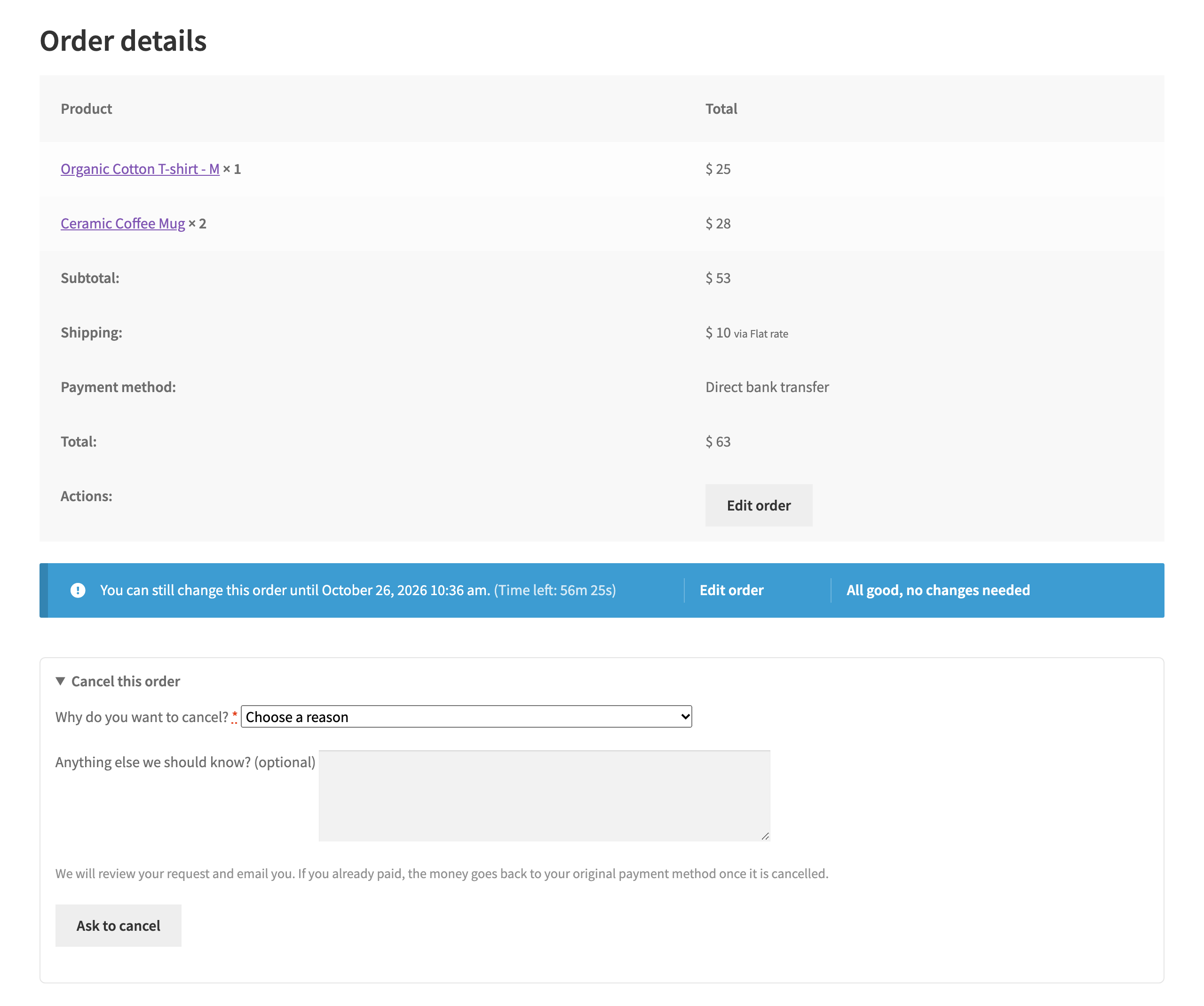

An “Edit order” button appears next to the order in My Account, on the order page, on the thank-you page and in the order emails while the order can still be changed.